
Automated company and customs data collection
Configure collection by keyword, region and account criteria, using company data, customs data or both.
Create automated tasks around product keywords, regions and target-account criteria. Collect company or customs data only, or connect collection with email and WhatsApp outreach. Recent tasks, history and detailed dashboards reveal email, phone, collection and outreach progress so teams can focus on qualified inquiries.
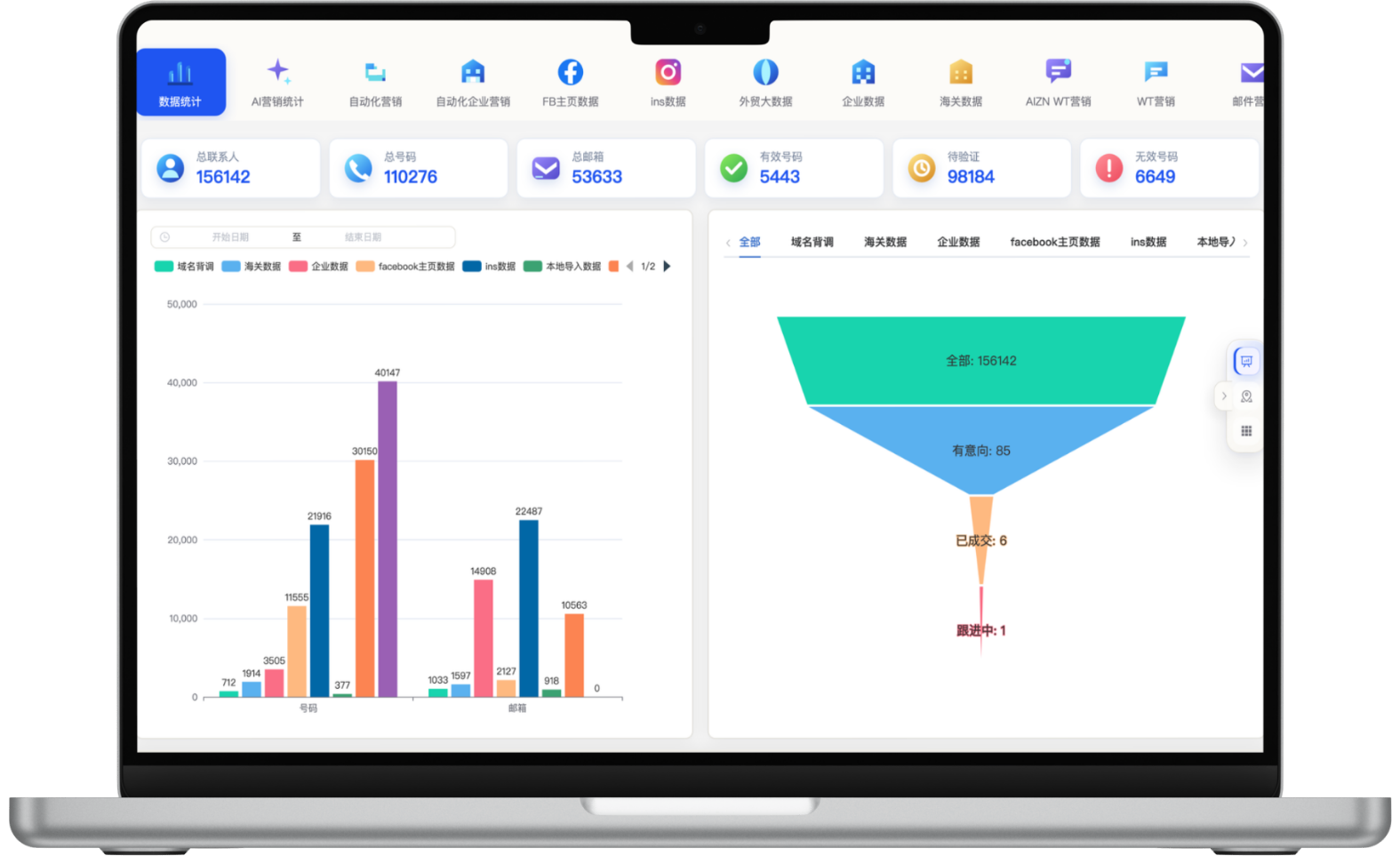
A focused workflow for turning fragmented information into consistent customer-development actions.
Configure collection by keyword, region and account criteria, using company data, customs data or both.
Collect data for team review only, or connect email and WhatsApp outreach within the same task for different operating stages.
Set outreach timing, mailbox filters and previous-send conditions to reduce duplicate or poorly matched contact attempts.
Review recent and historical tasks, company and customs volumes, email and phone counts, and collection and outreach status.
Each section maps to the corresponding data source, workflow and operational requirement for this module.
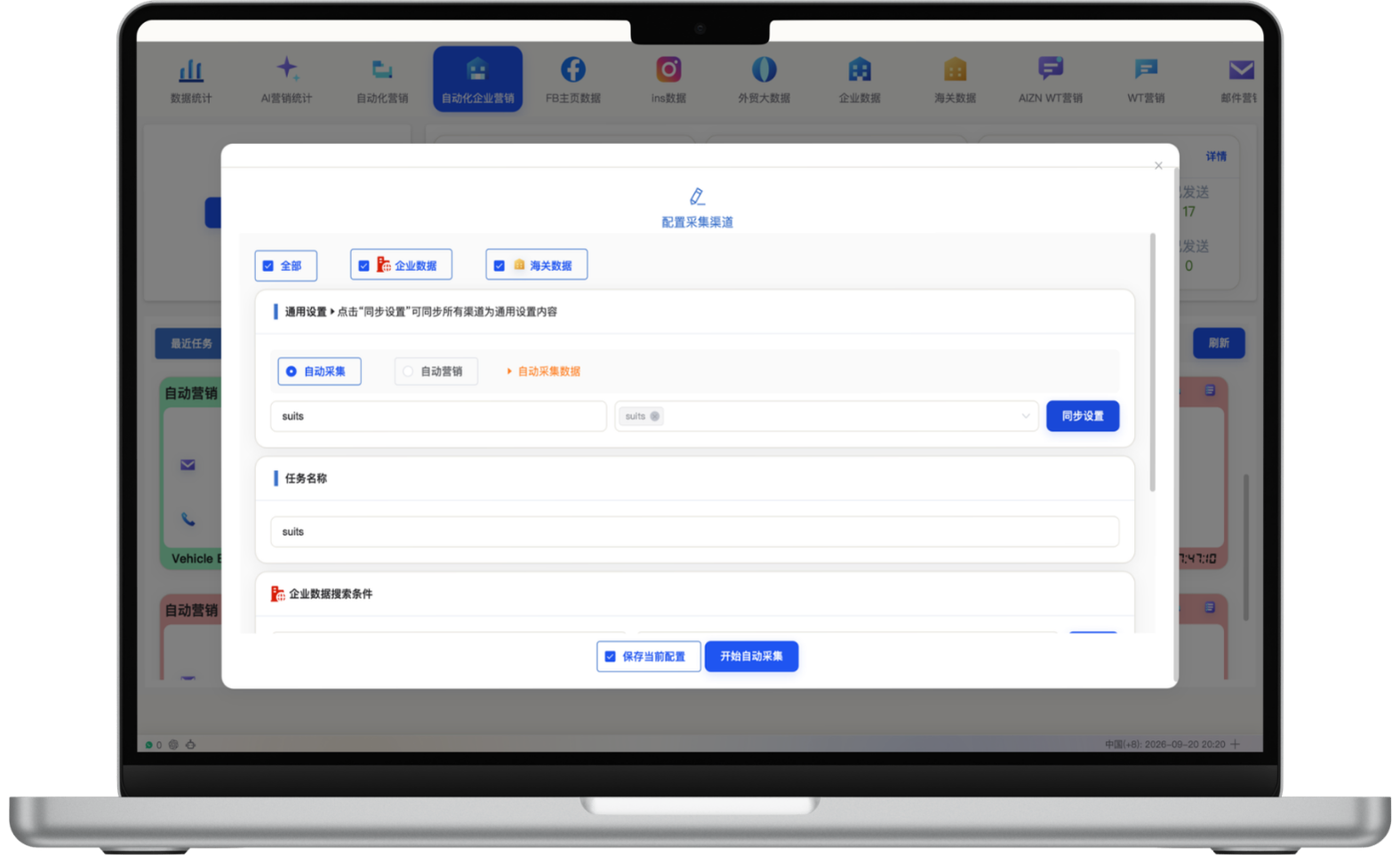
Choose company data, customs data or both, then create an automated collection task with keywords, regions, sync labels and a task name. Collection-only mode does not launch outreach, giving teams time to verify emails, phone numbers, buyers and suppliers before qualification.
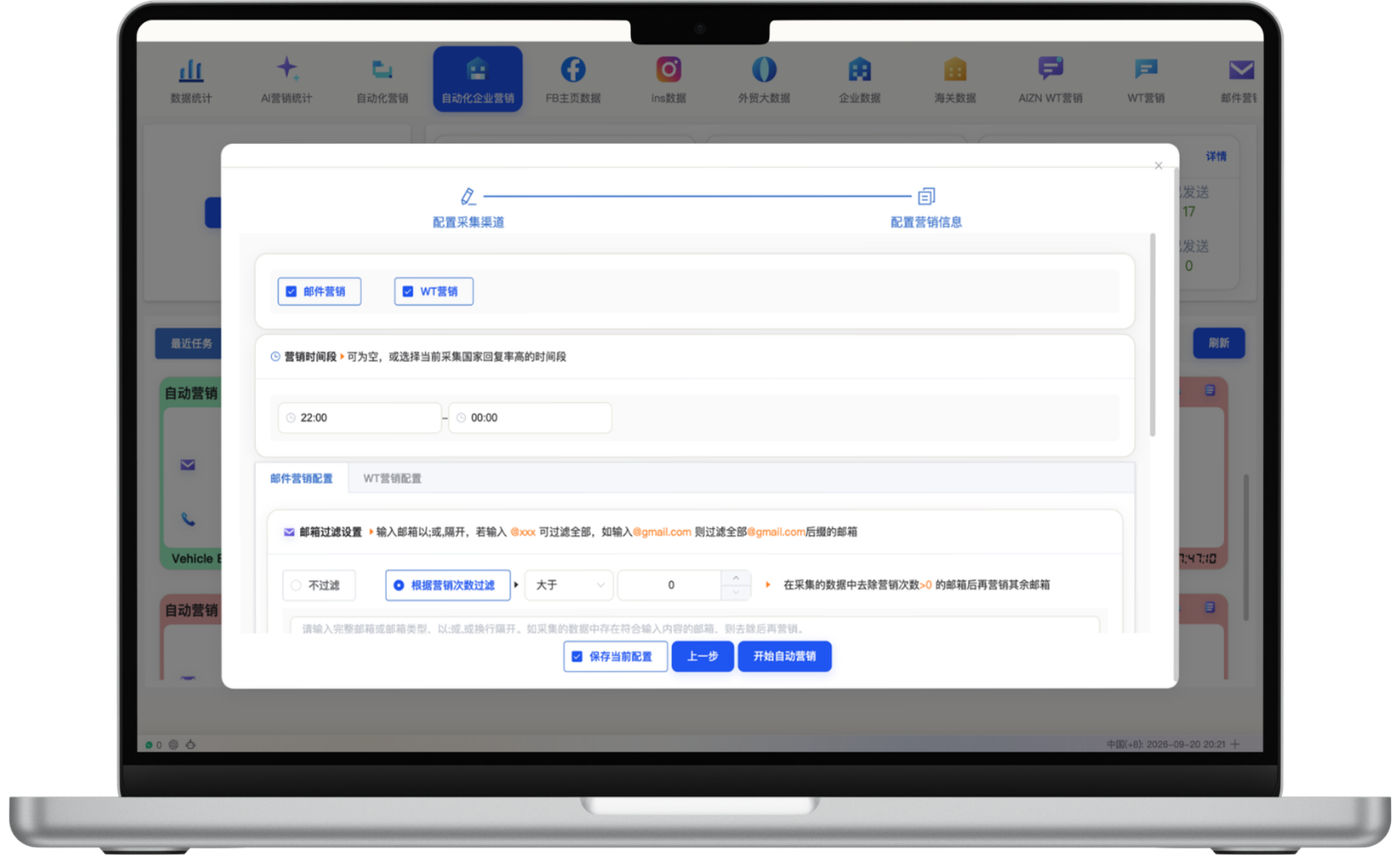
When collection and outreach should run together, enable email and WhatsApp marketing and configure time windows, mailbox-domain filters and previous-send rules. The workflow handles repeatable execution so sales teams can focus on qualified replies, account judgment and inquiry conversion.
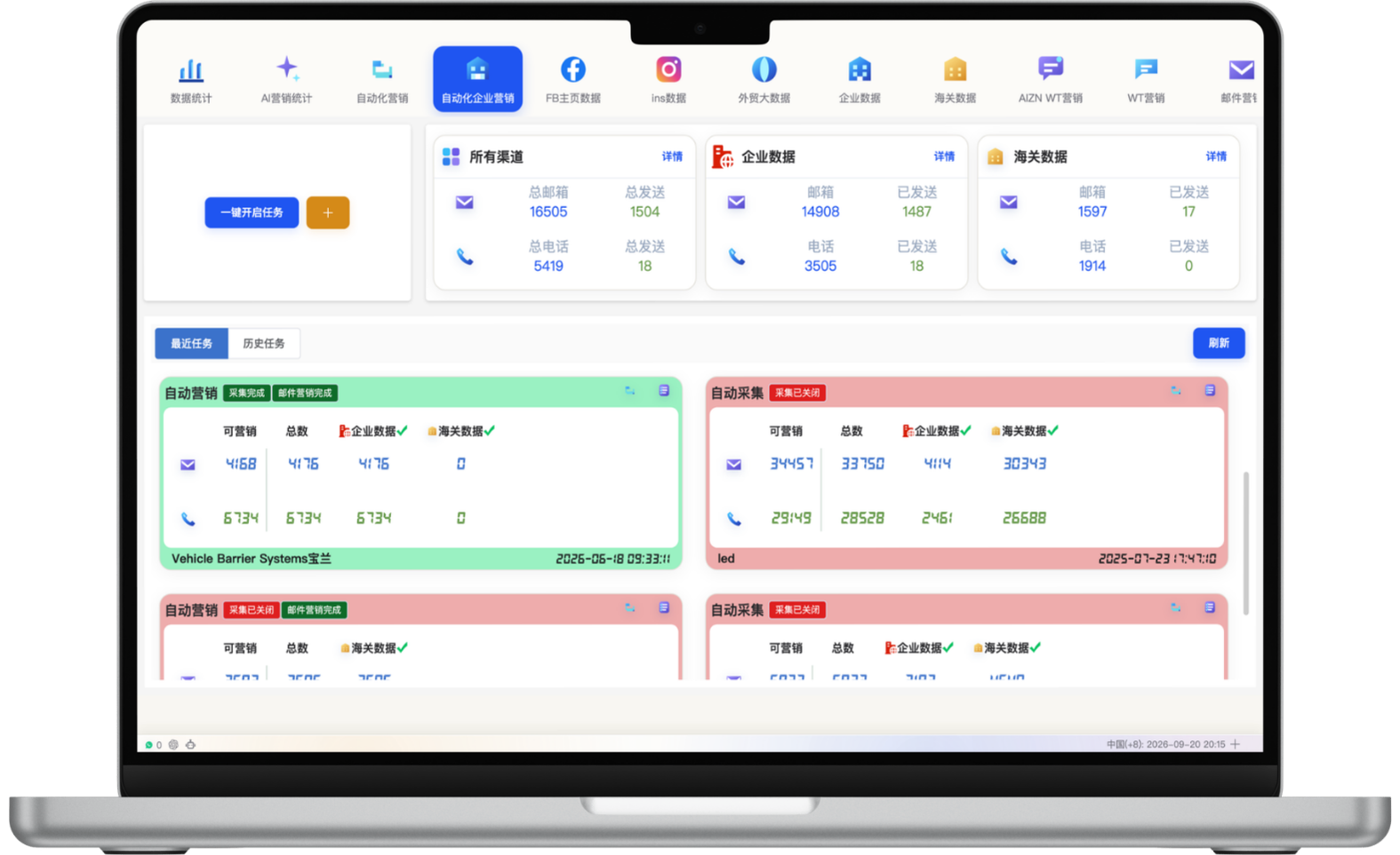
The dashboard summarizes email, phone, collection and sent volumes across all channels, company data and customs data. Teams can create multiple collection or outreach tasks for different products and markets, then review execution through recent and historical task views.
Task details separate collection and outreach results and show company and customs email counts, phone counts, keywords, sync labels, status, buyer or supplier criteria and data date ranges. Clear history helps teams review list quality and refine the next task.
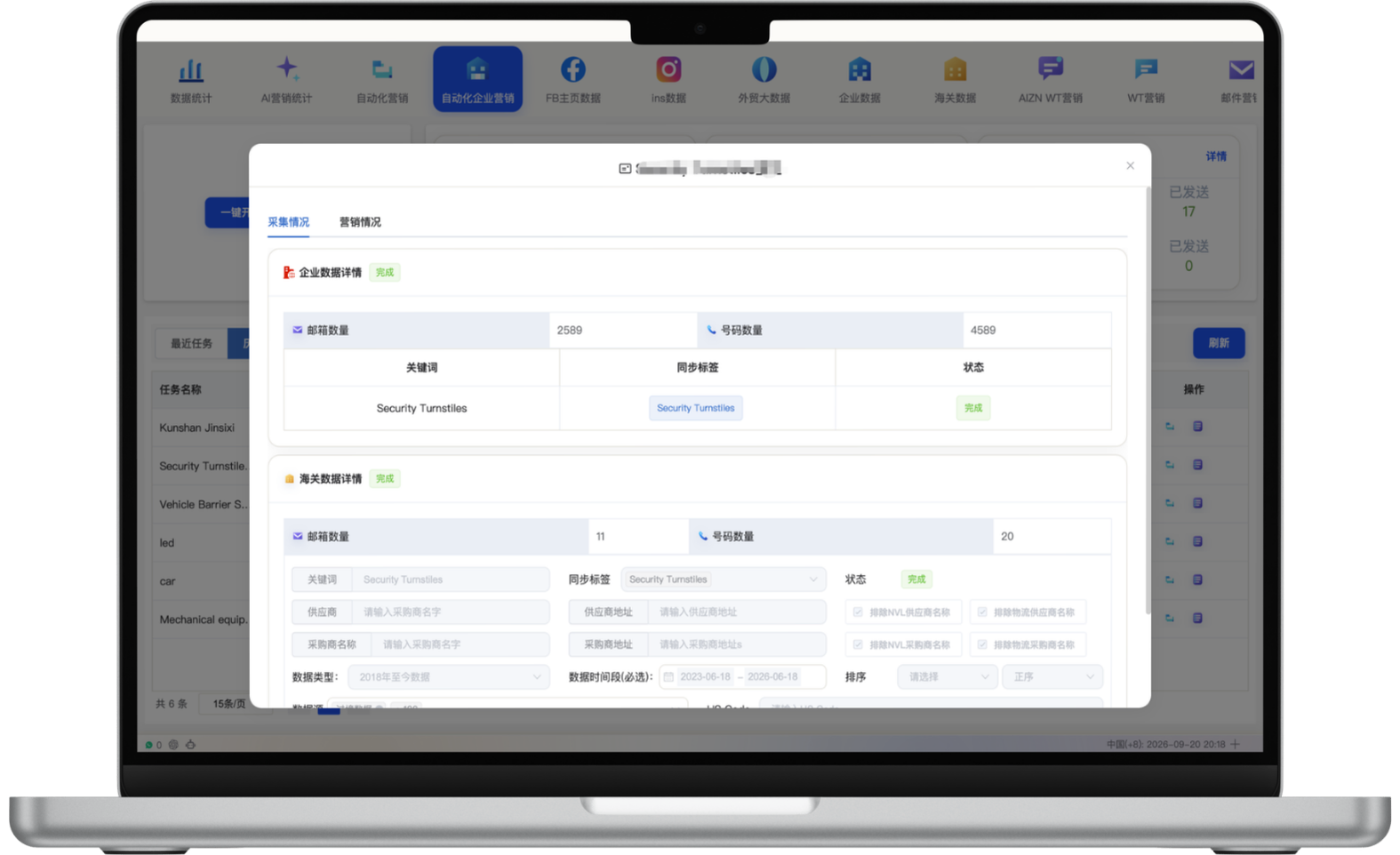
Select company data, customs data or both sources.
Configure keywords, regions, sync labels and a task name.
Collect for qualification only, or add email, WhatsApp and timing rules.
Review collection and outreach performance in recent, historical and detail views.
Start with one measurable scenario, then extend the workflow as your team builds confidence.
Continuously discover and engage active importers in priority categories.
Set dedicated account criteria and outreach cadence for a target country.
Supply sales teams with qualified new accounts on a recurring basis.
Routine collection and workflow steps can run by rule, while list quality, message content and exceptions still require periodic review.
Yes. Different sources can support discovery and enrichment before records are normalized, deduplicated and prioritized.
Task views can track collected records, valid leads, outreach, responses and conversion stages.
Have another question? Visit the full FAQ for more answers.
Tell us your products, target markets and current process. We will help map the right data, channel and follow-up setup.