
Trend discovery and AI content creation
Expand one product keyword into search and social trends, then assist post, hashtag and platform-specific draft creation.
Discover trending content directions from product keywords, use AI to assist copy and visual creation, localize posts for global markets, then schedule and publish from one workflow. Centralize social accounts, media, drafts, scheduled tasks and results so export teams can reduce repetitive work and maintain consistent output.
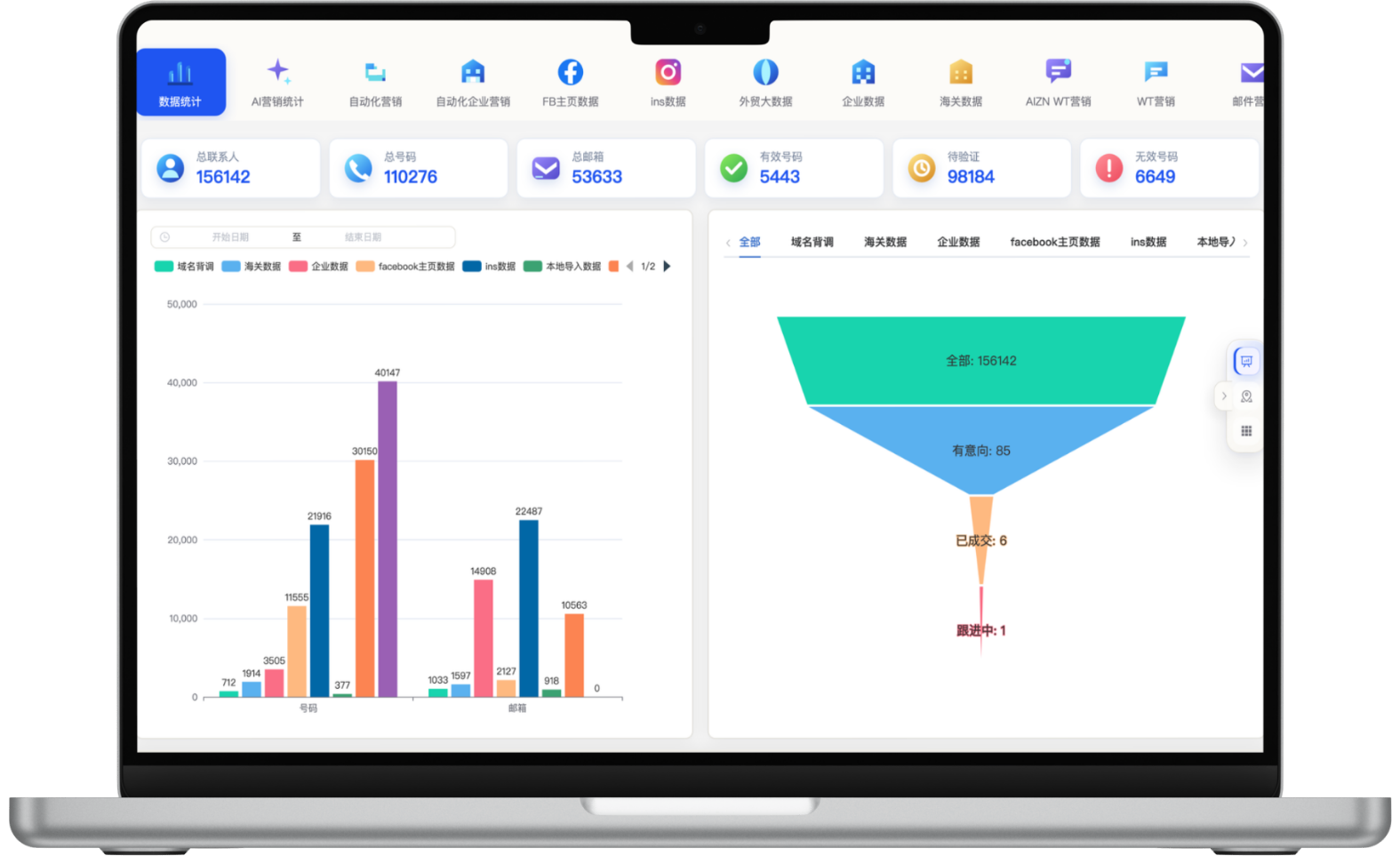
A focused workflow for turning fragmented information into consistent customer-development actions.
Expand one product keyword into search and social trends, then assist post, hashtag and platform-specific draft creation.
Create folders, upload and reuse product media, with workflows for image analysis, AI generation and background replacement.
Create language variants from one campaign theme to reduce repeated translation and production across markets.
Manage social accounts centrally, schedule drafts, timed or immediate posts, and track platform execution through a unified dashboard.
Each section maps to the corresponding data source, workflow and operational requirement for this module.
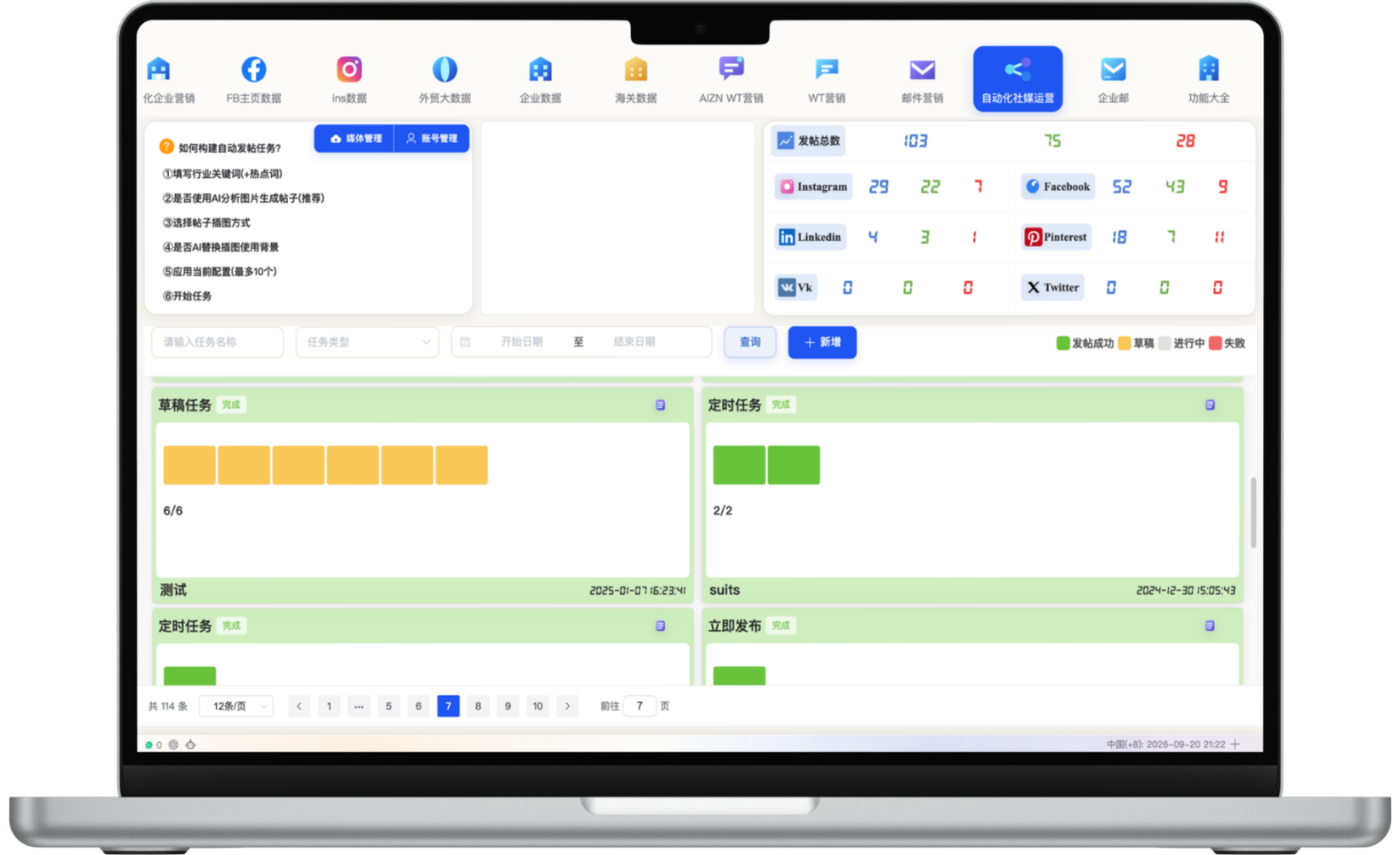
The operations dashboard summarizes total, successful, active and failed posts across Instagram, Facebook, LinkedIn, Pinterest, VK, X and other connected platforms. Filter by task name, type and date, and manage draft, scheduled and immediate tasks in one place to identify issues and refine execution.
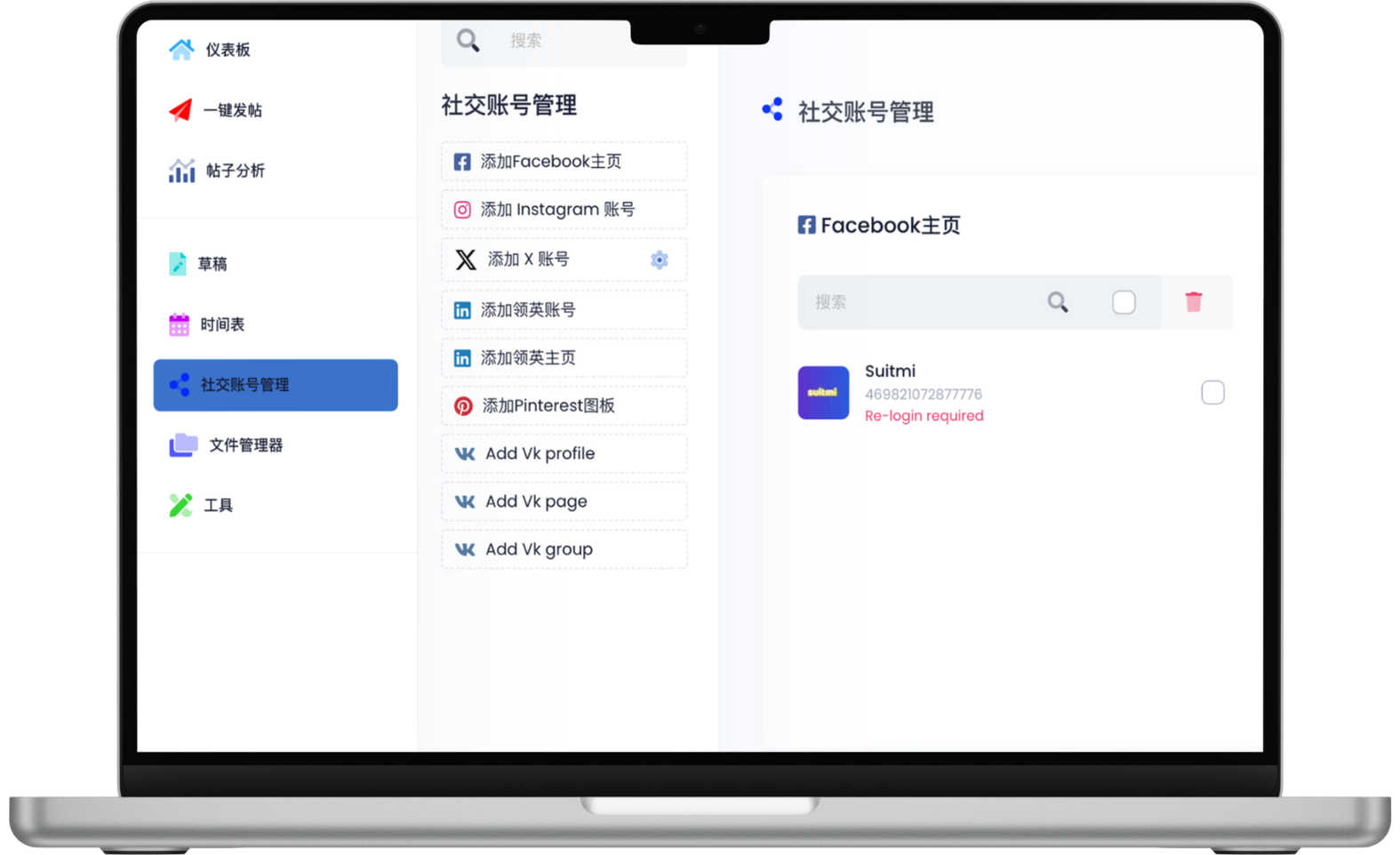
Add and manage Facebook Pages, Instagram, X, LinkedIn, Pinterest, VK and other accounts from one workspace, reducing platform switching and repeated login work. Connection and publishing capabilities depend on platform APIs, authorization status and account settings.
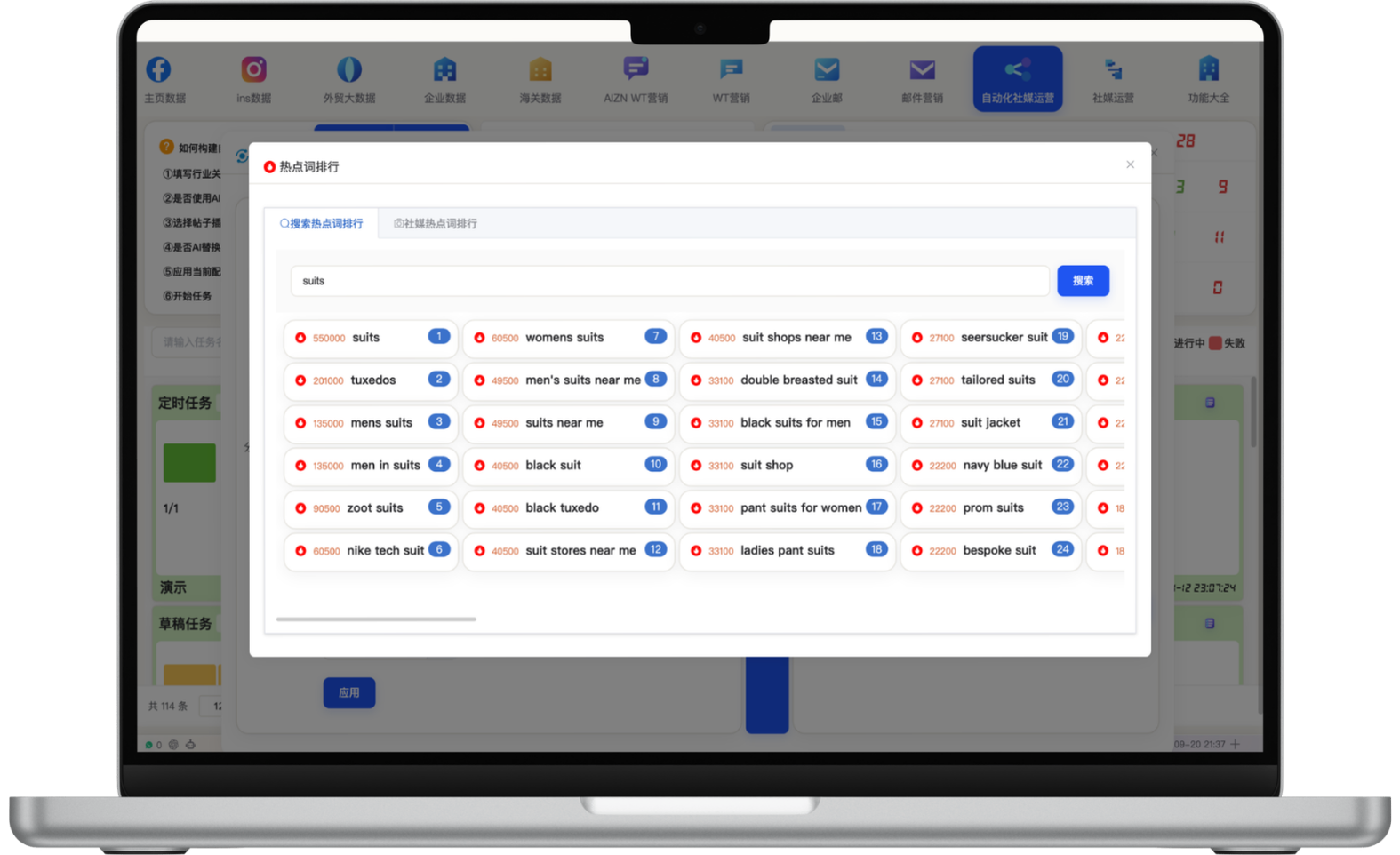
Use search and social trend analysis to expand core terms such as Car or suits into related topics, volume signals and rankings, including Used Cars, Tesla Model Y, Toyota Camry or suit shops near me. This helps teams choose market-relevant topics instead of starting from a blank page every day.
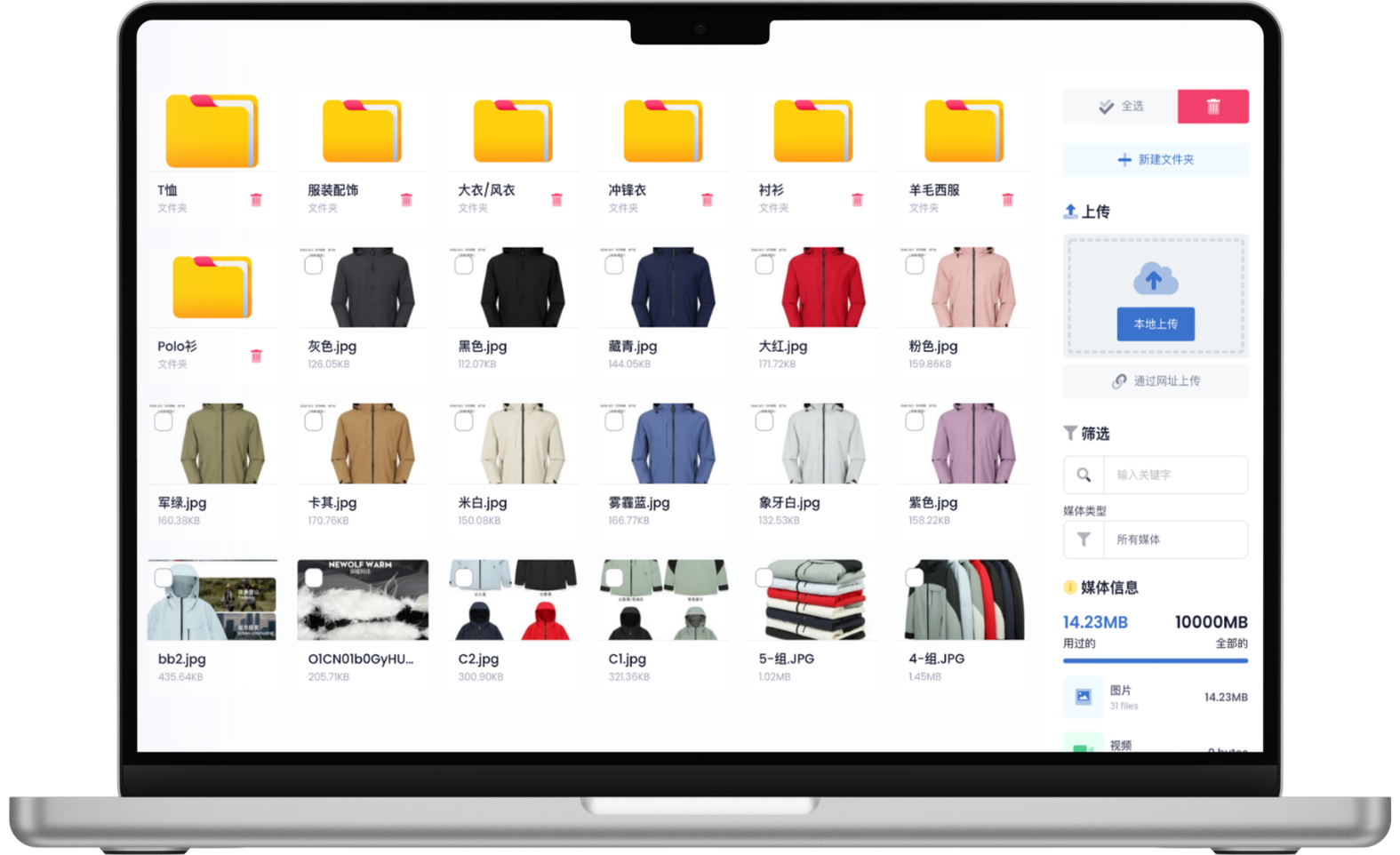
Create folders by product line, category, campaign or market and upload media centrally. A clear structure helps teams choose approved assets quickly when building posts, reducing repeated searches and asset mistakes.
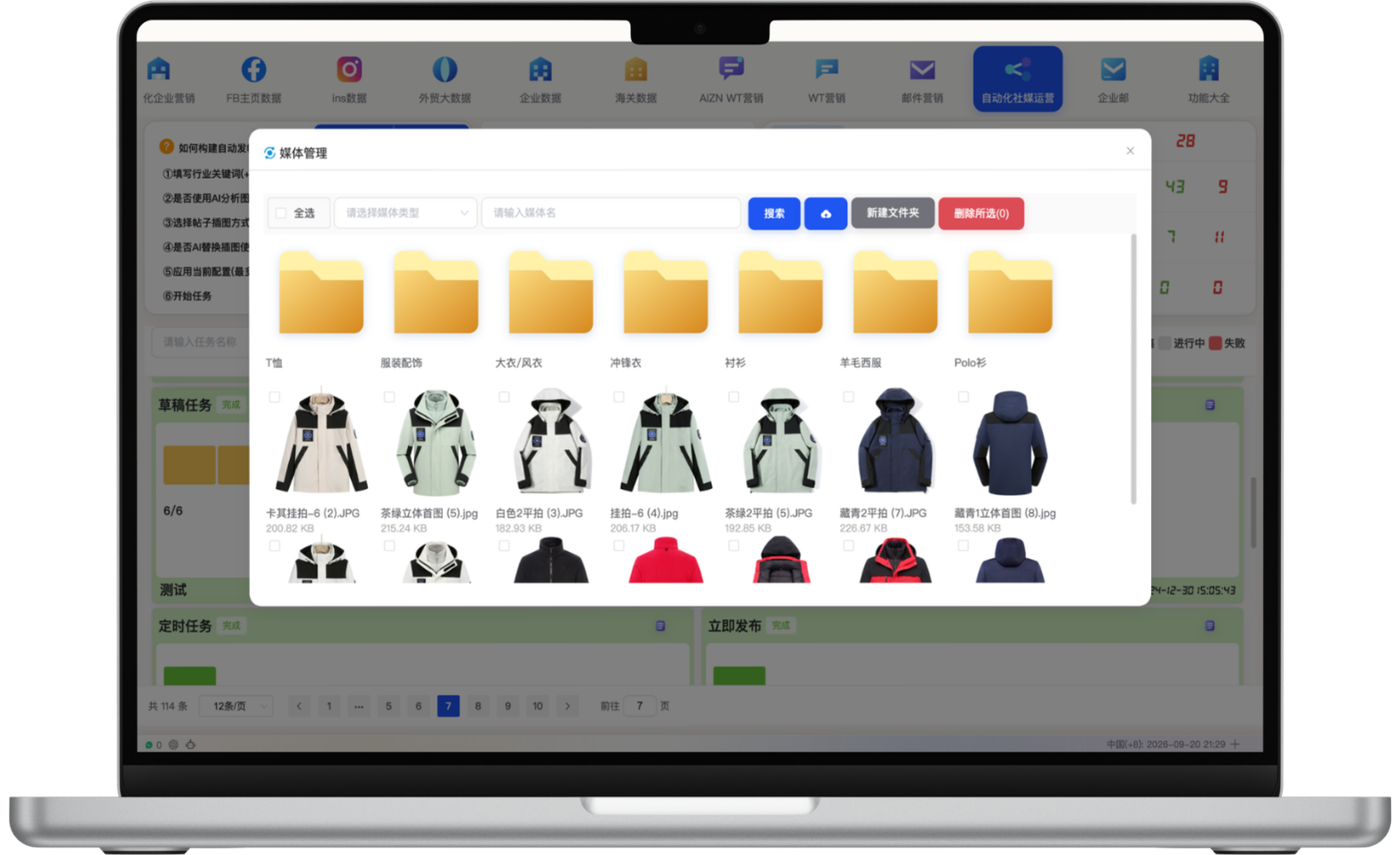
The media library organizes folders, images and videos, supports keyword and media-type filters, and shows storage usage. Product, lifestyle and campaign assets can be reused for AI-assisted creation, background replacement and multi-platform posts.
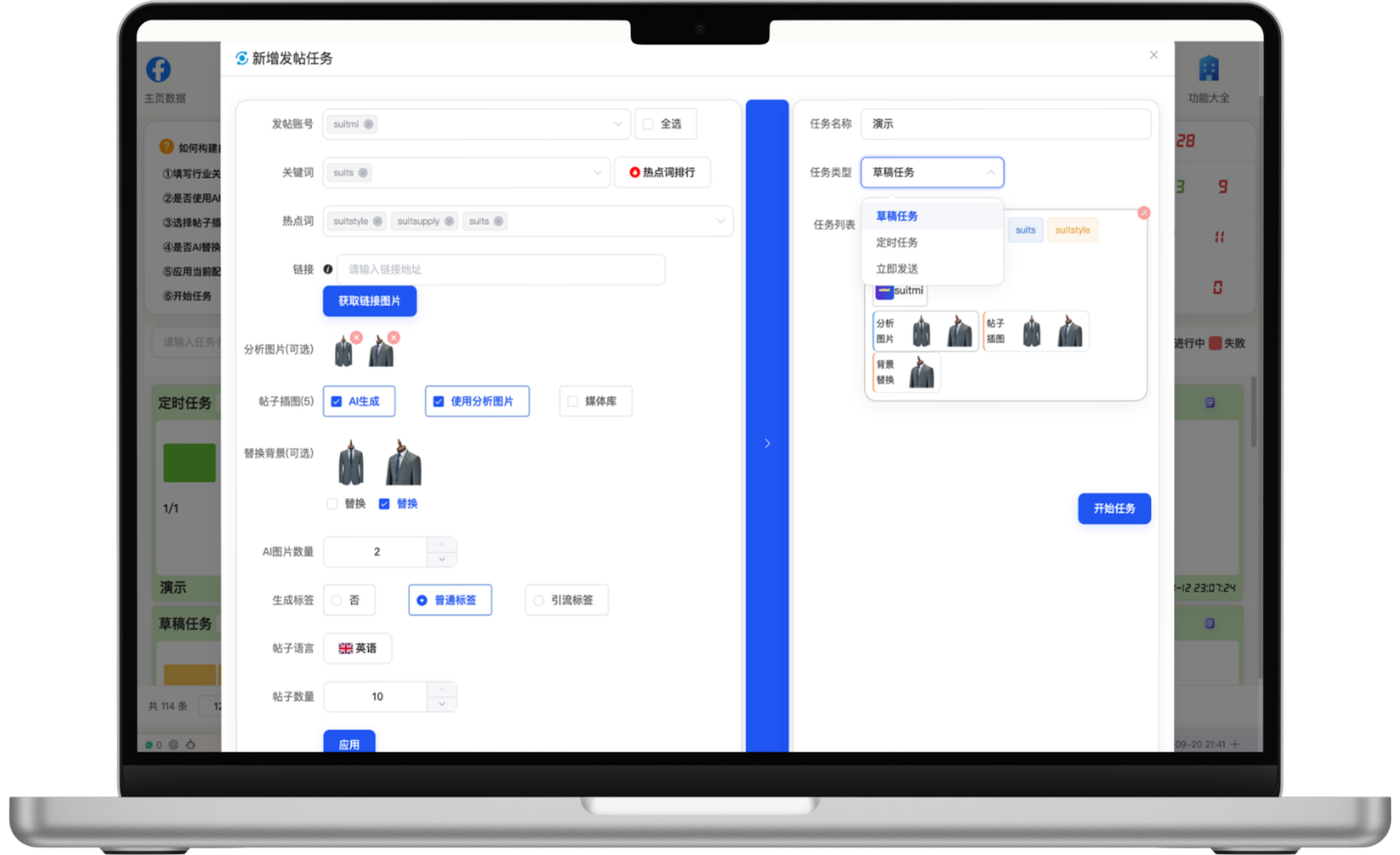
When creating a task, choose publishing accounts, keywords, trend terms, links and media folders, then use image analysis, AI image generation and background replacement. Configure standard or traffic-oriented hashtags, language and post volume, and save as a draft, schedule or publish immediately after reviewing the task list.
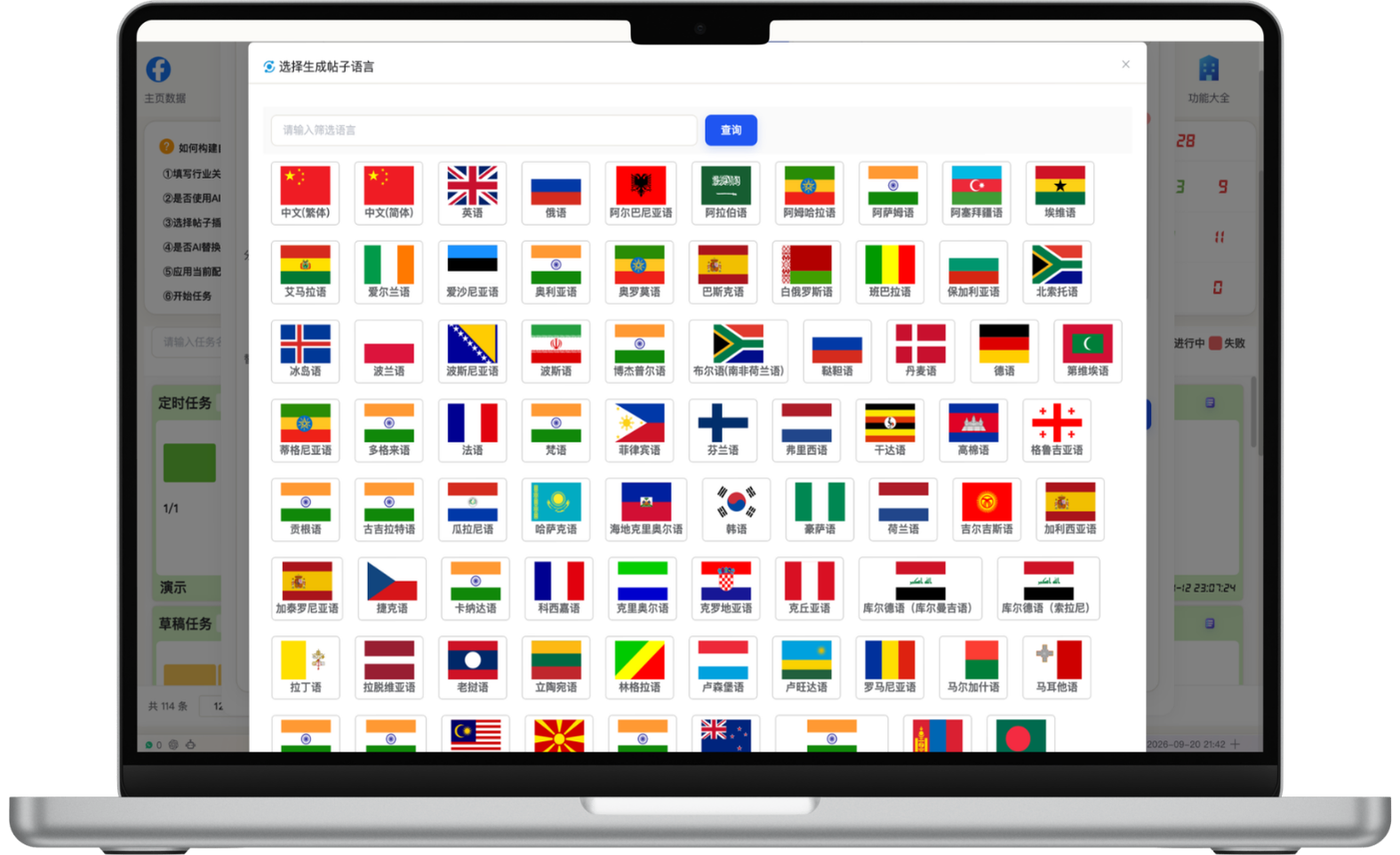
Choose target languages for one product or campaign theme and create market-specific post variants. Manage English, Spanish, German, French, Russian, Portuguese, Japanese, Korean, Chinese, Arabic and other supported languages in one workflow to reduce repeated translation and production.
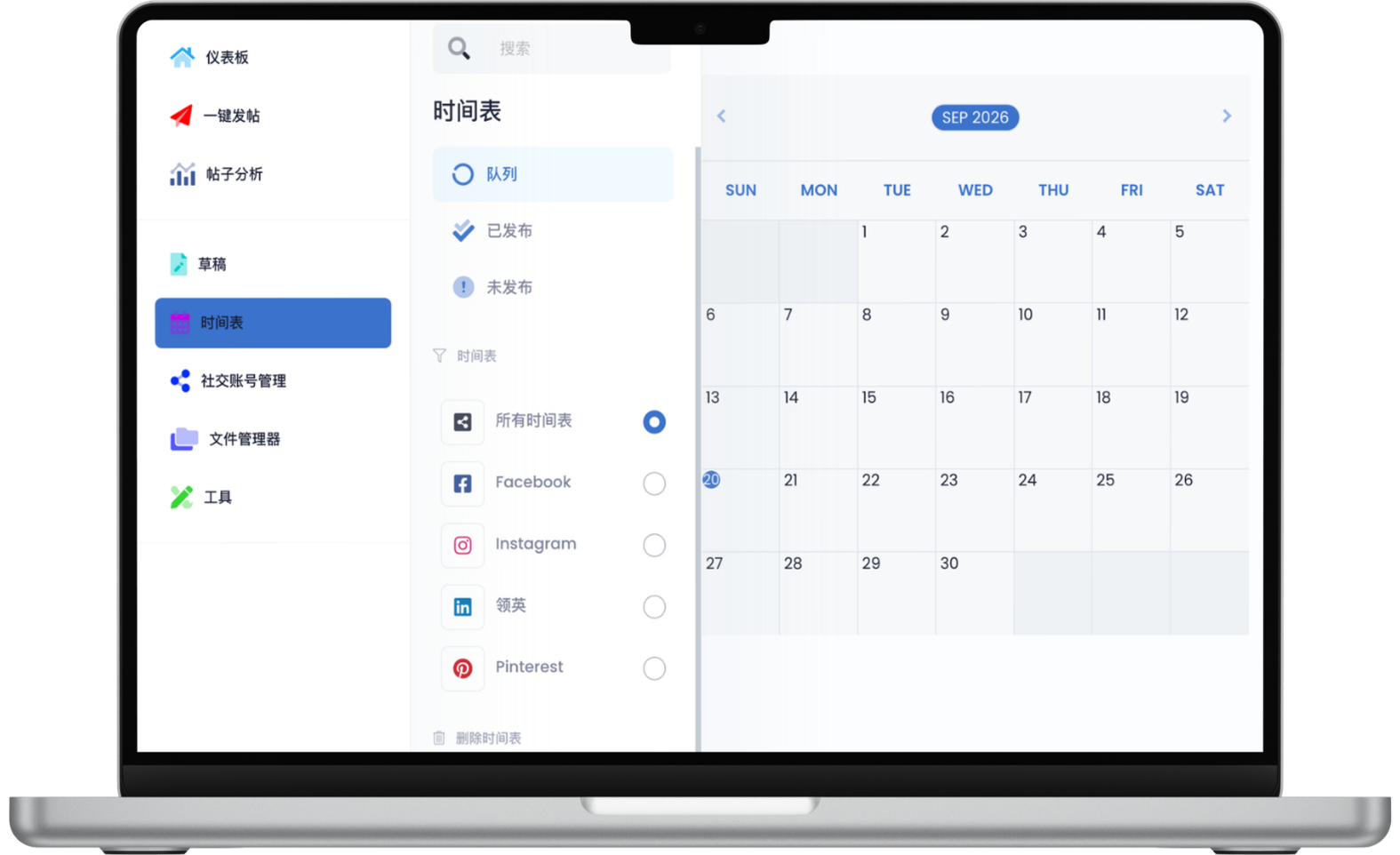
View queued, published and unpublished content across all platforms or individual Facebook, Instagram, LinkedIn and Pinterest calendars. Plan weekly or monthly cadence around target-market time zones so social channels stay active even when the team is focused elsewhere.
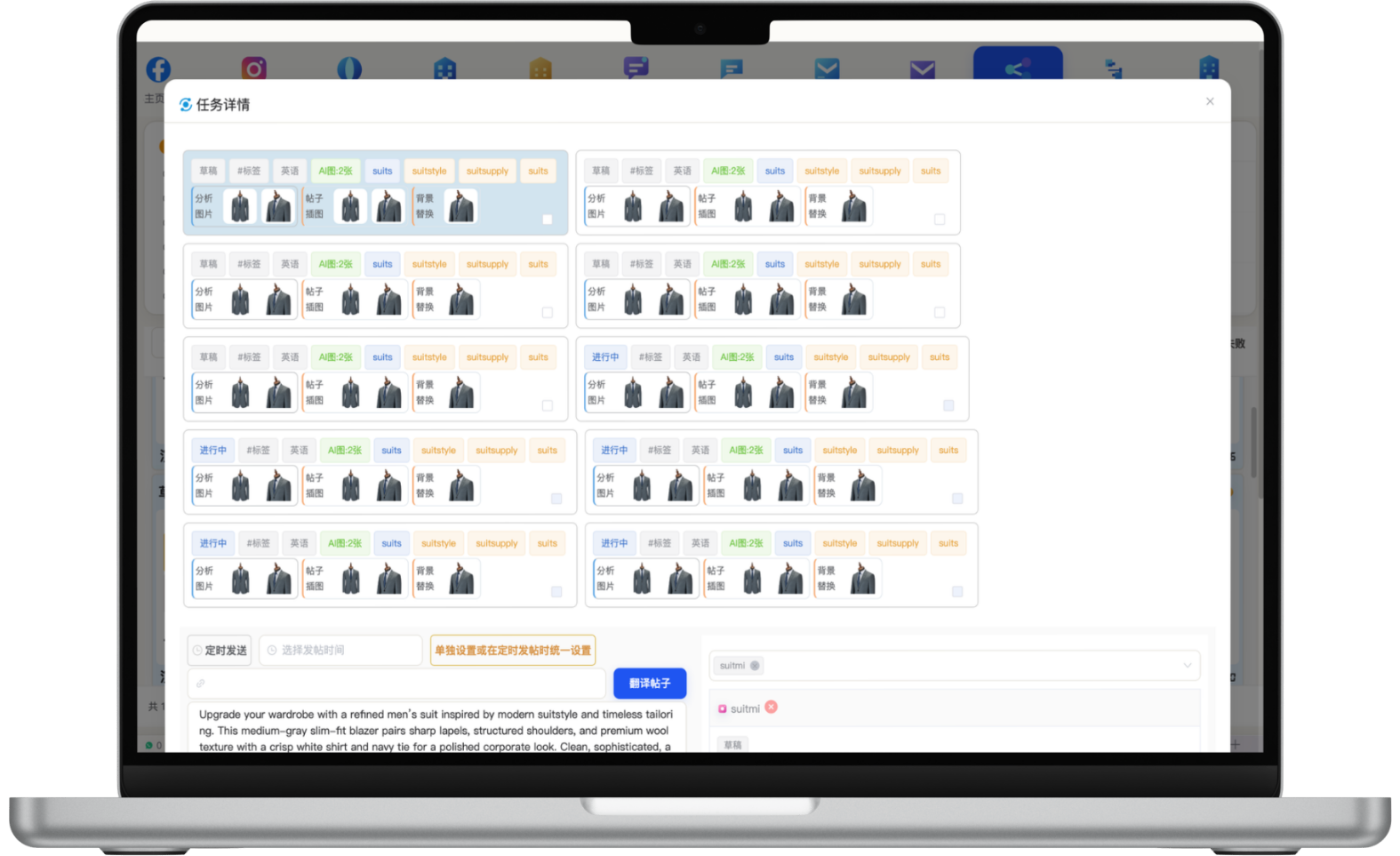
Task details show drafts, hashtags, language, AI images, analyzed images, post visuals and background replacements for each item, together with execution status. Teams can review media and copy, set publishing time, select accounts and confirm pending posts from one visual list.
Enter keywords and analyze search and social trends.
Use the media library, AI copy, image analysis and visual tools.
Create market-language variants and complete team review.
Choose accounts and timing, then execute and track task results.
Start with one measurable scenario, then extend the workflow as your team builds confidence.
Schedule localized content across countries and time zones with a consistent cadence.
Coordinate assets and publishing tasks around product launches, trade shows and campaigns.
Build repeatable content streams around cases, expertise, products and company updates.
Accounts can be organized by market, platform and team permission. Connection and publishing capabilities depend on each platform's available APIs and account settings.
Human approval steps can be configured. Brand content, major campaigns and sensitive replies should be reviewed before publishing.
It can assist with drafts based on product information, topics and brand rules, while final copy, visuals and timing should still be reviewed by people.
Have another question? Visit the full FAQ for more answers.
Tell us your products, target markets and current process. We will help map the right data, channel and follow-up setup.