
Connect the accounts and providers you need
Authorize Gmail, Alibaba, Tencent, NetEase, QQ and other commonly used mailboxes as your team needs, then work across them from one workspace.
SeekClue Business Email connects multiple mailbox providers, centralizes conversations, automated sending tasks and inquiry alerts, and reduces repetitive work with assisted mailbox management so export teams can respond and follow up faster.
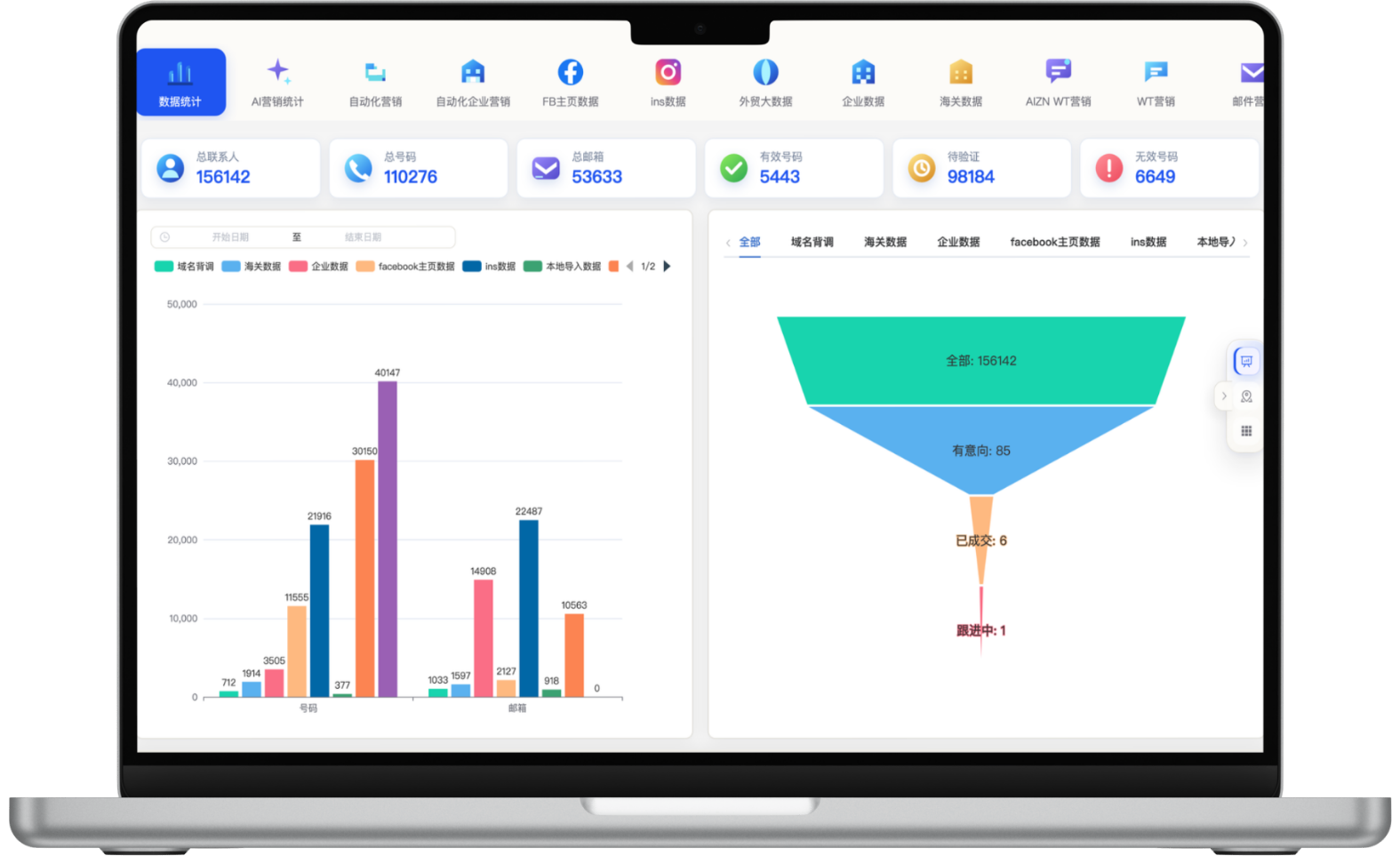
A focused workflow for turning fragmented information into consistent customer-development actions.
Authorize Gmail, Alibaba, Tencent, NetEase, QQ and other commonly used mailboxes as your team needs, then work across them from one workspace.
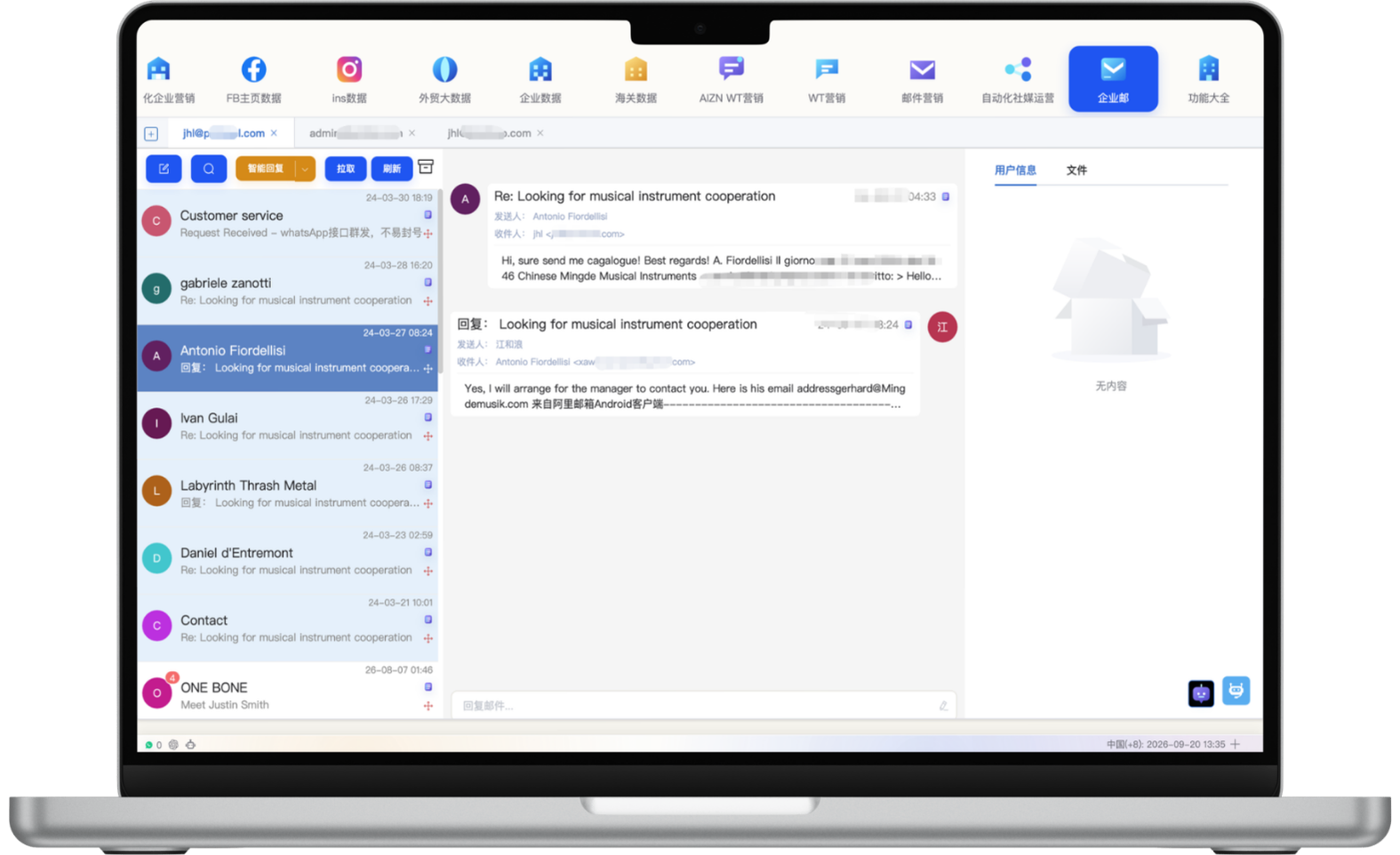
Read, classify, reply to and search email centrally. With authorization, an assistant can handle repetitive reading, replying and sending actions.
Create personal or team sending tasks and insert customer, product and campaign data directly to reduce copying and repeated preparation.
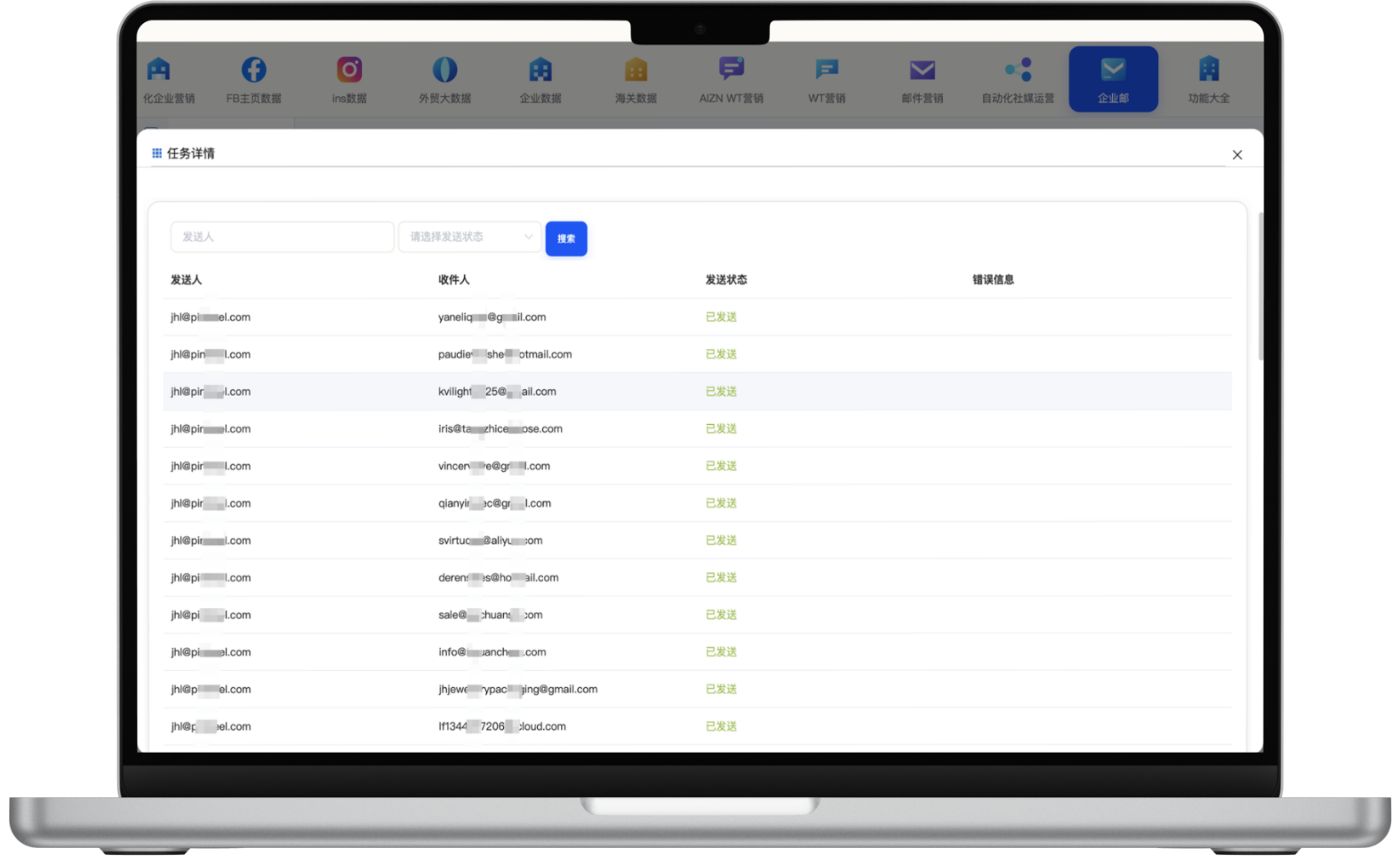
Sync new inquiries and customer replies quickly, review sending status and error details, and help sales follow up while improving lists and content.
Each section maps to the corresponding data source, workflow and operational requirement for this module.
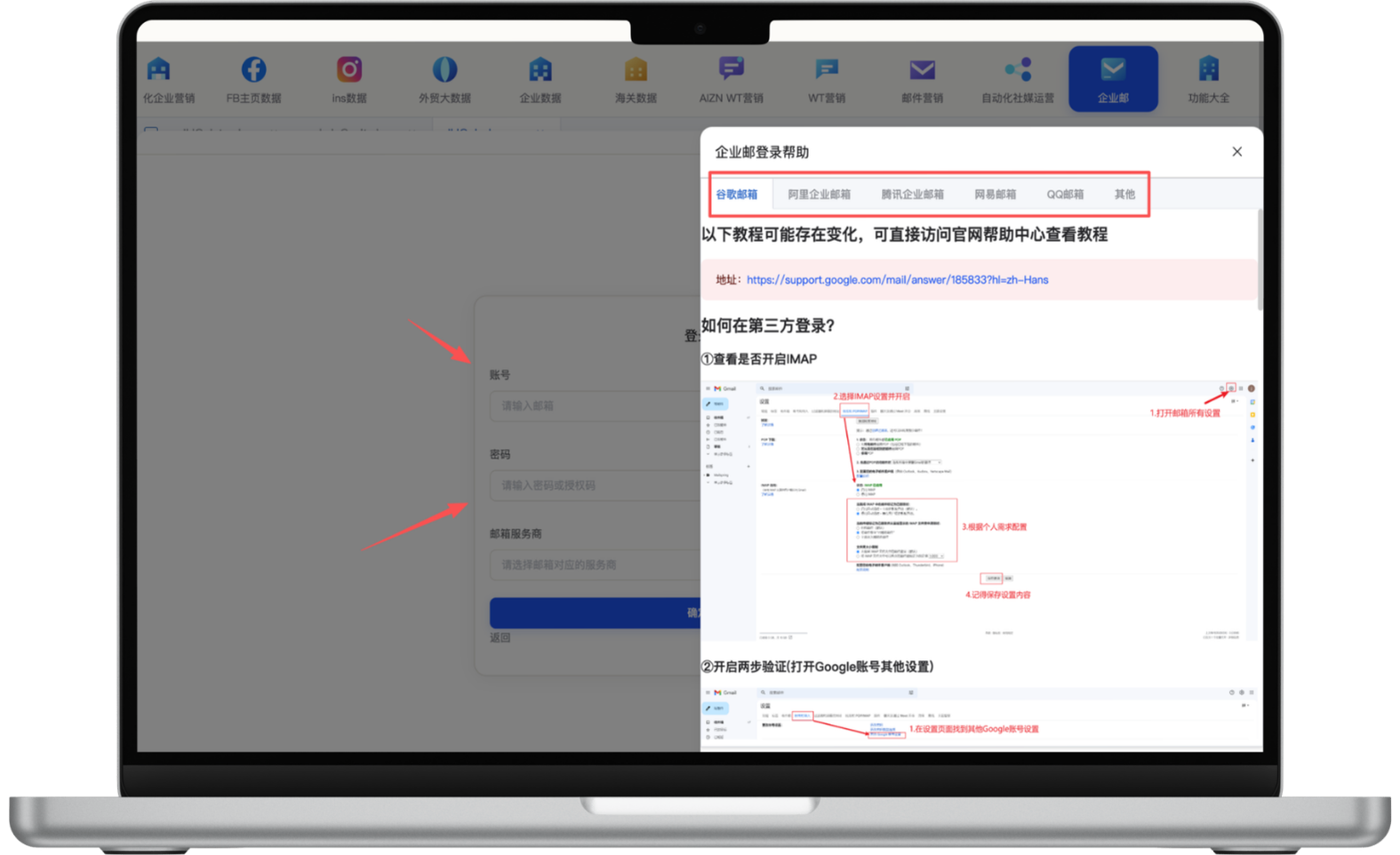
Connect common providers such as Gmail, Alibaba, Tencent, NetEase and QQ, with guided authorization, port and login instructions. Because provider security settings vary, follow the relevant guide before managing mail centrally in one workspace.
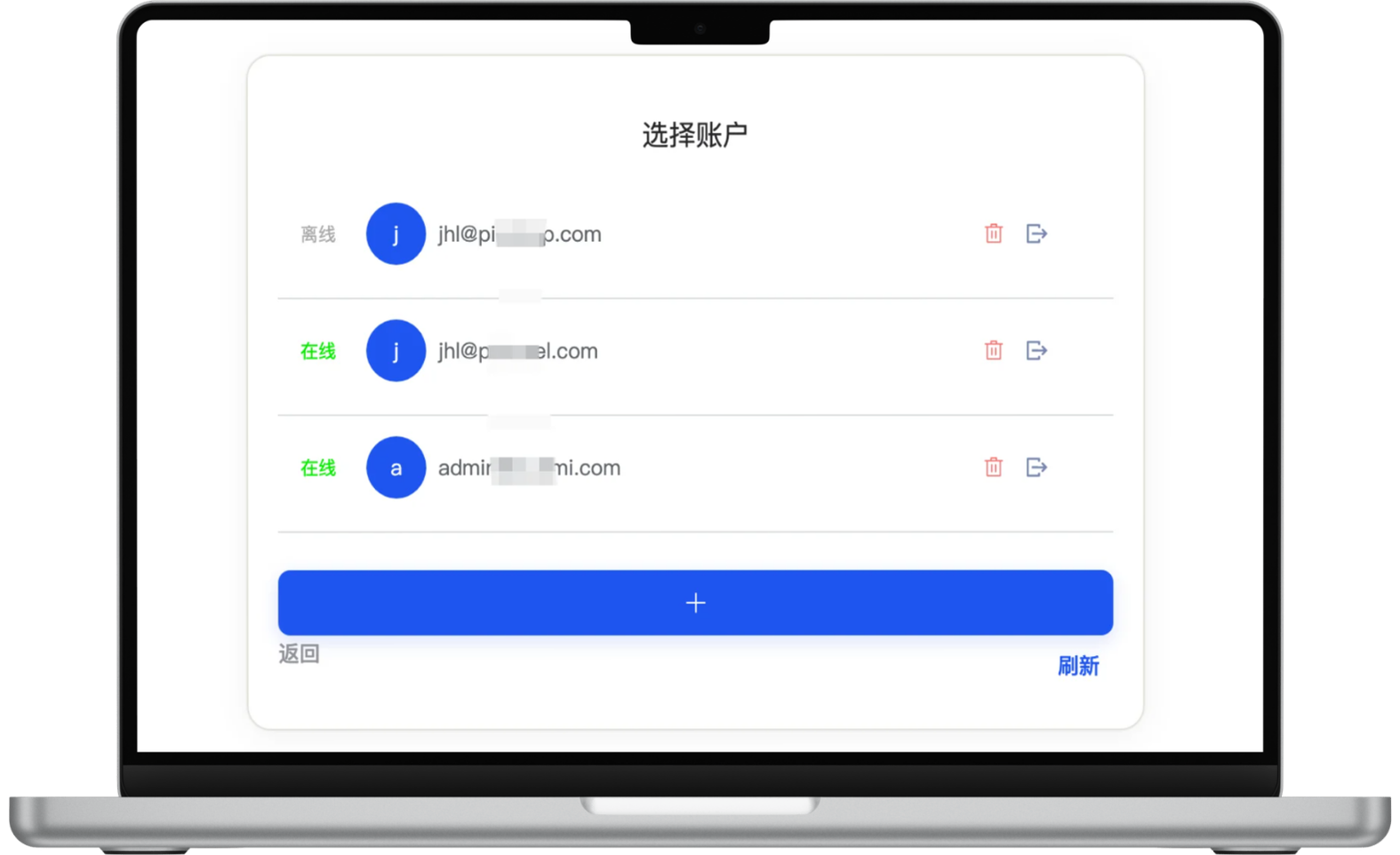
After authorization, choose any connected mailbox from the account list or manage multiple online accounts together. Sales teams can switch sending identities by role, review the right history and keep account boundaries clear during collaboration.
Choose one or more personal or business mailboxes, filter prospects by time, source, tags, categories, follow-up status, country code and prior sends, then insert customer and product data directly into a task. Using existing mailbox resources avoids additional ad or placement purchases and can lower repetitive campaign cost per contact.
No additional media placement is required, but mailbox services, infrastructure and human review may still incur costs.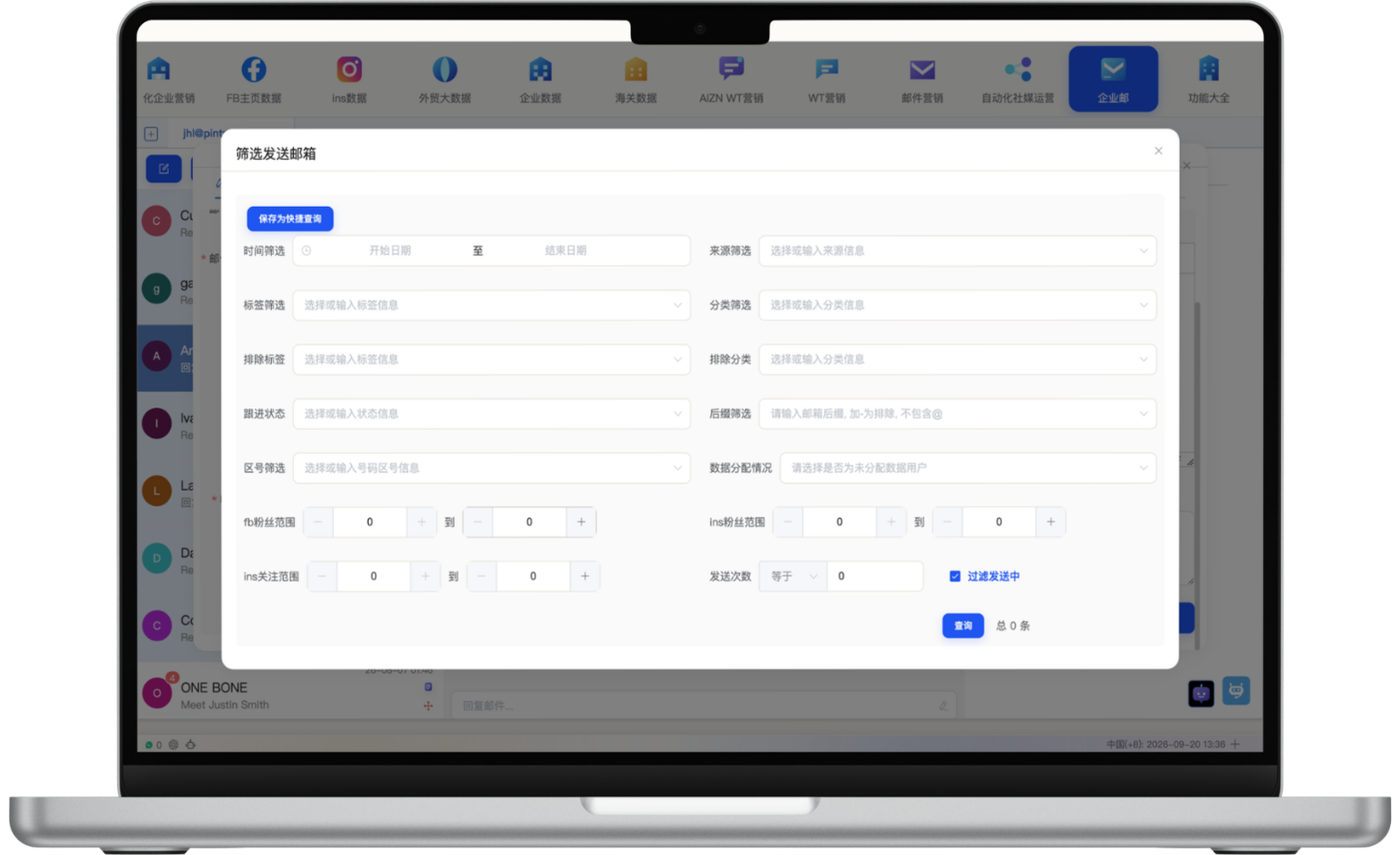
Sync new inquiries and customer replies into the workspace so sales can review email history, sending account, customer context and source signals quickly. Assisted reading, replies and account research help teams prioritize faster and reduce the chance of missing high-intent inquiries.
Review sender, recipient, sending status and error details by task, then identify failed records and resolve issues quickly. Reports reveal how different mailboxes, lists and content perform, helping teams refine future tasks with delivery, bounce and reply signals.
Complete login, authorization, port and security settings for each provider.
Select one or more mailboxes, insert system data and define sending conditions.
Review customer mail centrally and assist classification, replies and reminders by rule.
Review reports, failure reasons and inquiry sources before the next sales action.
Start with one measurable scenario, then extend the workflow as your team builds confidence.
Manage different salespeople and mailbox providers in one workspace while keeping a clear customer history.
Get timely alerts for new messages and use source and conversation history to prioritize follow-up.
Use existing mailboxes and system data to create automated tasks without buying additional media placements, lowering the marginal cost of ongoing outreach.
Projects can connect common providers such as Gmail, Alibaba, Tencent, NetEase and QQ, subject to provider authorization, port and security requirements.
95%+ can be used as a target delivery benchmark, while actual results depend on address quality, sender reputation, relevance, provider rules and recipient policies. Zero media cost means no additional ad or placement purchase is required when using existing mailboxes and system data; provider, infrastructure and operational costs may still apply.
After authorization and rule setup, it can assist with repetitive reading, classification, reply and sending tasks. Human review is recommended for quotations, sensitive information and important customer conversations.
Yes. Review sending status, error details and summaries by task, then use inquiry alerts and source signals to plan follow-up.
Have another question? Visit the full FAQ for more answers.
Tell us your products, target markets and current process. We will help map the right data, channel and follow-up setup.