
Set up marketing tasks quickly
Choose industry keywords, target markets and quantities, then launch collection or outreach in one click with flexible business rules.
Configure a task in minutes and launch it with one click. Collect and reach prospects by keyword, region, timing and channel, either as separate steps or as one connected workflow, so your team can spend more time on qualification, conversations and inquiry conversion.
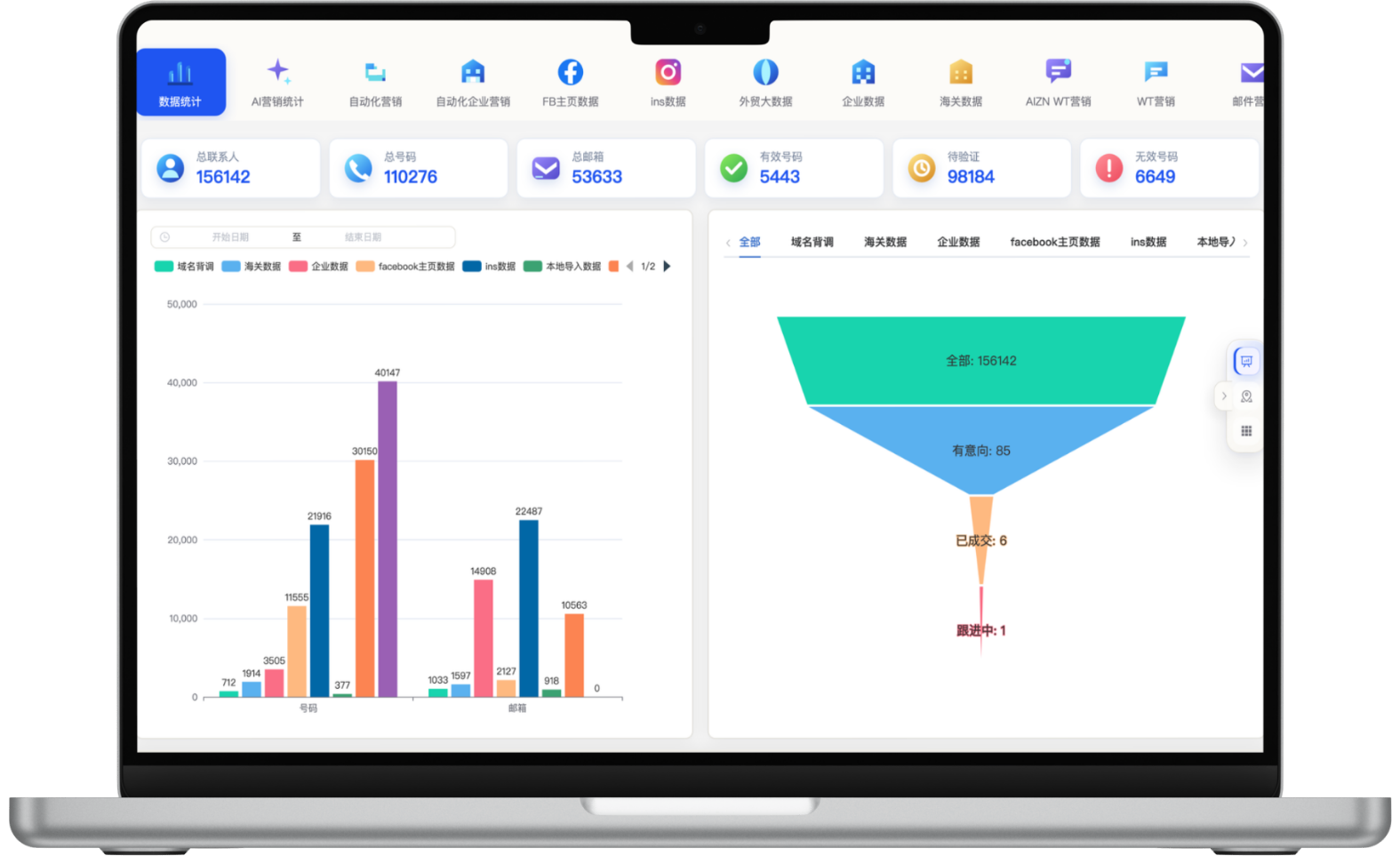
A focused workflow for turning fragmented information into consistent customer-development actions.
Choose industry keywords, target markets and quantities, then launch collection or outreach in one click with flexible business rules.
Continuously discover prospects across Facebook, Instagram and other social, map and company-data sources without repetitive manual searching.
After qualification, reach prospects through email and WhatsApp using templates, timing and stop conditions; collection and outreach can run separately or together.
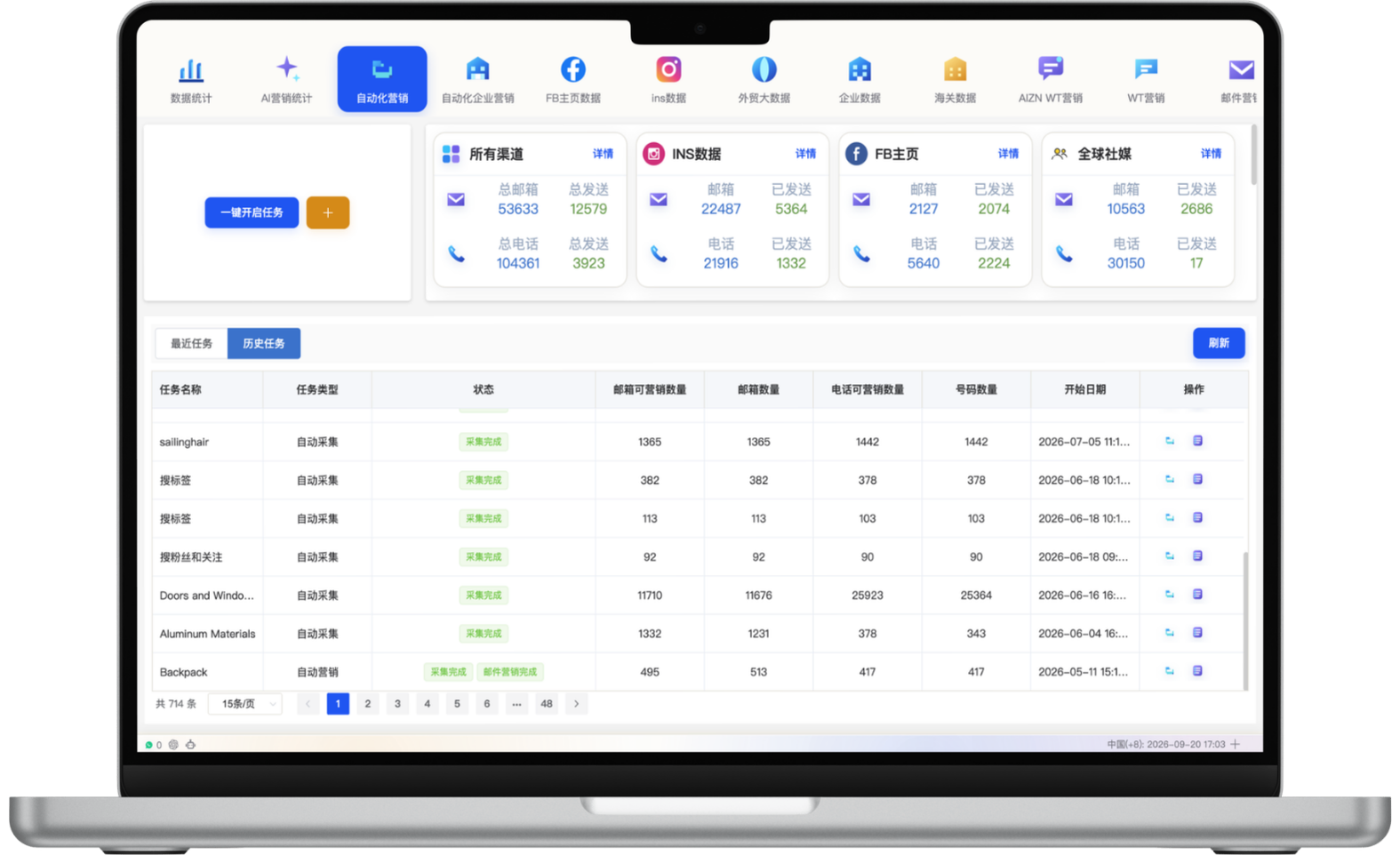
Review search tasks, collection volume, outreach status and inquiry sources in one view, then refine keywords, regions, channels and cadence.
Each section maps to the corresponding data source, workflow and operational requirement for this module.
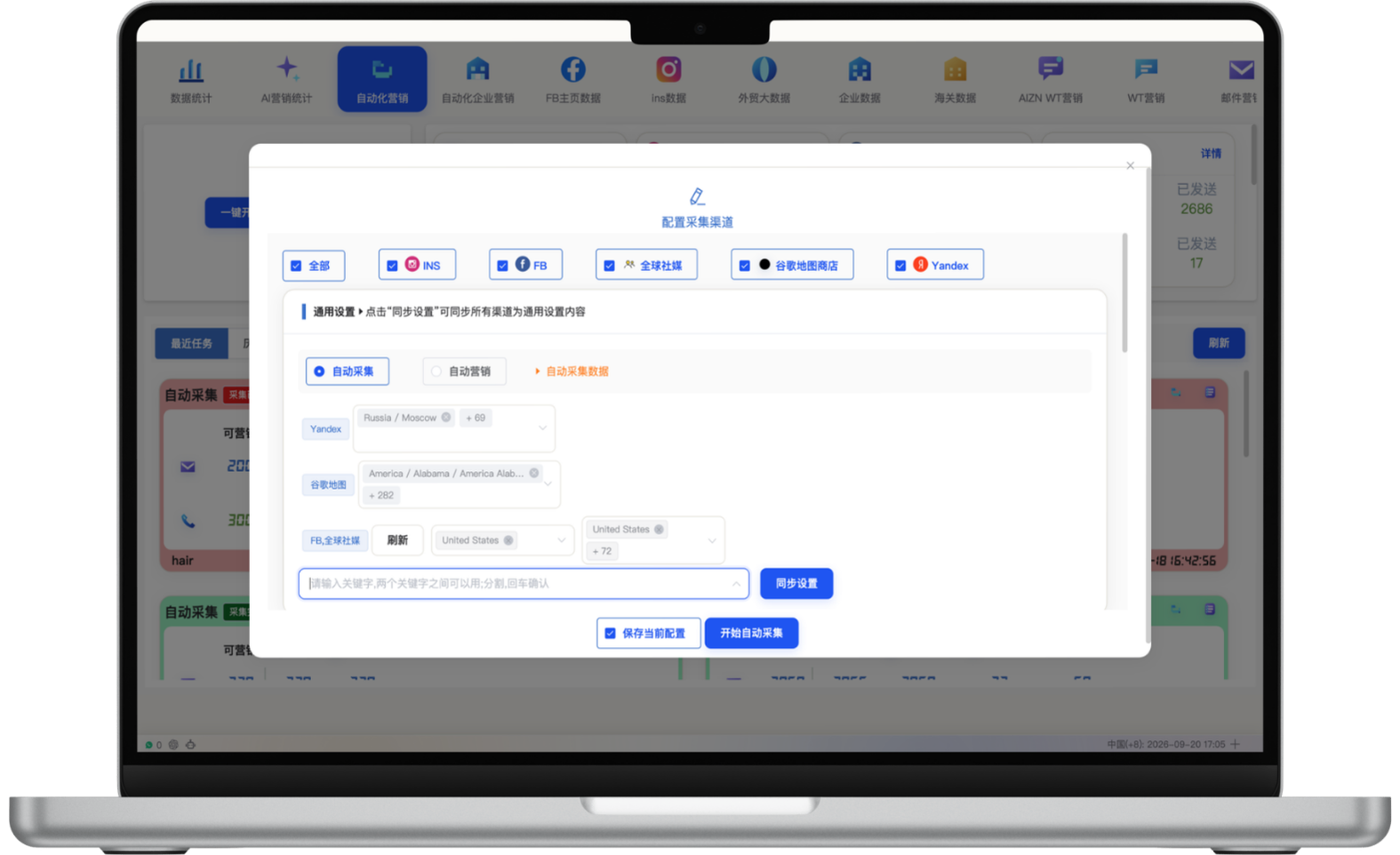
Select sources such as Instagram, Facebook, global social channels, Google Maps and Yandex, then collect by keyword, region and task scope. Collection and outreach remain separate, so teams can review, clean and qualify records before deciding whether to contact them.
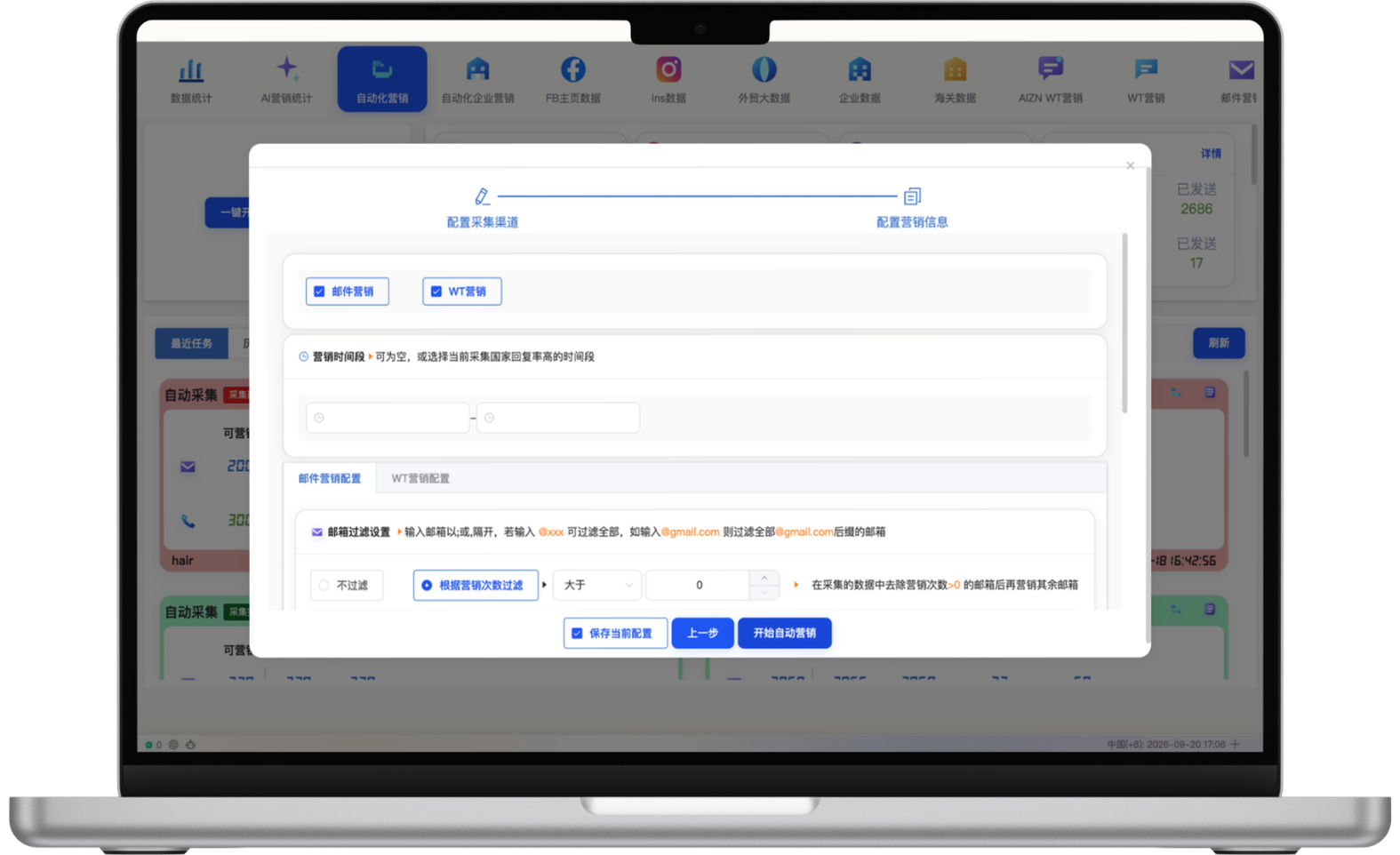
To reduce operating cost, configure email and WhatsApp channels, send times, mailbox domains and sending-history rules alongside collection tasks. The system handles repeatable steps while the team focuses on qualified replies and inquiry conversion.
Combine data collection and outreach in daily tasks. Create multiple tasks with custom schedules, countries and regions, industry keywords and channels for different products and target markets.
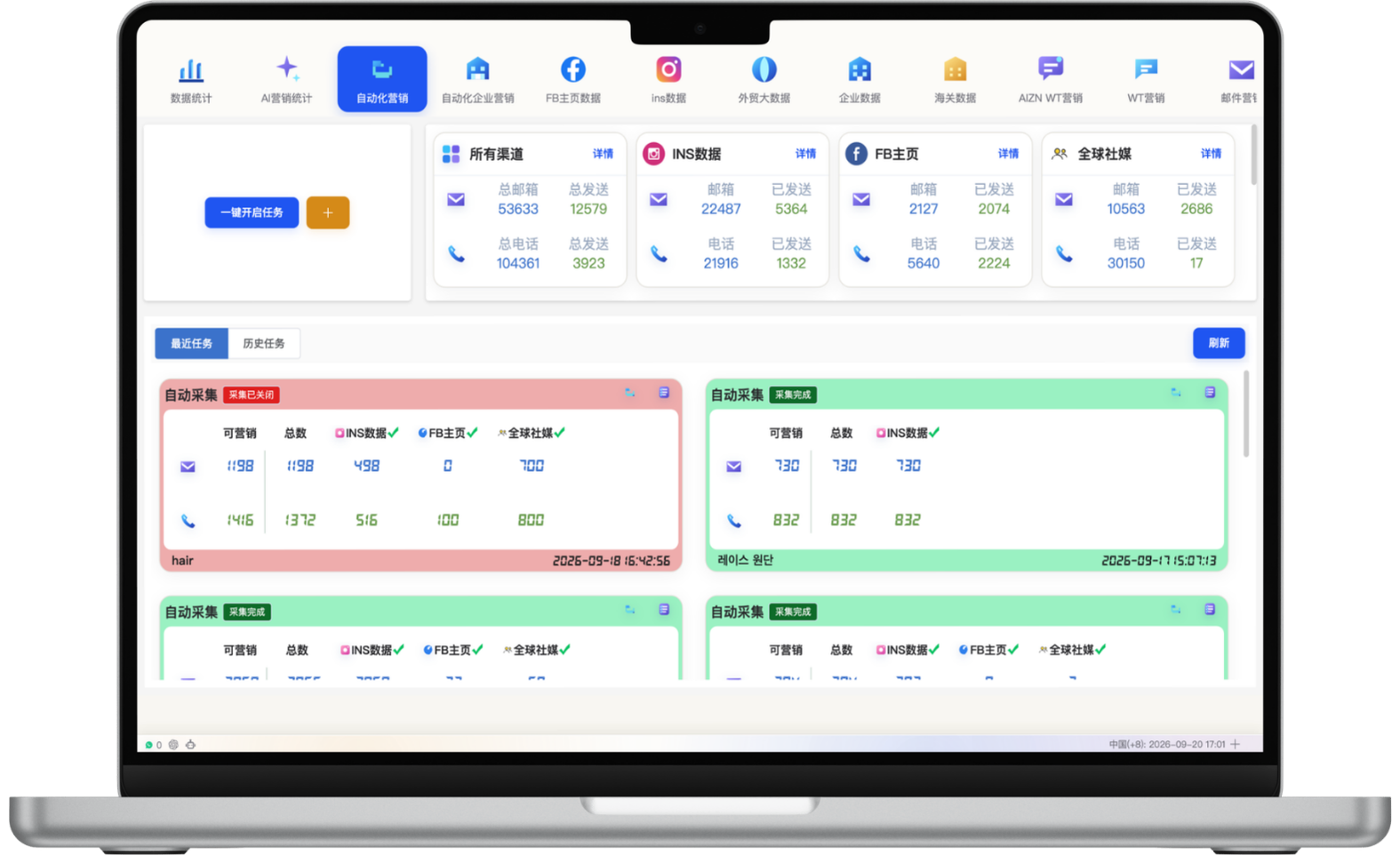
Use the automation dashboard to revisit historical tasks and review search tasks, collection volume, email and phone signals and outreach progress. A unified record and result view helps teams learn from performance and improve the next cycle.
Define acquisition, activation, follow-up or re-engagement goals.
Set audiences, channels, content, timing and stop conditions.
Advance workflows and assist with customer responses.
Analyze outreach, response and conversion to improve the next cycle.
Start with one measurable scenario, then extend the workflow as your team builds confidence.
Schedule campaigns and follow-up around target-market time zones.
Route prospects to the right workflow by source, product and intent.
Reduce repetitive work with standardized workflows so teams can focus on high-value conversations.
No. Automation handles rule-based repetitive tasks, while strategy, list quality, important replies and exceptions still need human judgment.
Yes. Reply, opt-out and stage-change events can be configured as stop or human-handoff conditions.
Yes. Lean teams can start with one prospect source and one channel, validate the workflow, then expand gradually.
Have another question? Visit the full FAQ for more answers.
Tell us your products, target markets and current process. We will help map the right data, channel and follow-up setup.