
Cloud API and system integration
Connect WhatsApp messaging with websites, CRM, customer management, orders and analytics so conversations become part of a managed workflow.
Configure branded channels, message templates, audience segments and automated workflows through the official API for export teams that need scalable, long-term engagement.
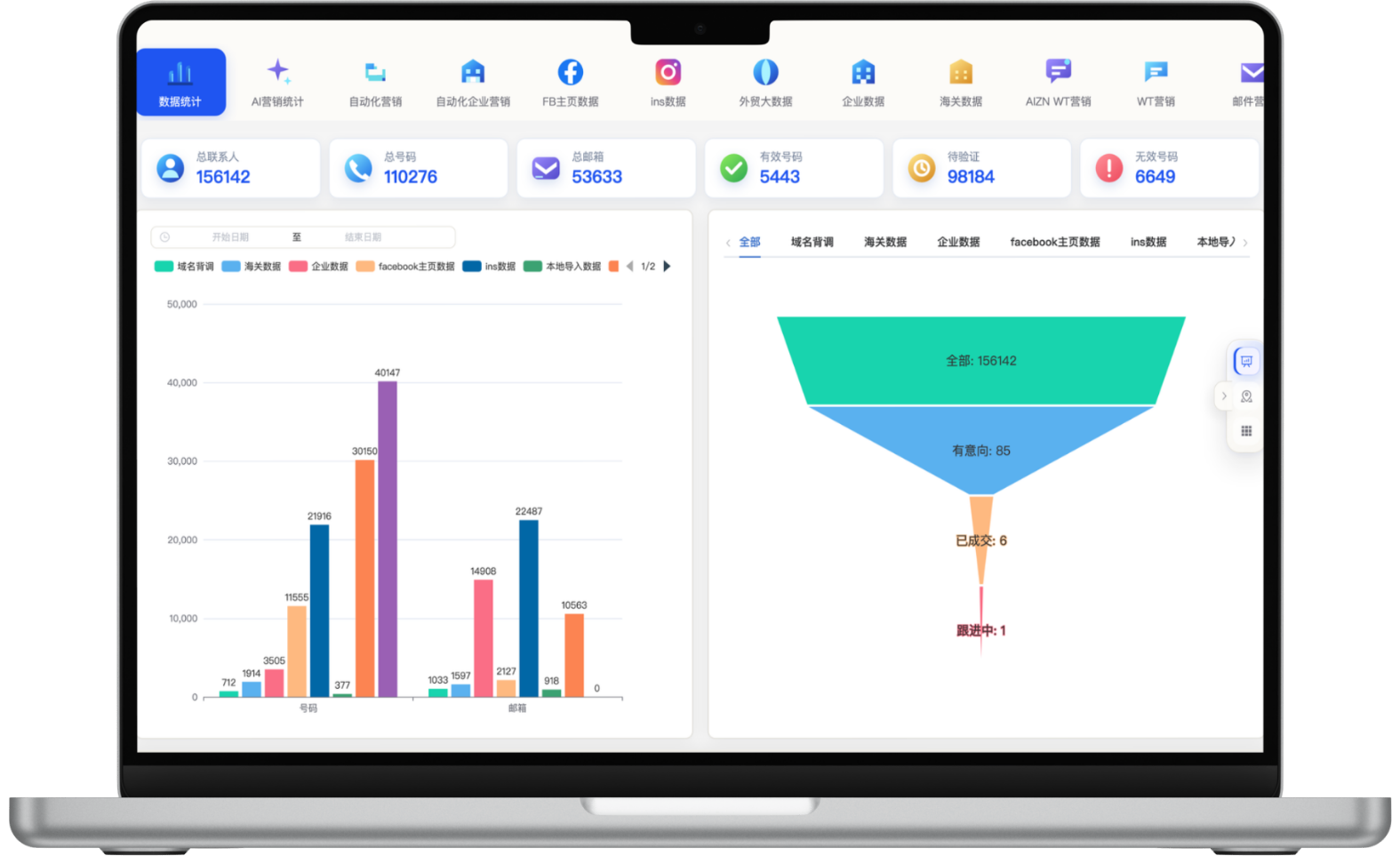
A focused workflow for turning fragmented information into consistent customer-development actions.
Connect WhatsApp messaging with websites, CRM, customer management, orders and analytics so conversations become part of a managed workflow.
Prepare image, video and call-to-action templates visually, then communicate under platform review, customer consent and messaging rules.
Handle conversations, two-way translation, notes and tags centrally, then route follow-up by market, team or sales stage.
Track customer sources, sent and received messages, delivery outcomes and campaign history so teams can improve targeting and follow-up with data.
Each section maps to the corresponding data source, workflow and operational requirement for this module.
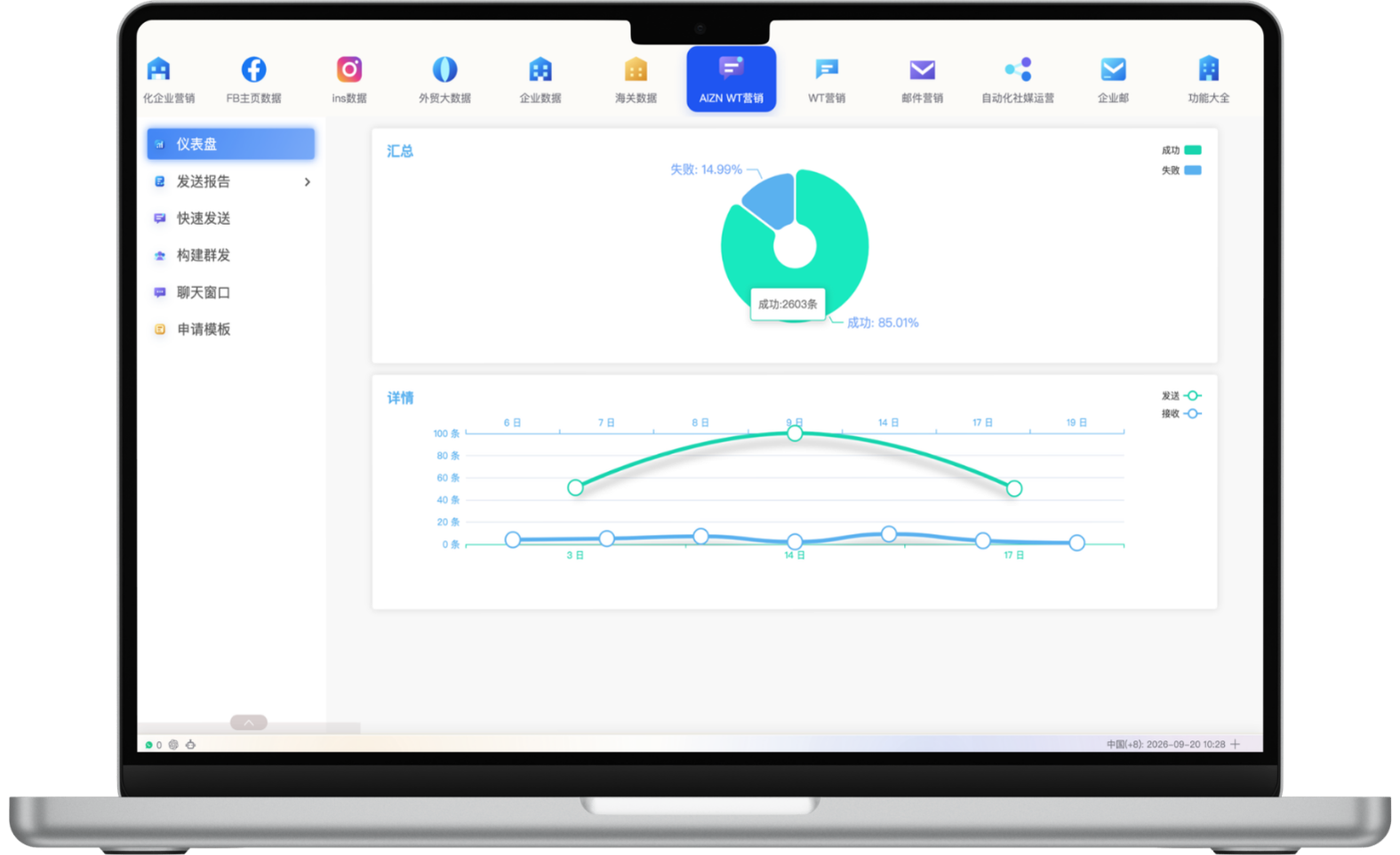
Use the WhatsApp API campaign dashboard to review historical volume, success and failure ratios, and sent-versus-received trends over time. Managers can understand overall delivery quality without opening every task, identify unusual changes and use the data to improve templates, audiences and sending strategy.
Combine customer source, tags, categories, exclusions, follow-up status, country or region and prior outreach counts to build target audiences, then save common criteria for reuse. Clearer audience boundaries reduce irrelevant messages and focus resources on customers who better match the current content and lifecycle stage.
Delivery outcomes also depend on customer consent, number quality, template quality and platform rules.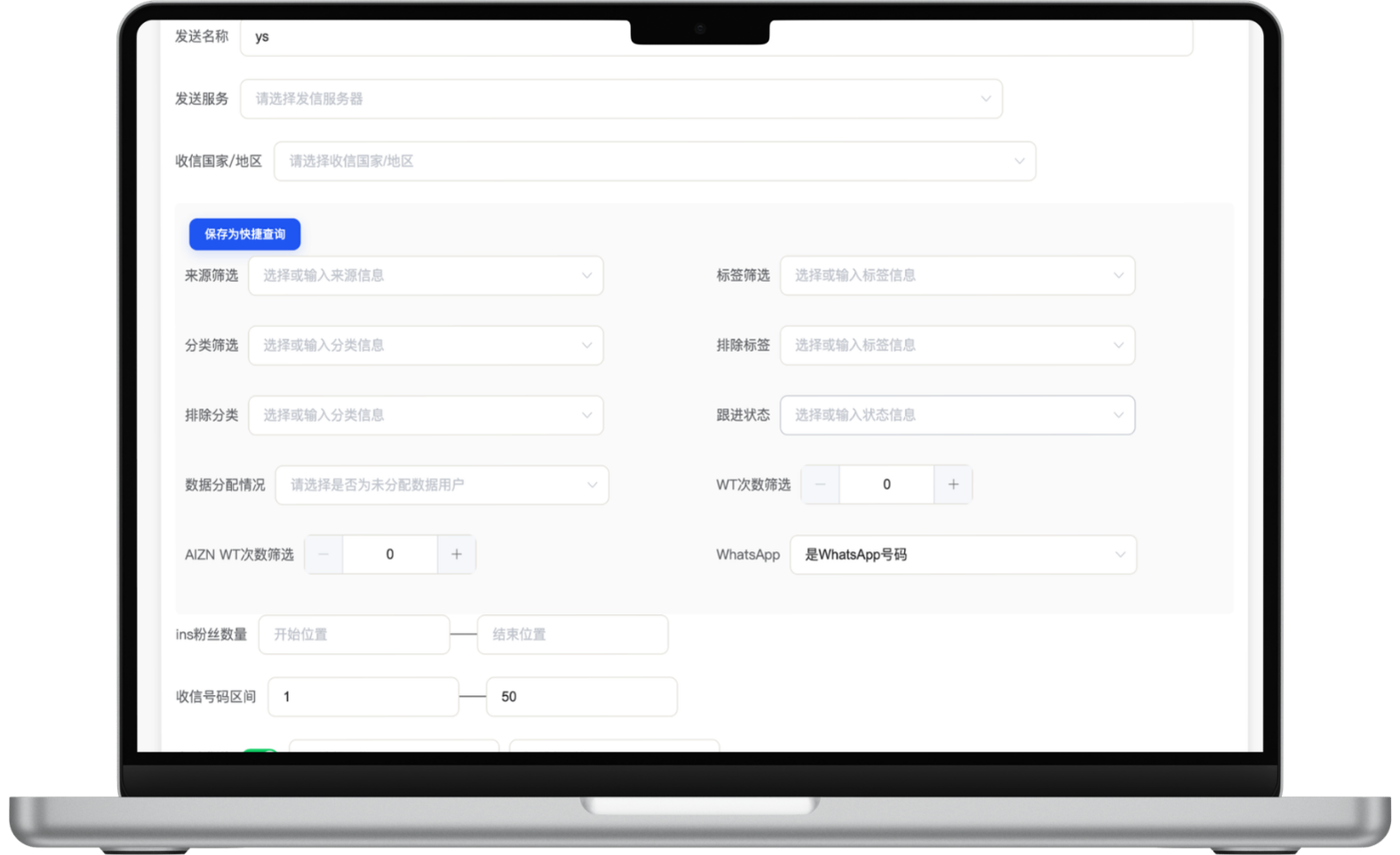
Prepare image, video and text content visually, then add WhatsApp actions, phone numbers or business website links. Teams can review assets, variables and destinations before submission so templates better support product inquiries, campaign notices and customer follow-up.
Templates must follow platform requirements and pass review, with final approval determined by WhatsApp/Meta.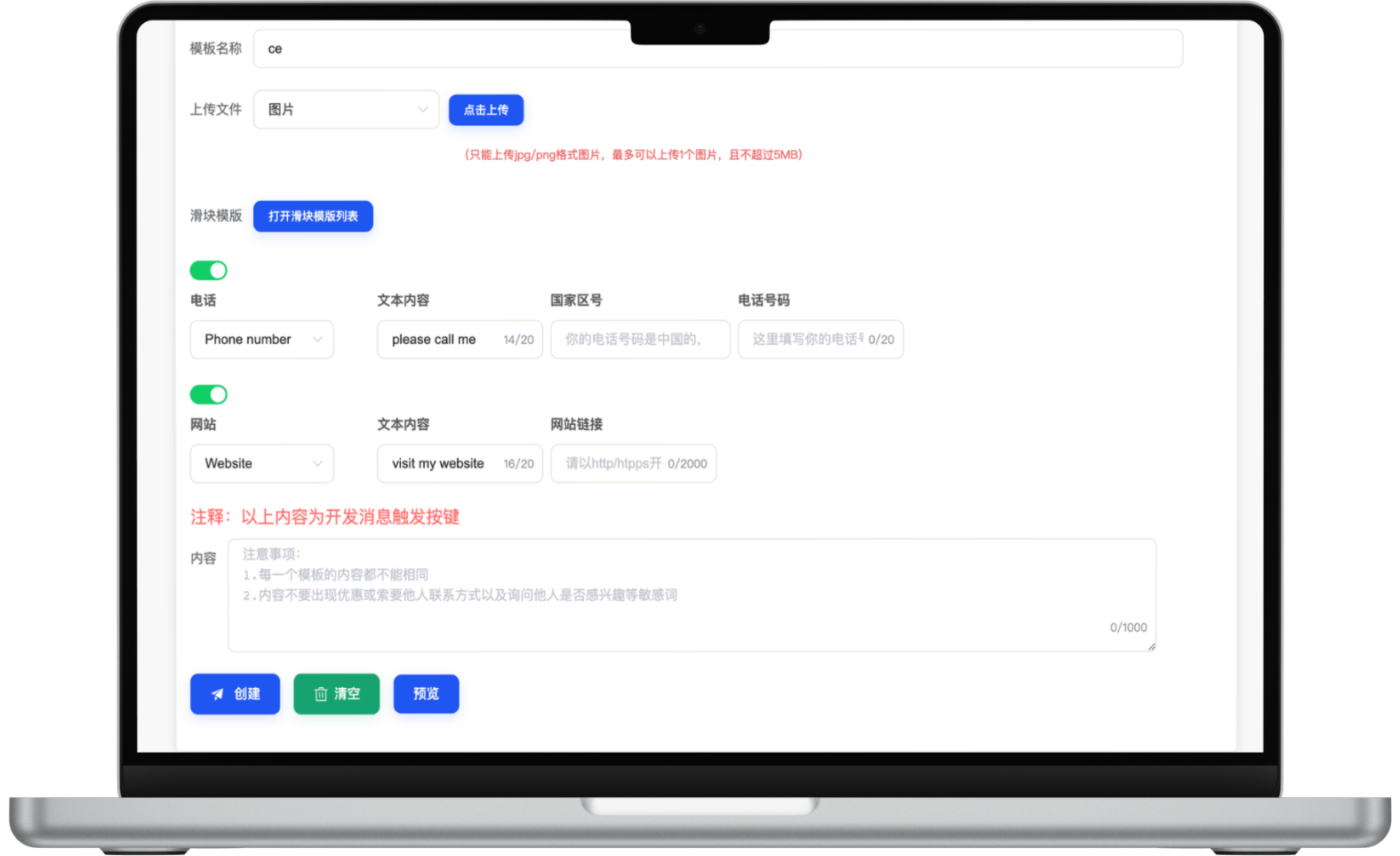
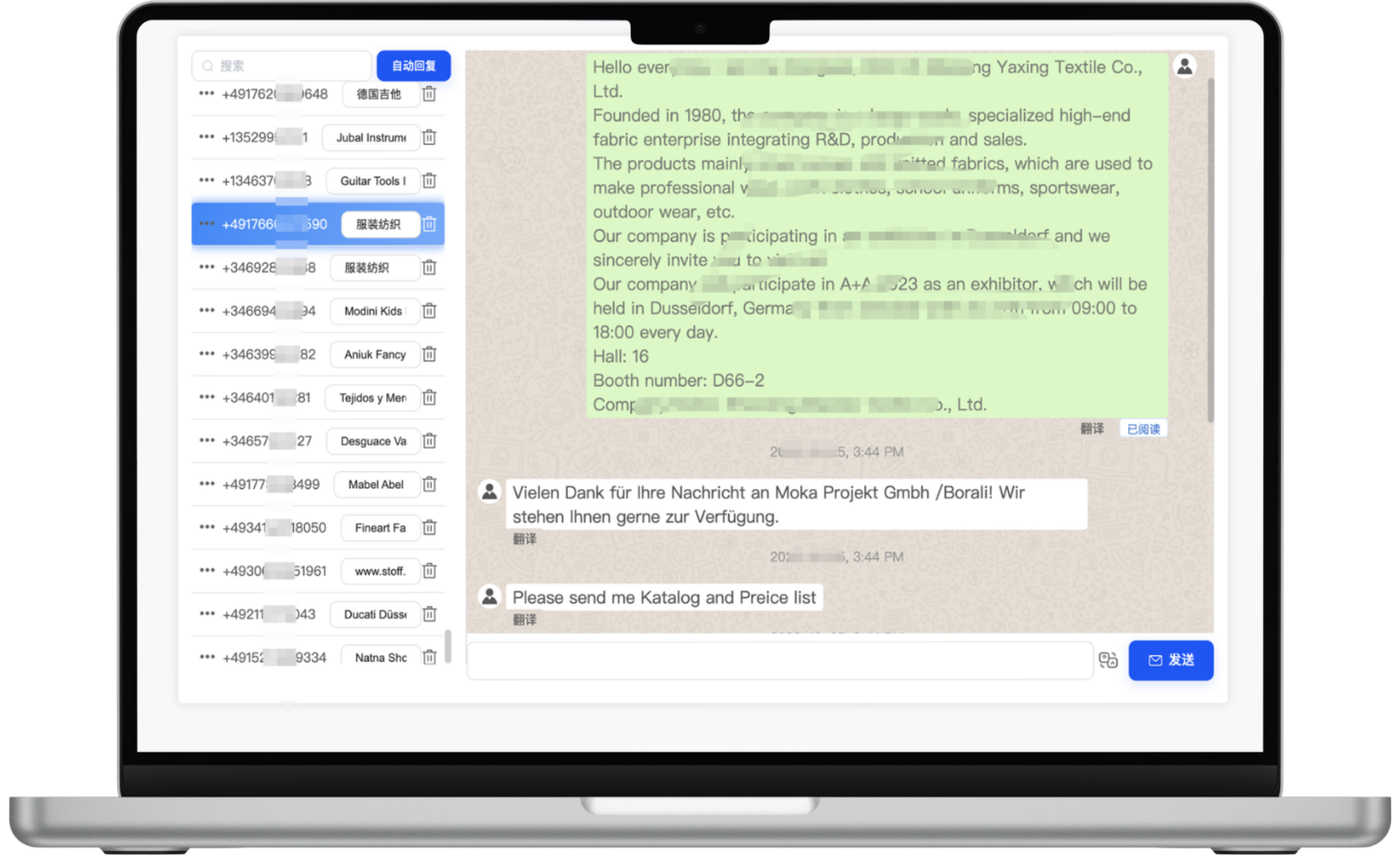
Review customer conversations in a visual workspace, translate messages in both directions, and add custom notes and business tags. Sales teams can understand context, record important requirements and continue follow-up without repeatedly switching accounts or tools.
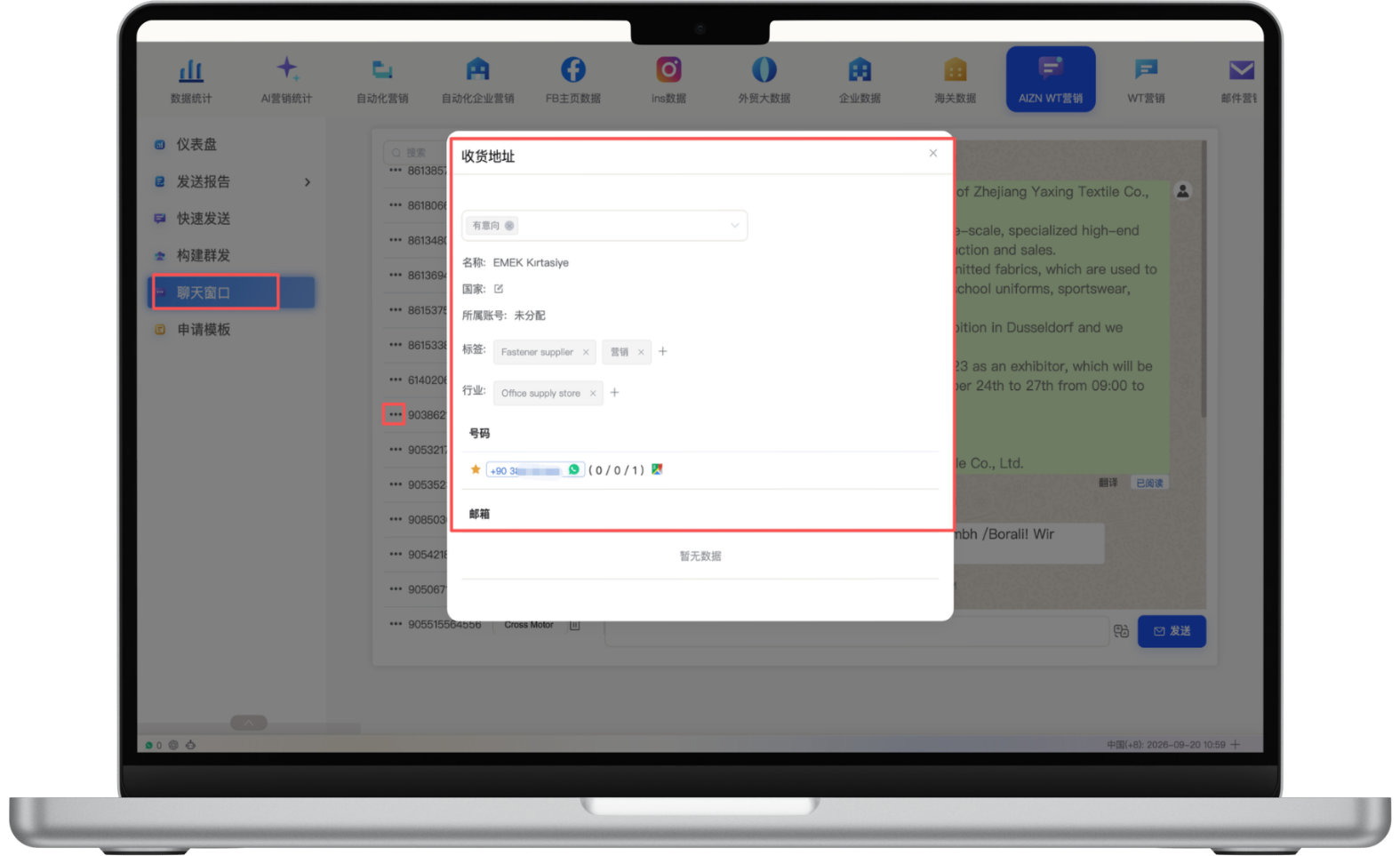
Review customer source, country, number, history and existing business tags, then add industry, intent and follow-up notes. Combining profile context with conversation records reduces repeated research, helps teams prioritize accounts and supports more relevant follow-up at each stage.
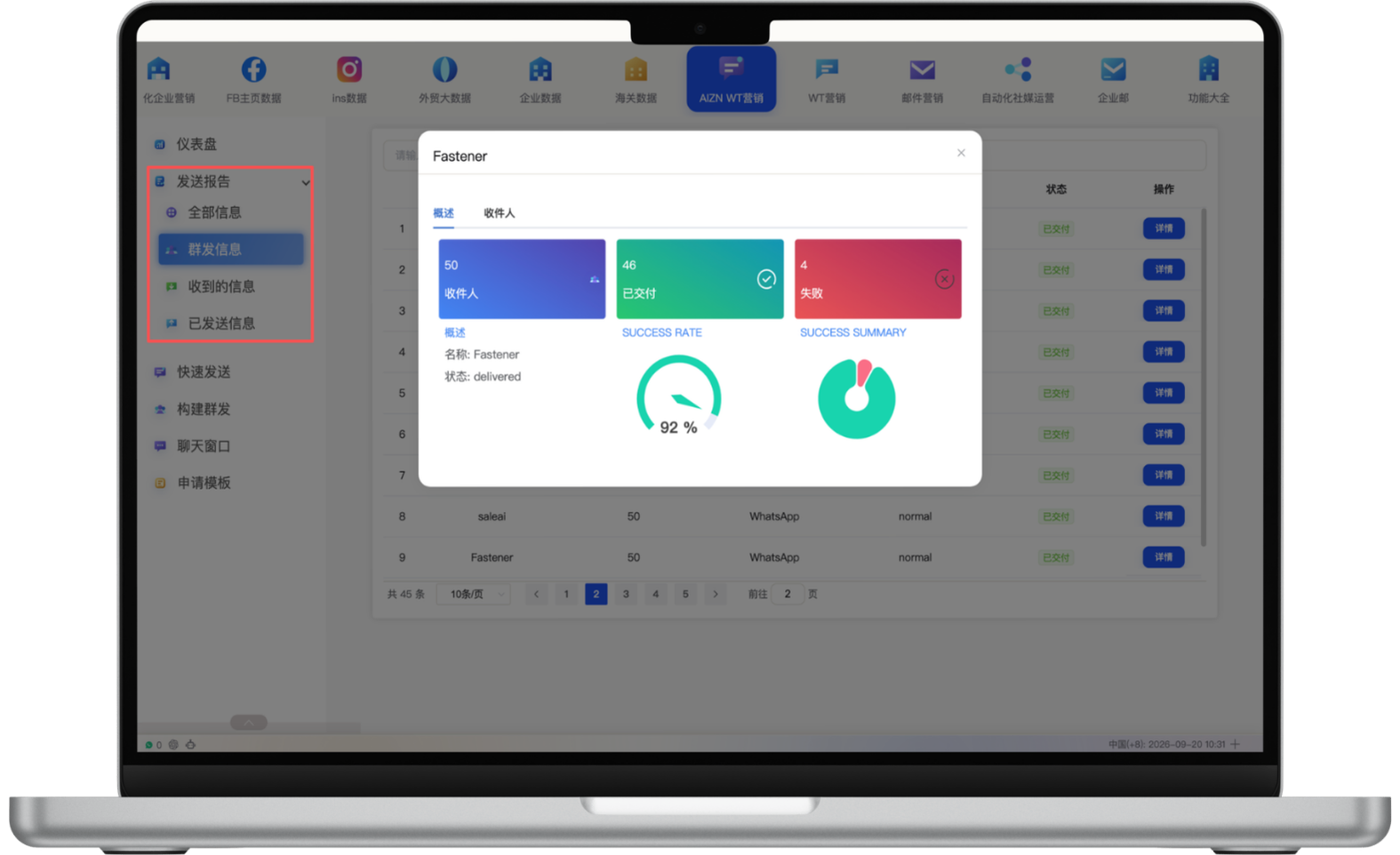
Review recipients, delivered and failed messages, sent and received counts, success rate and result summaries for each task. Sales teams and managers can identify concentrated failures, notice response changes and adjust follow-up while the campaign is still active.
The difference is not simply free versus paid. It is the progression from individual conversations, to a small-business app, to an API that connects WhatsApp with the systems your company already uses.
Best for personal one-to-one conversations and manually sharing product images, PDFs and quotations. It is easy to use but lacks customer management, team collaboration and business-system integration.
Adds business profiles, catalogs, quick replies, greeting and away messages, and labels in a mobile app, enabling a basic business workflow without custom development.
Uses Cloud API to connect WhatsApp with websites, CRM, service, AI, order and analytics systems for multi-agent handling, lead routing, automation and unified reporting.
Business Platform is not a standalone chat app. It connects WhatsApp with CRM, websites, AI, service and analytics through APIs and business tools.
The value of the API is not sending more messages. It is connecting customer context, team execution and measurable business outcomes.
Route customers by country, product, language or workload in a shared inbox while managers review ownership, response and follow-up status.
Connect product-page, advertising or SEO context with WhatsApp conversations, then continue into CRM, quotations and closed-won tracking.
Use automation for FAQs, product materials and basic qualification, then hand quotations, custom orders and complex buying needs to people.
Analyze source, sent, received, failed, replied, owner and conversion-stage data to assess channel quality and follow-up efficiency.
Businesses must follow customer-consent requirements, template review, messaging policies, usage limits and applicable pricing. SeekClue helps teams build a manageable workflow, but platform compliance remains essential.
Define marketing, service, notification or after-sales use cases and establish customer consent and data handling.
Configure the business account, number, Cloud API, webhooks and connections to business systems.
Prepare message templates, customer tags, segments, automated replies and human handoff rules.
Review sent, received, failed, replied and converted outcomes to improve audiences, templates and sales follow-up.
Start with one measurable scenario, then extend the workflow as your team builds confidence.
Bring product-page context, channel attribution and customer messages into CRM, then create and route leads to the right salesperson.
Automate FAQs, document delivery and basic qualification, then hand quotations, custom requests and priority accounts to sales.
Use approved templates for notifications, follow-up and re-engagement by country, source, tag and customer stage.
Meta's official product name is WhatsApp Business Platform. Cloud API is a primary way for businesses to connect WhatsApp with CRM, service, automation and custom systems.
No. Businesses must follow WhatsApp Business Messaging Policy, customer consent requirements, template review, usage limits and applicable pricing. System capability does not replace compliant operations.
Evaluate Business Platform when the team needs multi-agent handling, website or CRM integration, lead routing, AI service, centralized conversation records or channel-level conversion analytics.
Setup and review depend on business information, platform policies and use cases. Meta/WhatsApp makes the final decision on business identity and template approval.
Have another question? Visit the full FAQ for more answers.
Tell us your products, target markets and current process. We will help map the right data, channel and follow-up setup.