
Validation and precise segmentation
Validate numbers in bulk and segment contacts by source, tag, category, area code and follow-up status so campaigns focus on better-fit prospects.
Bring number validation, contact segmentation, multi-account sending, live translation, conversation-history sync, reusable message templates and campaign analytics into one workflow so global sales teams can reduce wasted effort and retain valuable customer context.
A focused workflow for turning fragmented information into consistent customer-development actions.
Validate numbers in bulk and segment contacts by source, tag, category, area code and follow-up status so campaigns focus on better-fit prospects.
Manage multiple WhatsApp accounts in one workspace and configure account rotation and sending intervals for clearer ownership, teamwork and campaign cadence.
Create and preview text, image, video and file-based templates, then use live page translation to communicate more efficiently across languages.
Sync customer conversation history and review source, validity, sending, interest and conversion stages in one place to reduce context gaps.
Each section maps to the corresponding data source, workflow and operational requirement for this module.
Sync WhatsApp message history into a shared conversation workspace so sales teams can quickly review previous product discussions, requirements and follow-up milestones. When accounts or team ownership change, retained context helps the next person continue the conversation without repeating discovery work.
Conversation sync supports continuity, while appropriate access controls and backups remain important.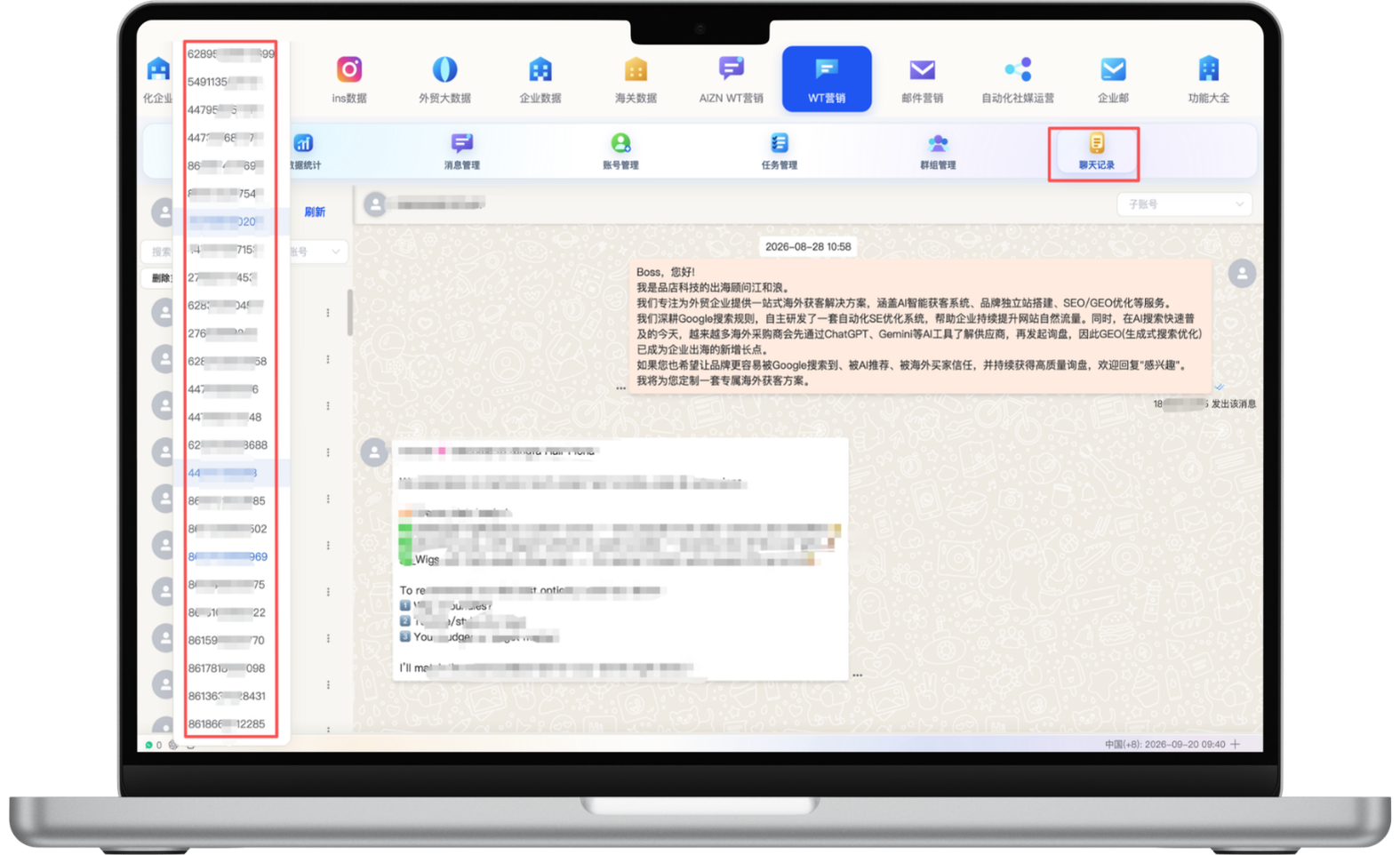
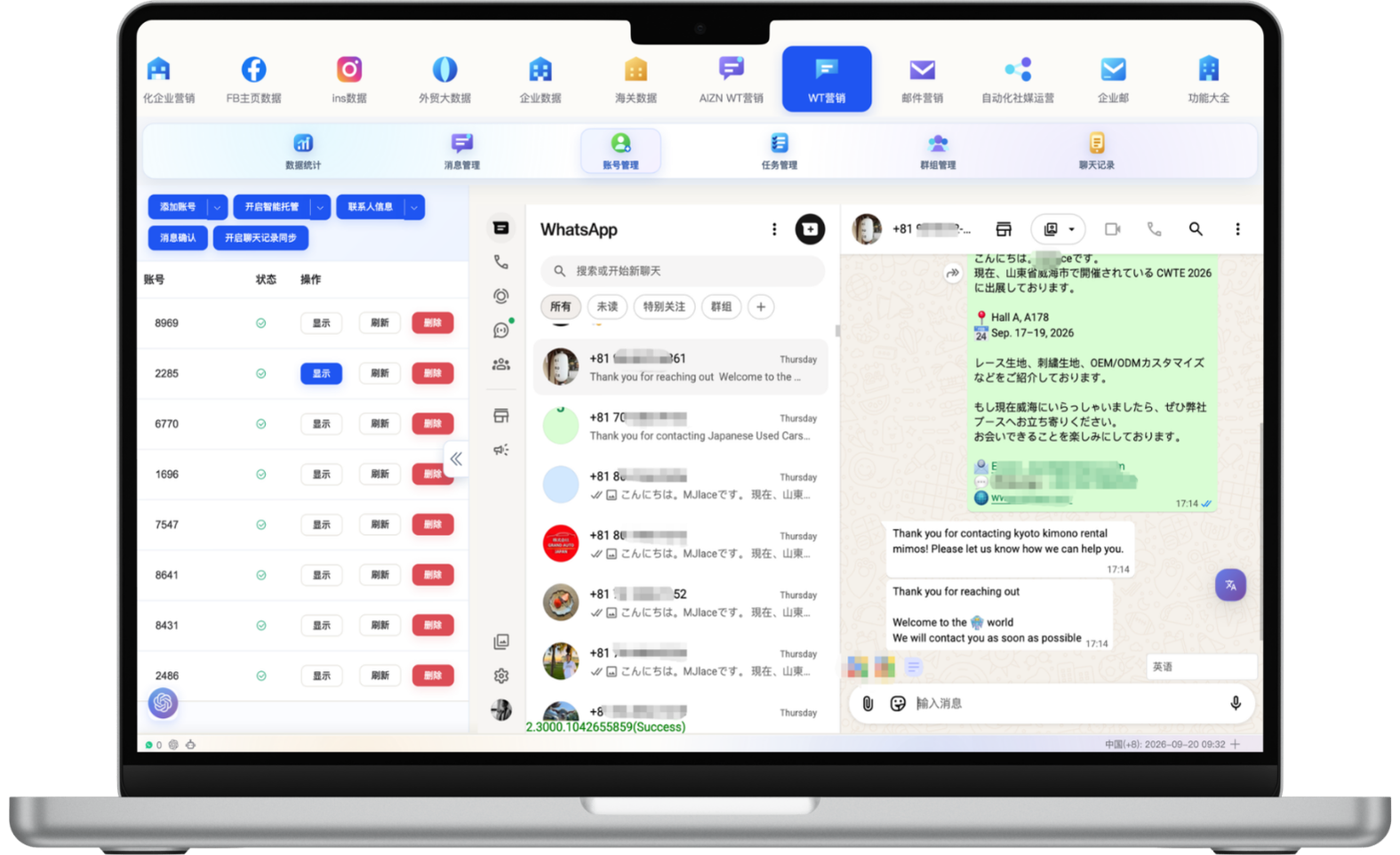
Manage multiple WhatsApp accounts in one workspace so team members can coordinate messages by customer and task. Live page translation helps sales teams understand customer messages and prepare replies across languages with less delay.
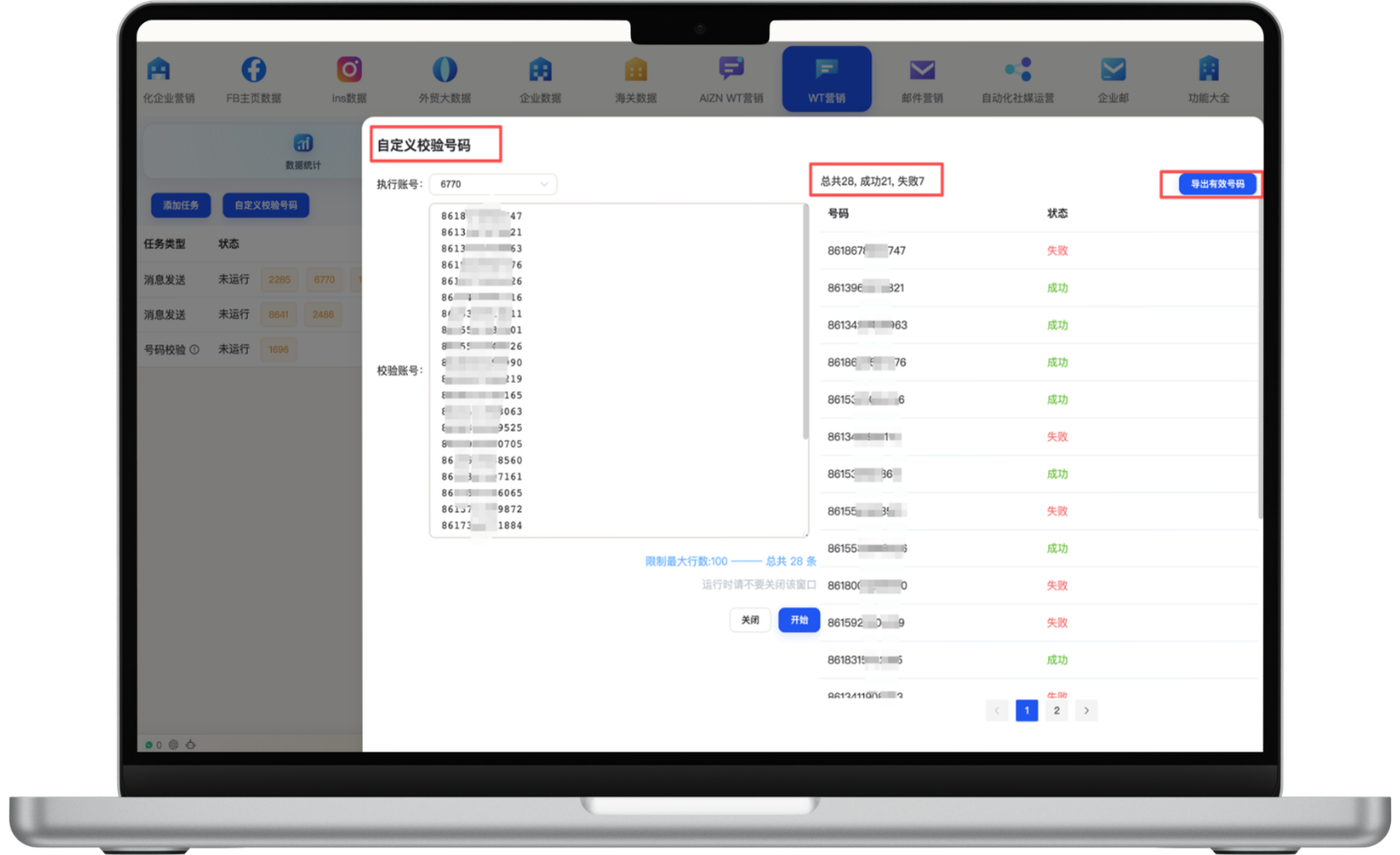
Validate customer numbers in bulk before building a campaign, clearly separate valid, invalid and pending records, and export usable numbers for the next step. This reduces wasted sending attempts and manual checking so the team can focus on contacts that can actually receive messages.
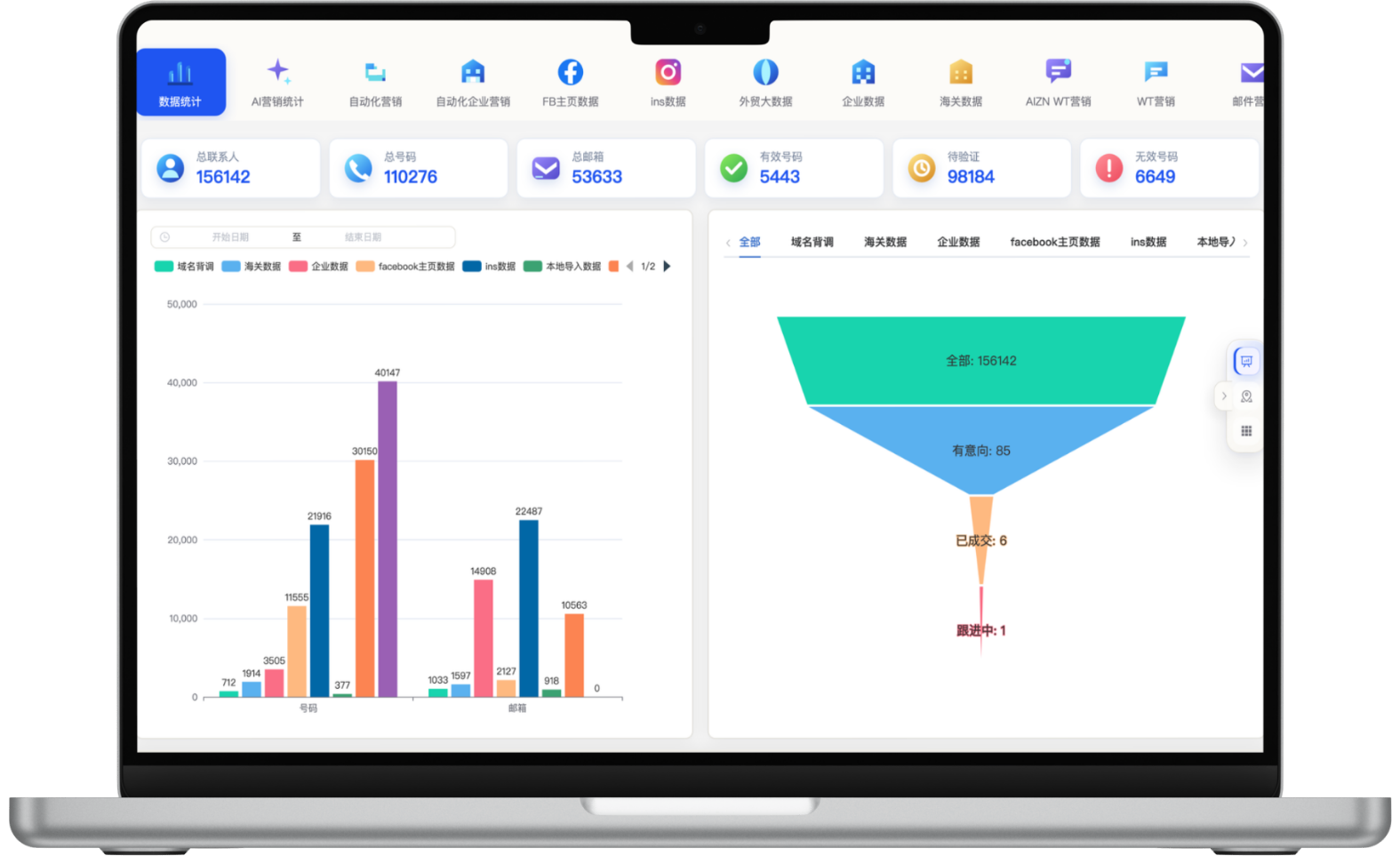
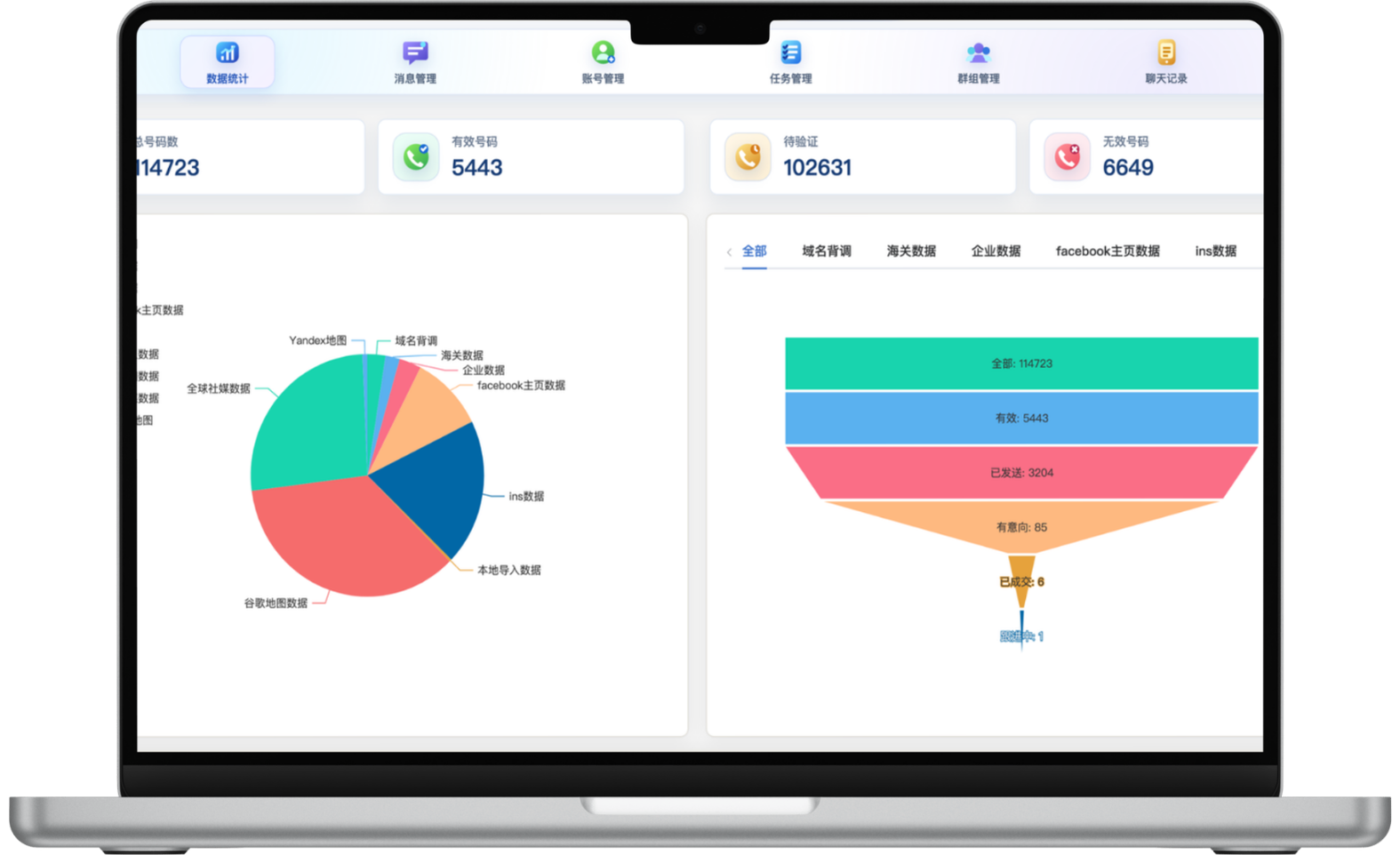
Review total, valid, pending and invalid numbers in one dashboard and compare how contacts are distributed across sources. Funnel stages for messages sent, interested prospects and won customers make it easier to spot drop-off, assess channel quality and improve the next campaign.
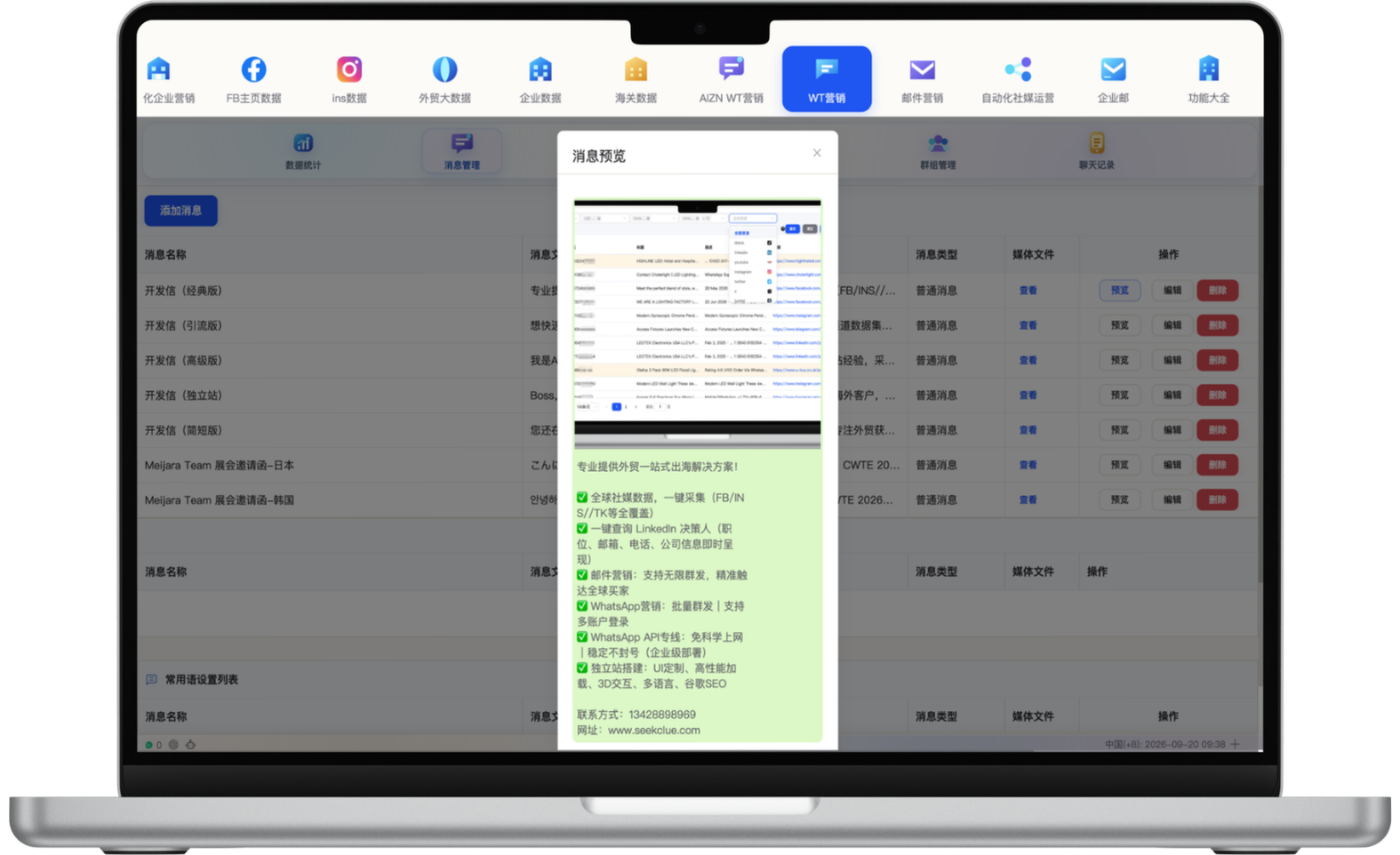
Build reusable outreach messages for different products, markets and customer stages using text with images, video or files. Preview how each message appears in the conversation before sending to improve consistency, reduce repeated editing and catch content or layout issues earlier.
Build target lists using data source, customer tags, business categories, country codes, number status and prior interaction counts, then configure sending accounts, rotation rules and intervals. Better segmentation improves message relevance and can reduce risks associated with concentrated high-frequency sending.
Rotation and interval controls do not replace compliant operations. Follow platform policies and prioritize consent and relevance.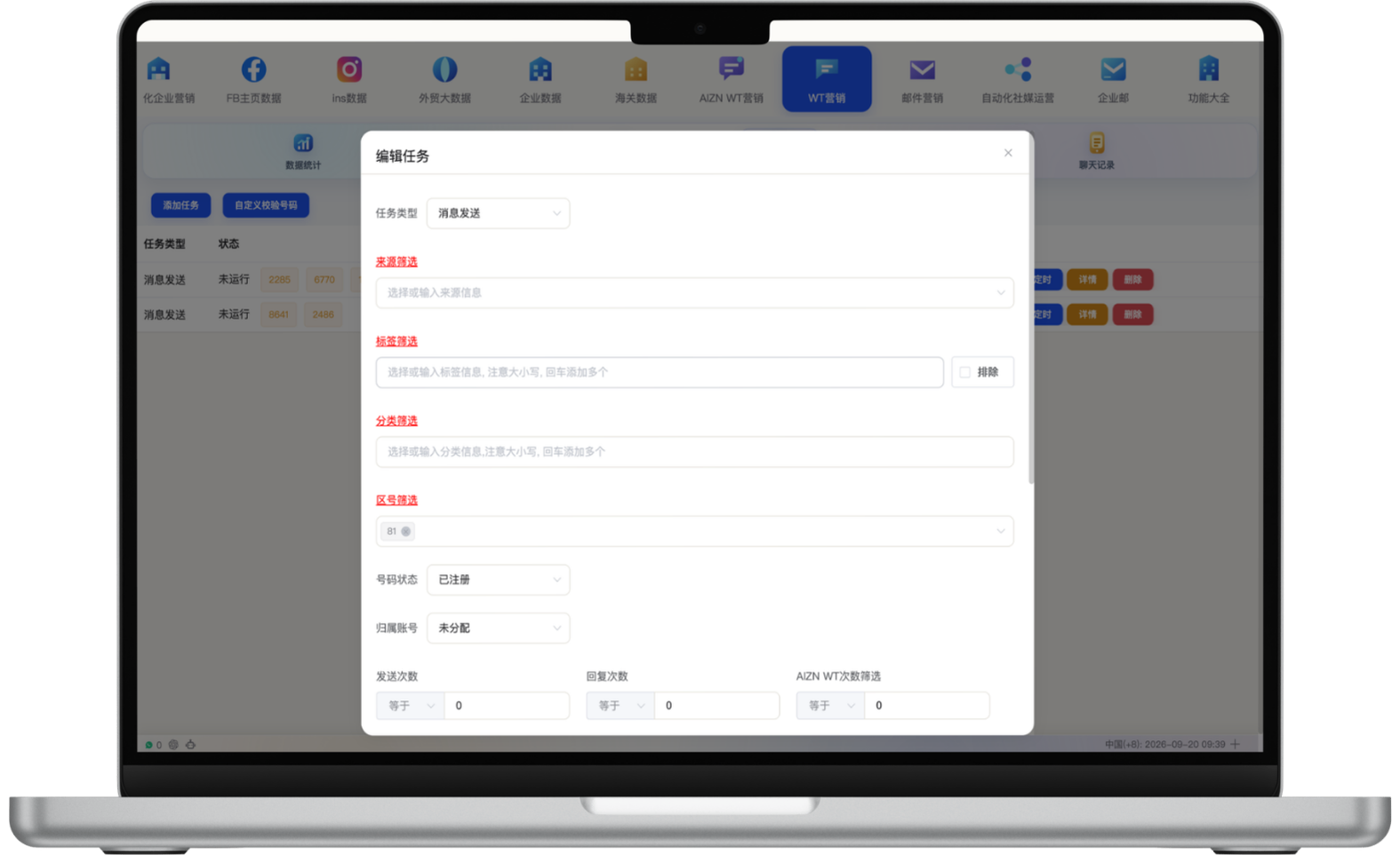
Validate campaign numbers in bulk and separate valid, invalid and pending records.
Build target lists by source, tag, category, area code and status, then set sending accounts and intervals.
Use approved image, video or file templates, collaborate across accounts and translate conversations in real time.
Retain customer context and review outreach, interest and conversion progress to improve future campaigns.
Start with one measurable scenario, then extend the workflow as your team builds confidence.
Validate and segment contacts by region, source and business tag before launching controlled first-touch campaigns with relevant templates.
Let multiple sales accounts review message history, ownership and conversation status in one workspace to reduce handoff gaps.
Use tags, categories and history to share product launches, replenishment, promotions or service updates, then review results in the analytics dashboard.
Yes. Multiple accounts can be managed in one workspace for campaign assignment and customer conversations. Account volume and operating rules should reflect team size, platform policies and the project plan.
Conversation-history sync retains customer context and helps teams resume follow-up after account or staff changes. Businesses should still maintain appropriate backups and access controls.
Reusable templates can combine text, images, video and files, with previews before sending to improve consistency and reduce repeated editing.
These controls can reduce risks from concentrated high-frequency sending, but they cannot guarantee that accounts will avoid restrictions. Campaigns must still follow WhatsApp policies and prioritize consent, list quality, cadence and message relevance.
Have another question? Visit the full FAQ for more answers.
Tell us your products, target markets and current process. We will help map the right data, channel and follow-up setup.