
Bulk company analysis
Turn raw company lists into structured business profiles.
Use AI-assisted analysis to enrich company names, domains and public information with business context, focus areas and key-role signals, helping sales teams research prospects faster.
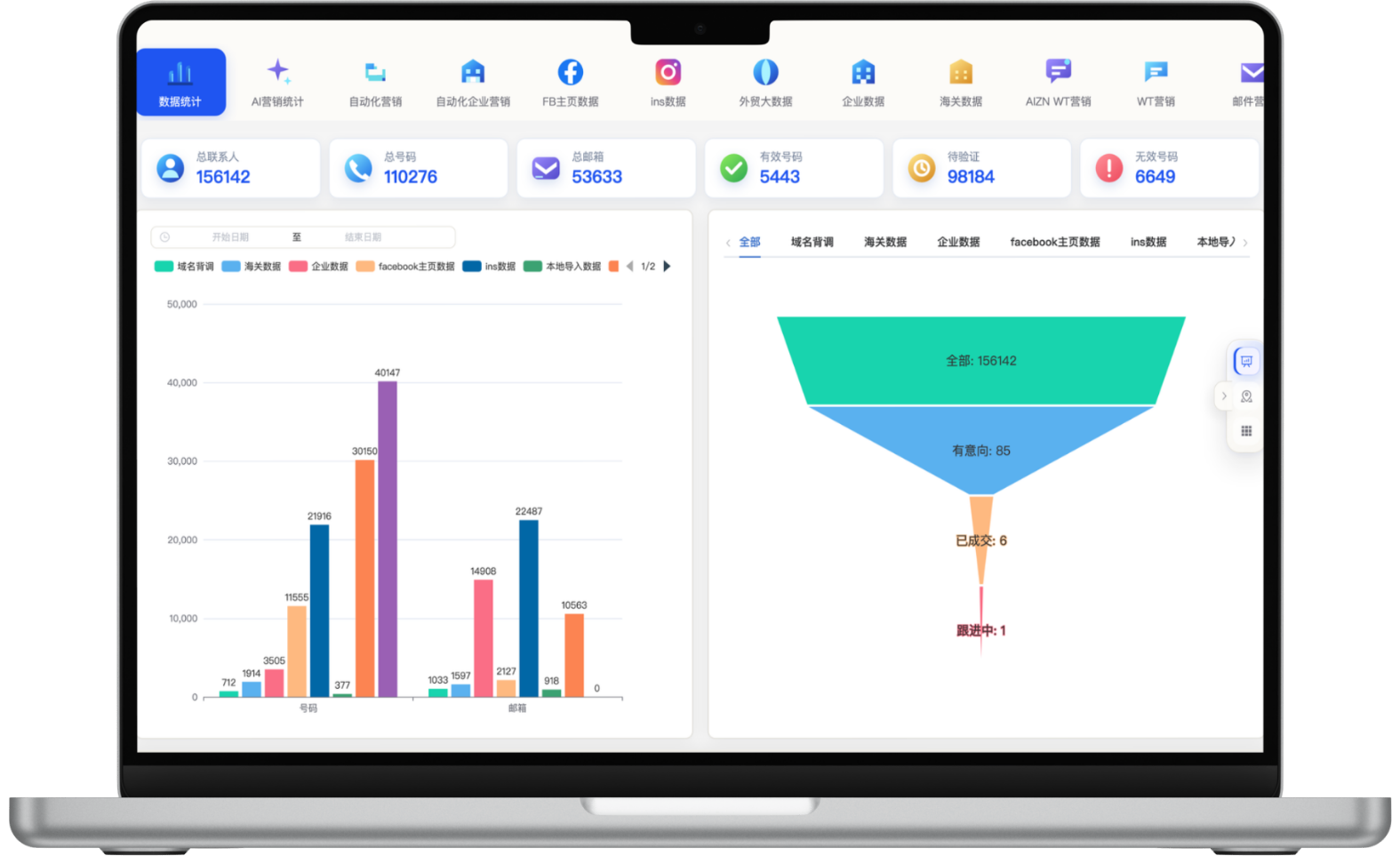
A focused workflow for turning fragmented information into consistent customer-development actions.
Turn raw company lists into structured business profiles.
Enrich websites, industries, locations and business context through domain research.
Organize verifiable business contact information from public sources.
Identify potential decision-maker signals across purchasing, sales and management roles.
Each section maps to the corresponding data source, workflow and operational requirement for this module.
Company intelligence supports research on larger buyers and target accounts. Available resources cover approximately 700 million LinkedIn-related public professional records and 2.5 billion global business signals, helping teams identify senior leaders, buyers and other key roles by company, position and location.
Public-data coverage varies by country, company and privacy settings. Contact details should be verified before outreach.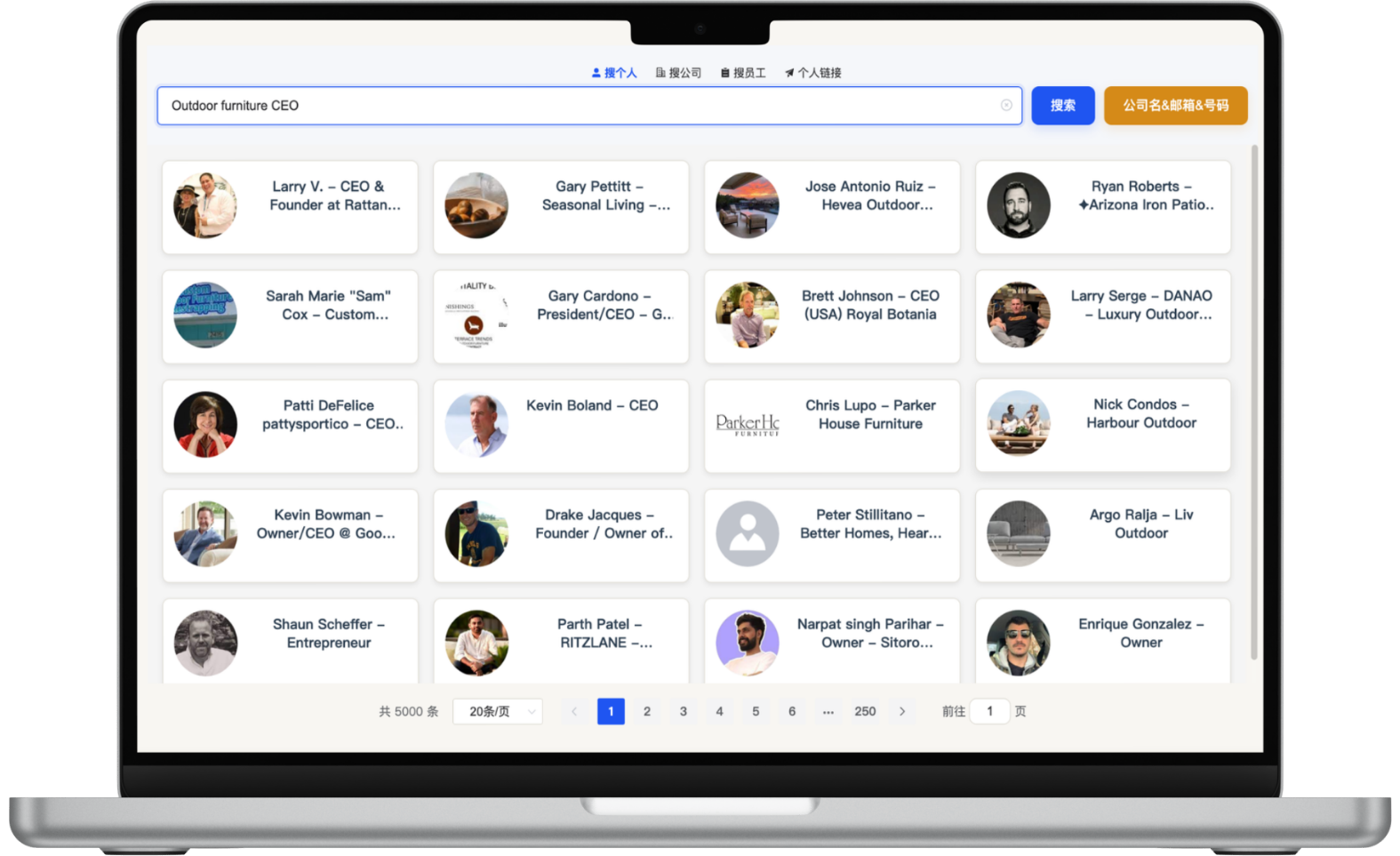
Enter a product or industry keyword such as Outdoor furniture to discover relevant companies and website domains in bulk. Review company names, countries, founding dates, business tags, descriptions and websites to build a qualified list for account research.
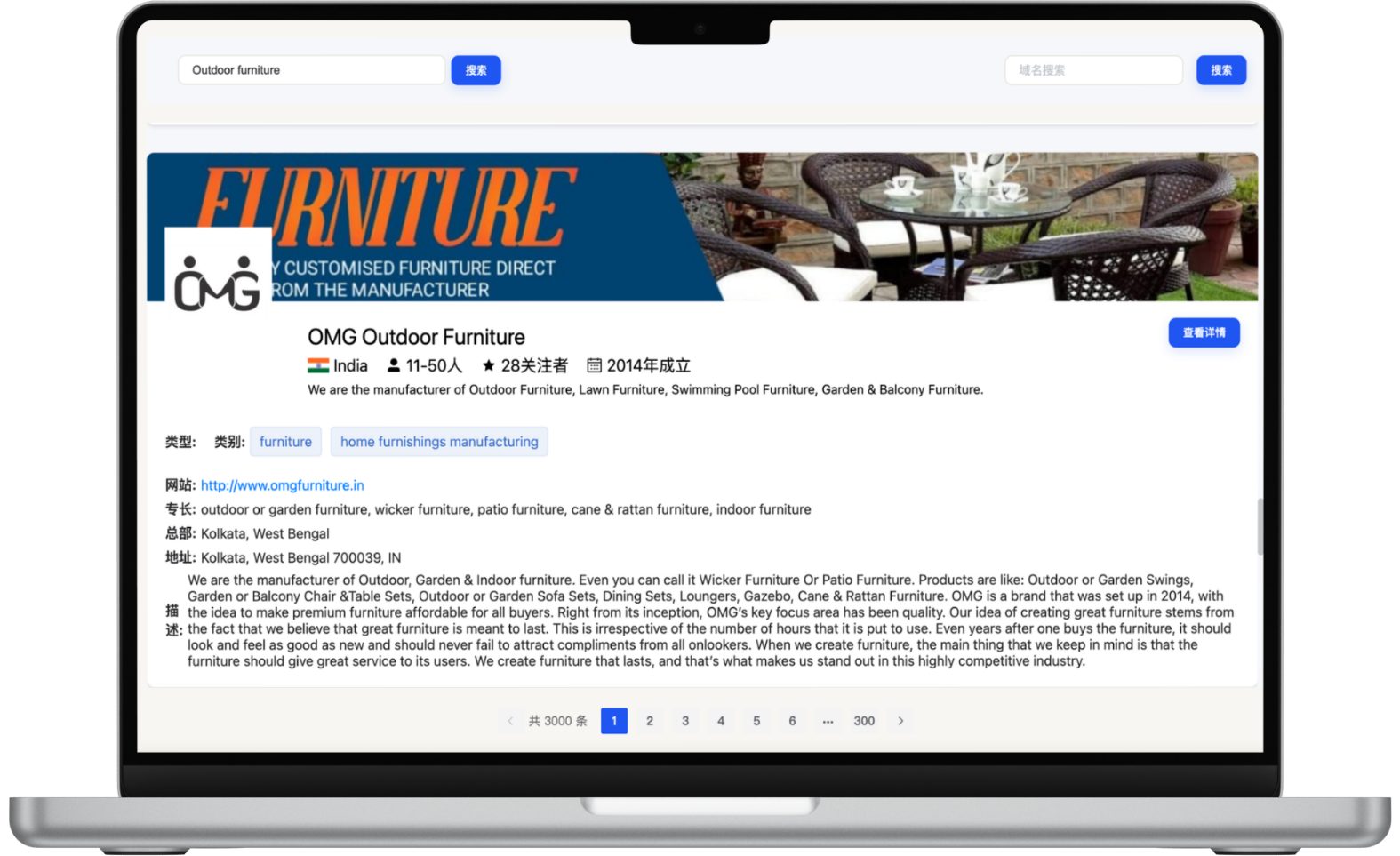
Use target product or industry keywords with country and region filters, then refine companies by founding year, domain, follower count and employee size. After identifying target accounts, continue into employee, key-role and decision-maker research for more precise outreach.
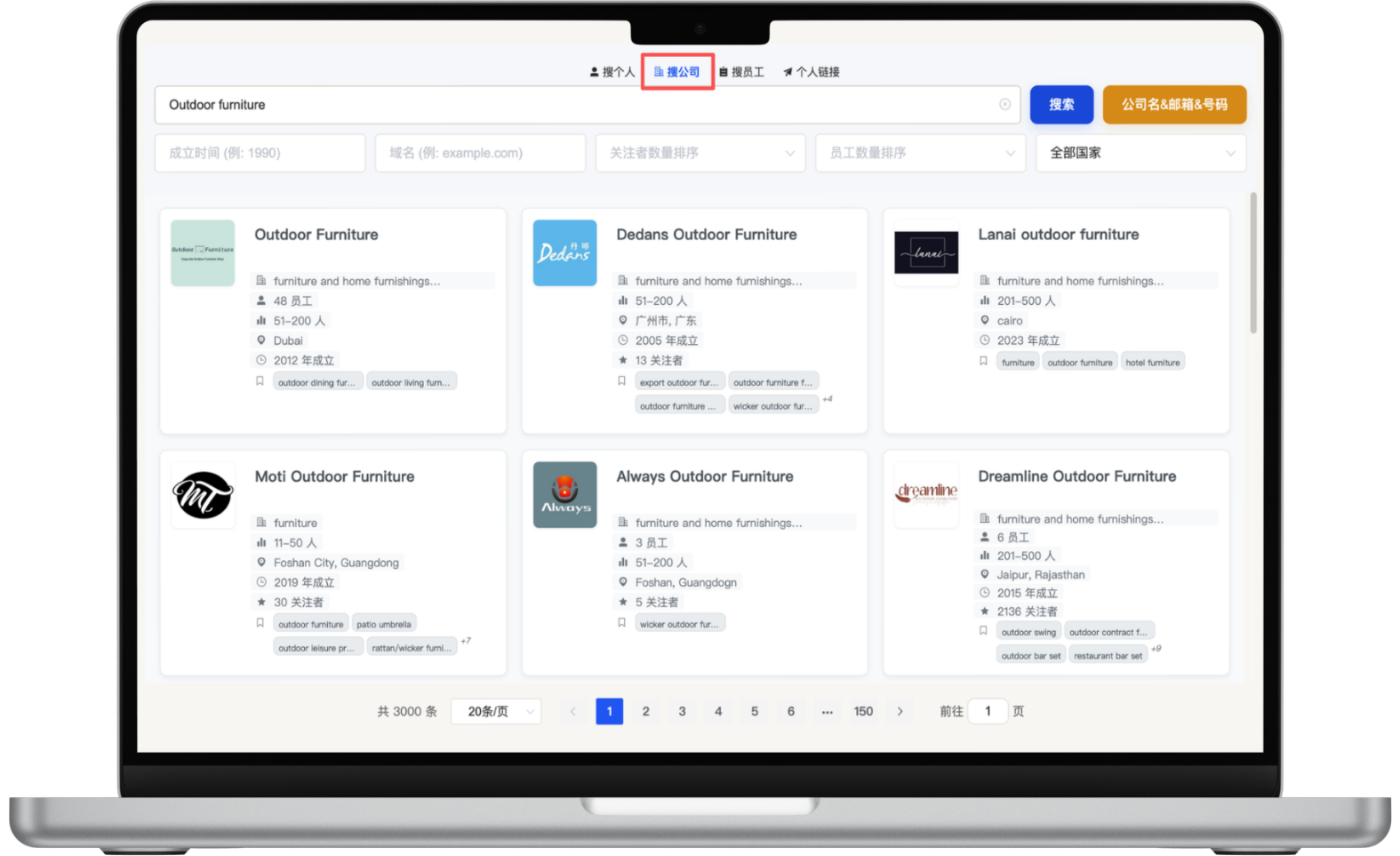
Use company domains to review business details, websites, social profiles, business scope, organizational structure and public contact information. Combined with key-role contact signals, this creates a multi-dimensional research brief from account to person.
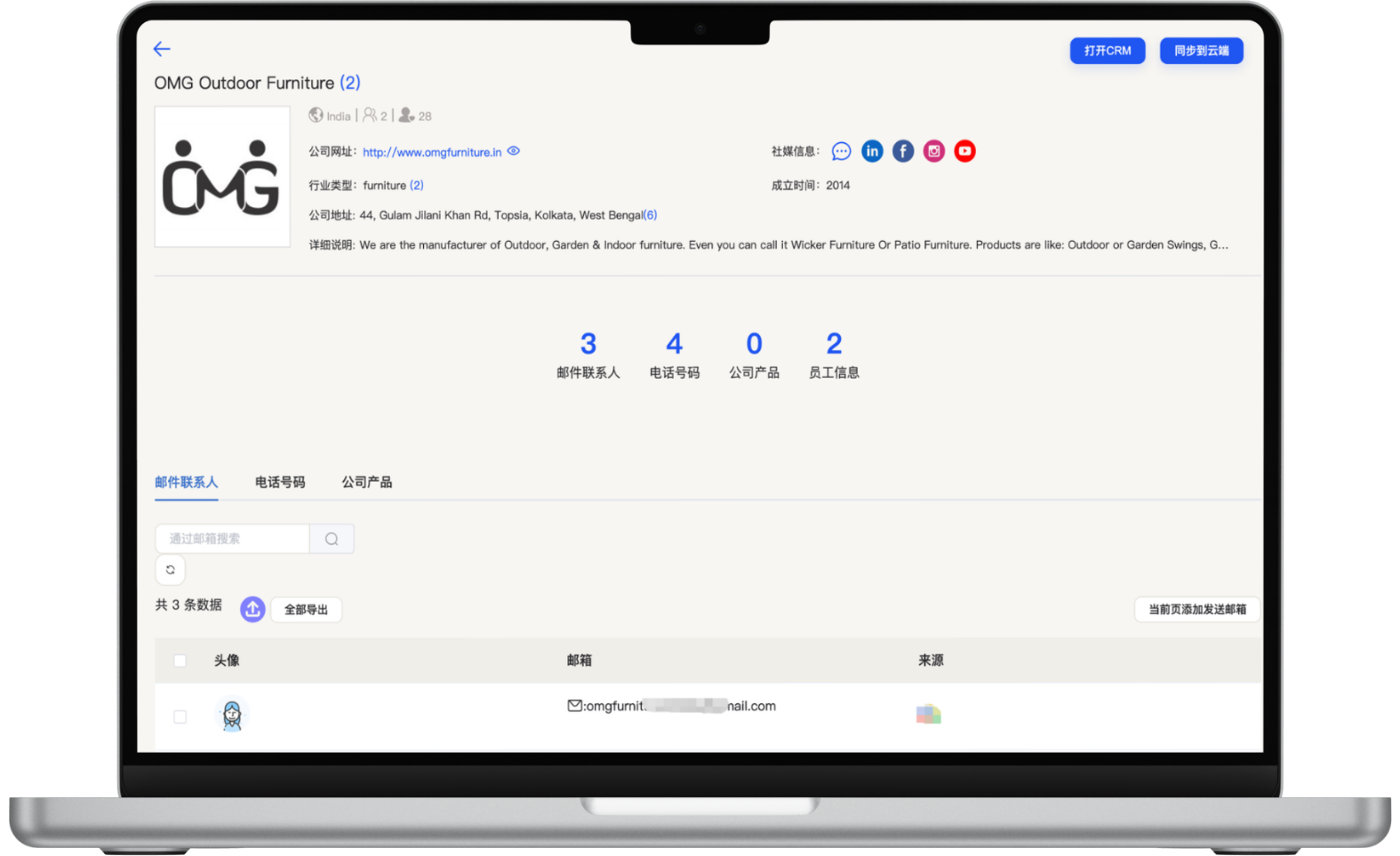
Upload company names, domains or existing records.
Enrich company context, websites and business information.
Filter contact roles relevant to purchasing and partnerships.
Prepare richer account-research views for sales.
Start with one measurable scenario, then extend the workflow as your team builds confidence.
Enrich exhibitor names with company and contact context.
Understand company background, business scope and key roles before outreach.
Refresh older lists with current public business information.
Yes, but accuracy generally improves when domains, countries or industries are provided as well.
The system can identify key-role and public-contact signals, while final identity and contact validity should still be verified.
Yes. Fields can be mapped to project requirements before bulk enrichment, deduplication and qualification.
Have another question? Visit the full FAQ for more answers.
Tell us your products, target markets and current process. We will help map the right data, channel and follow-up setup.