
AI-personalized outreach
Draft more relevant outreach using recipient names, companies, products, languages, tone, scenarios and business strengths.
Manage professional templates, audience segments and campaigns, track delivery, opens and clicks, and use website product information with AI-assisted drafting for more relevant messages.
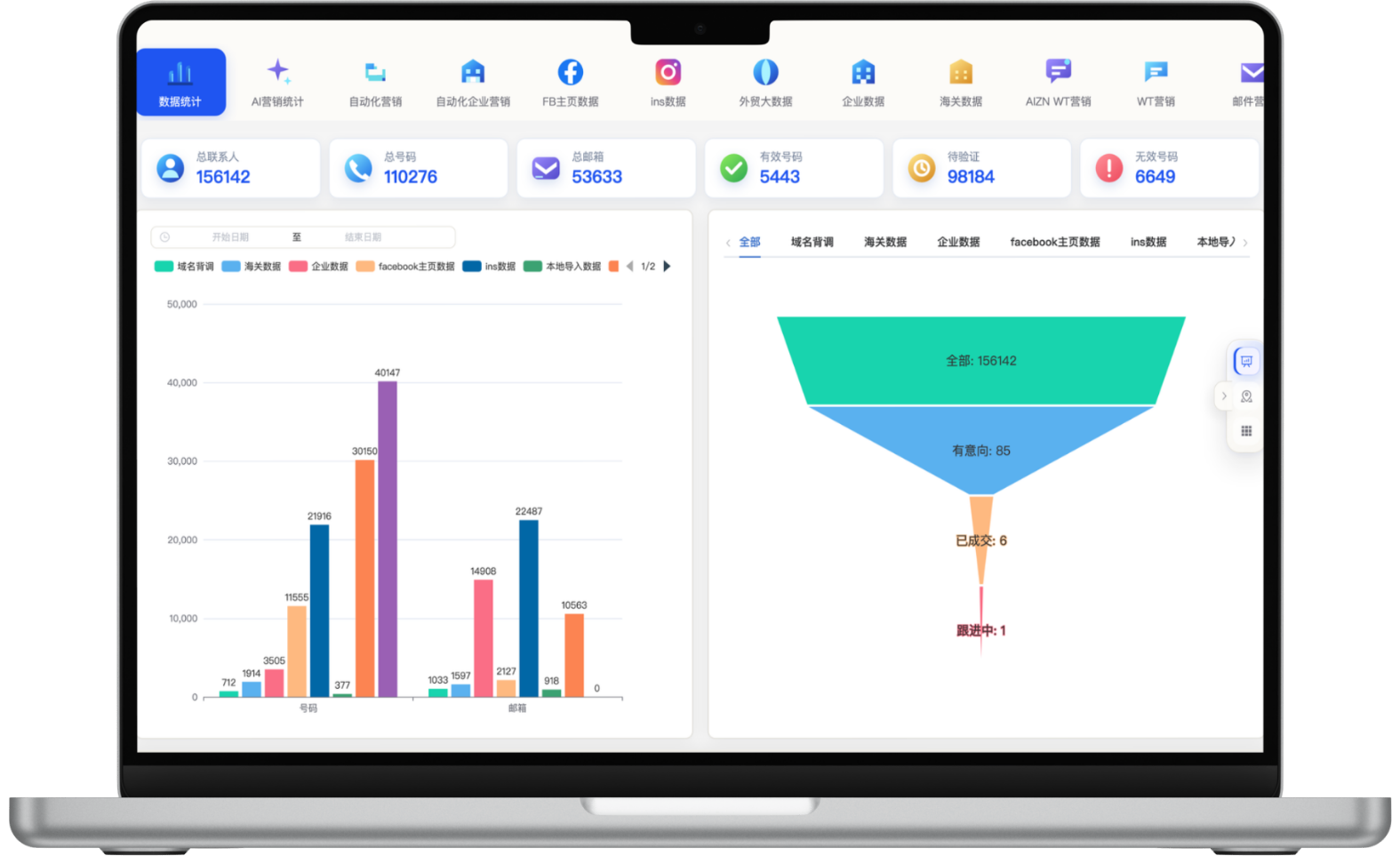
A focused workflow for turning fragmented information into consistent customer-development actions.
Draft more relevant outreach using recipient names, companies, products, languages, tone, scenarios and business strengths.
Build repeatable campaigns with up to 30,000 email addresses per task and continue outreach across multiple tasks without composing every email manually.
Validate email addresses in bulk and segment by source, tag, category, region and history to reduce invalid addresses and irrelevant sends.
Reduce repetitive campaign work with reusable templates, automated tasks and centralized analytics while tracking delivery, opens, failures and follow-up engagement.
Each section maps to the corresponding data source, workflow and operational requirement for this module.
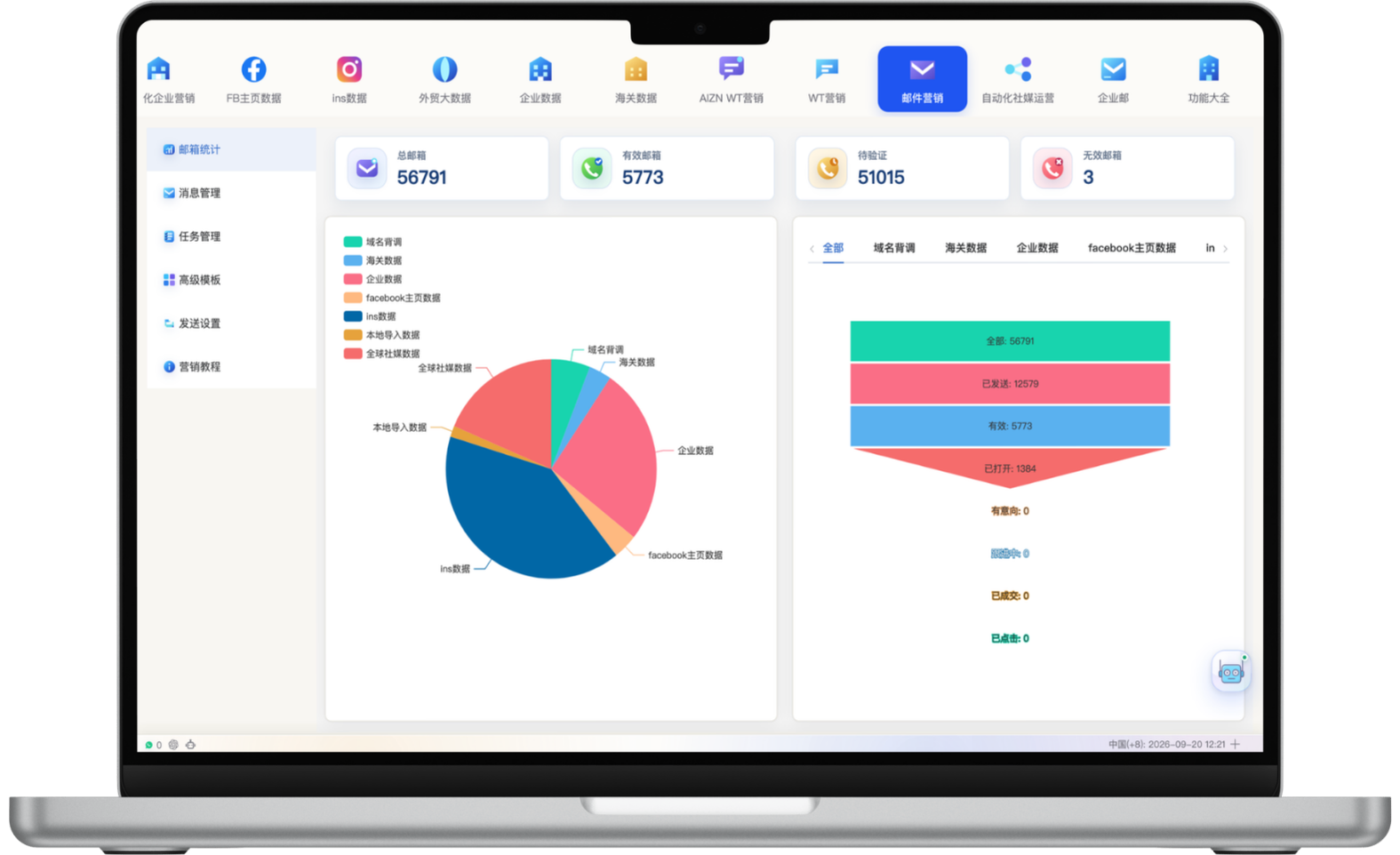
Use one dashboard to review total, valid, pending and invalid email addresses and compare how contacts are distributed across sources. Stages such as sent, opened, interested, replied and won help teams identify drop-off, assess channel quality and refine the next campaign.
Segment audiences by added date, data source, tags, business category, email status, region and campaign history, then validate addresses in bulk before sending. A single task can include up to 30,000 email addresses. Cleaner lists and more relevant content can reduce wasted sends, while actual delivery still depends on factors such as sender reputation and recipient policies.
No fixed deliverability rate can be guaranteed. Regularly remove invalid addresses, control complaints and bounces, and maintain sender-domain reputation.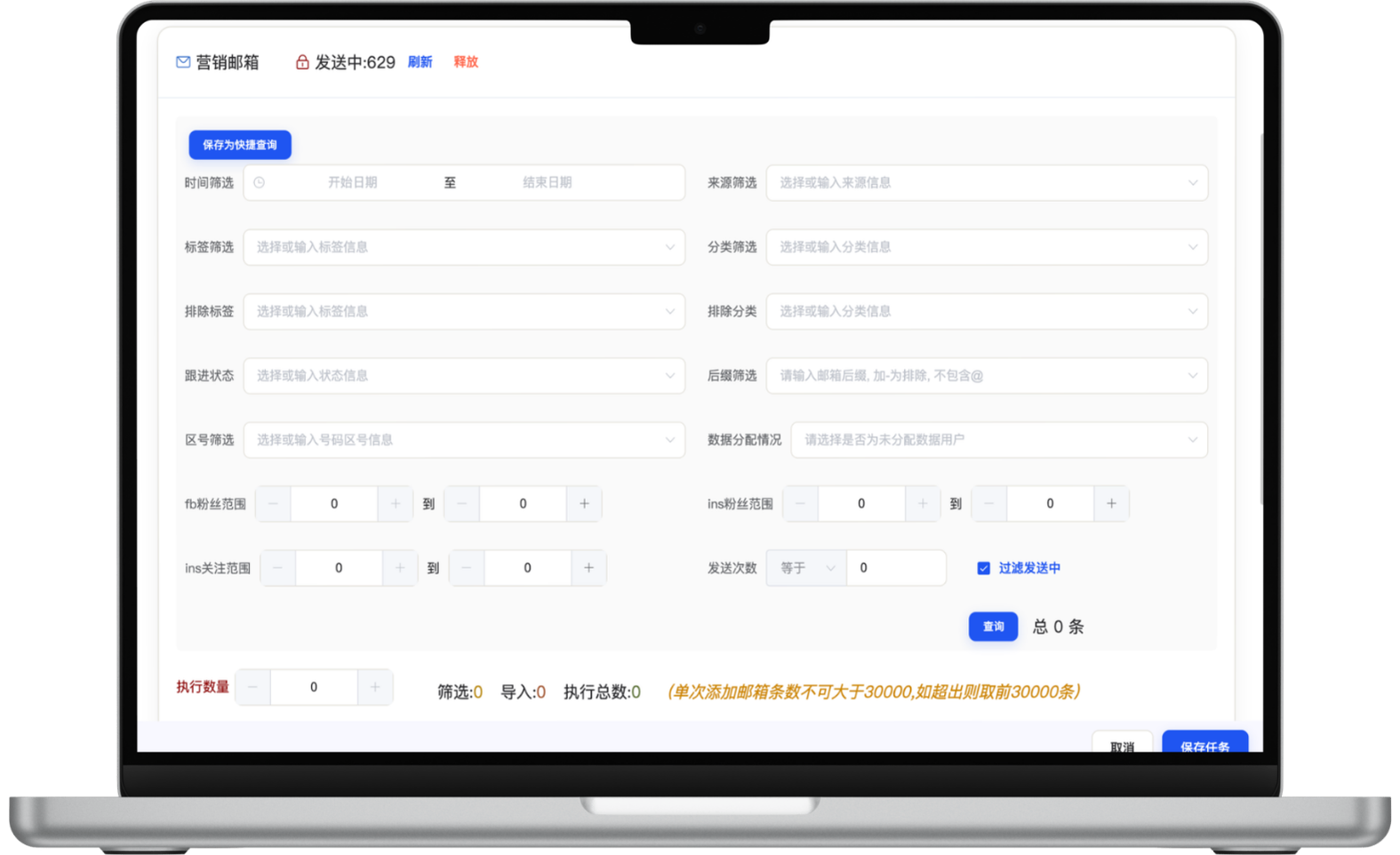
Choose the language, professional or conversational tone, length and campaign goal, then add company strengths, product capabilities and service advantages for AI-assisted drafting. Dynamic fields such as the recipient name and company make each message more relevant while reducing the time salespeople spend starting from a blank page.
AI-generated drafts should be reviewed against actual products, quotations and customer context before sending.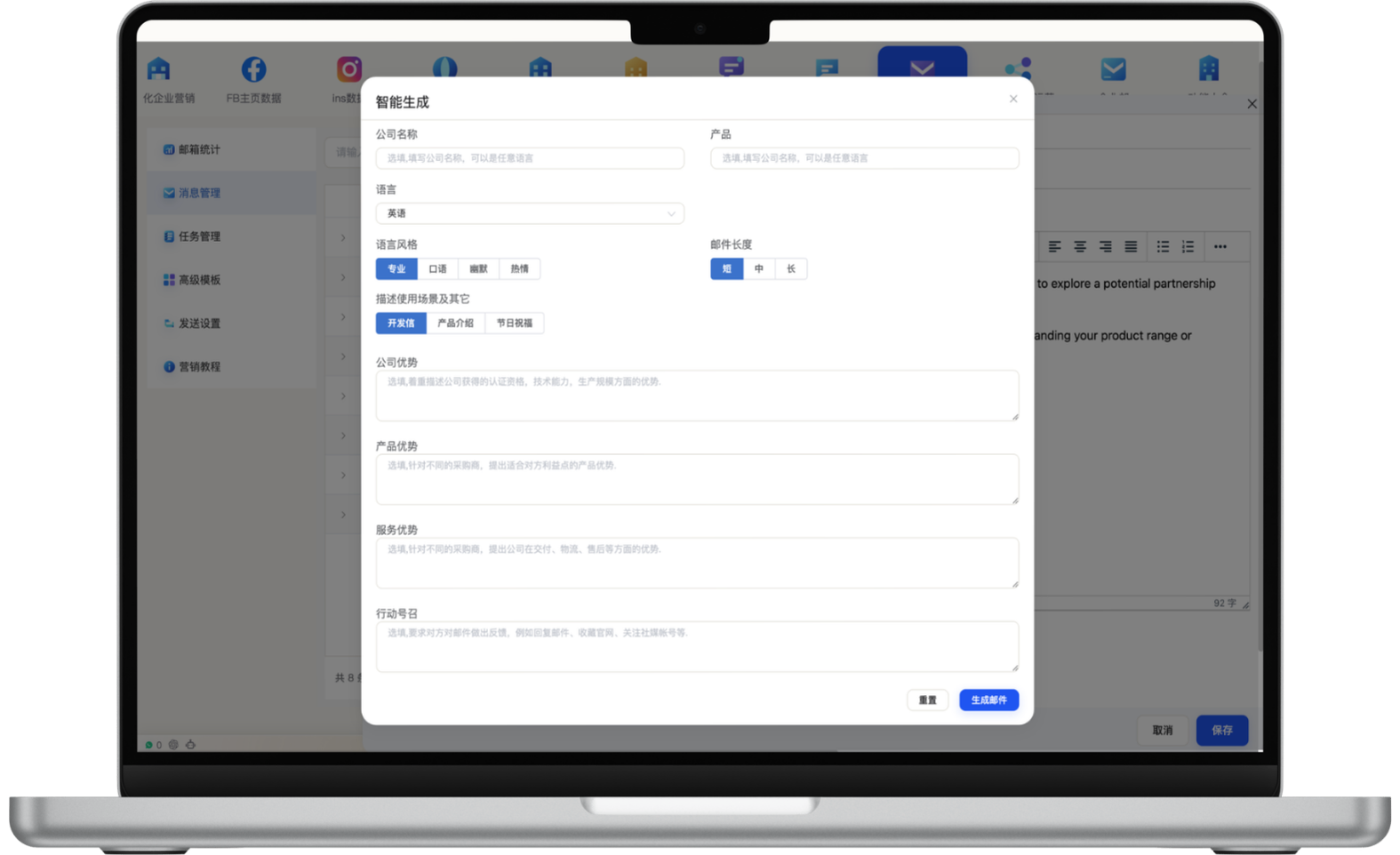
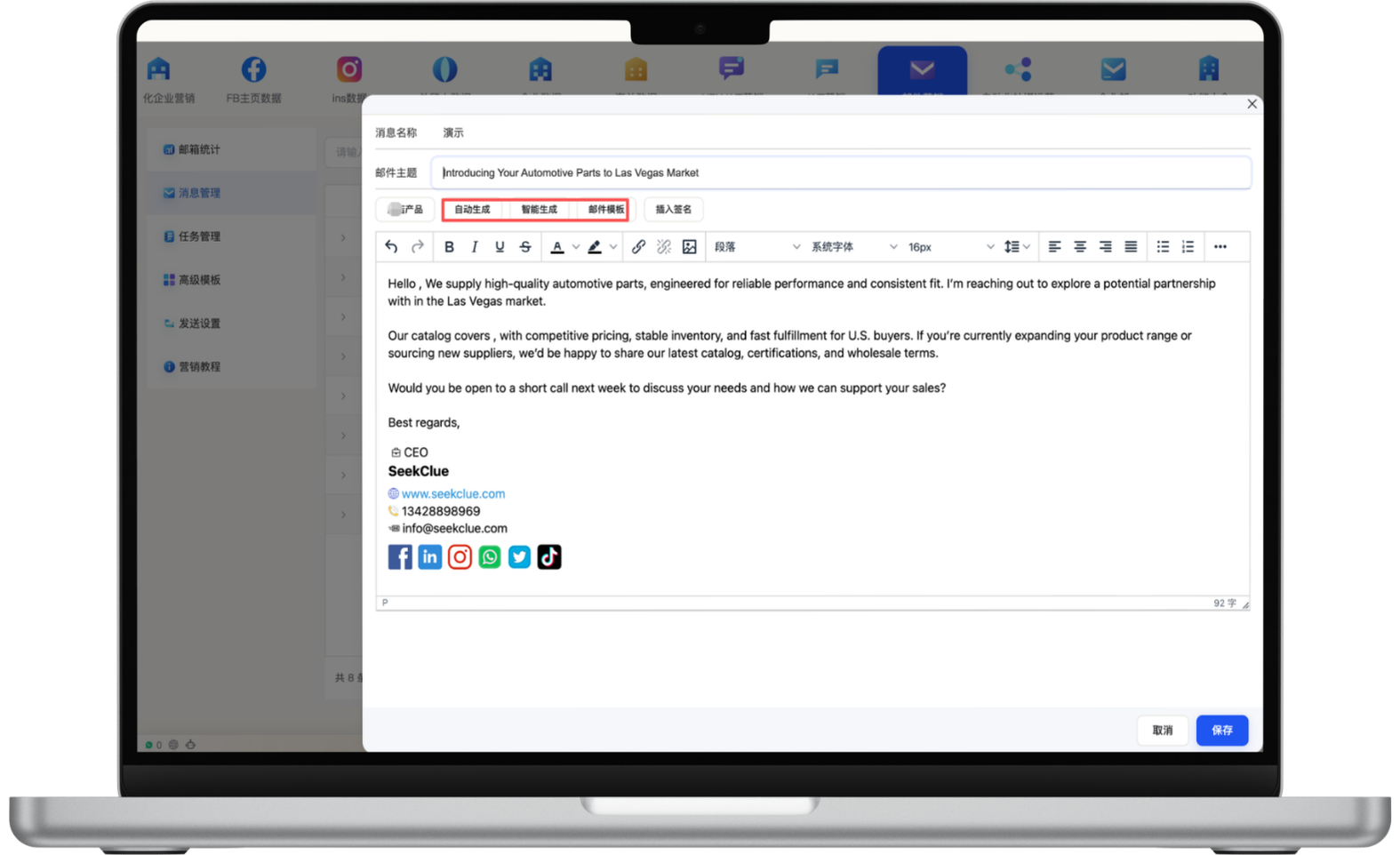
Refine subjects, body copy, images, links and layout in a visual editor while using recommended templates, AI-generated drafts, website product information and saved signatures. Teams can create new outreach quickly or reuse proven structures while keeping brand presentation consistent.
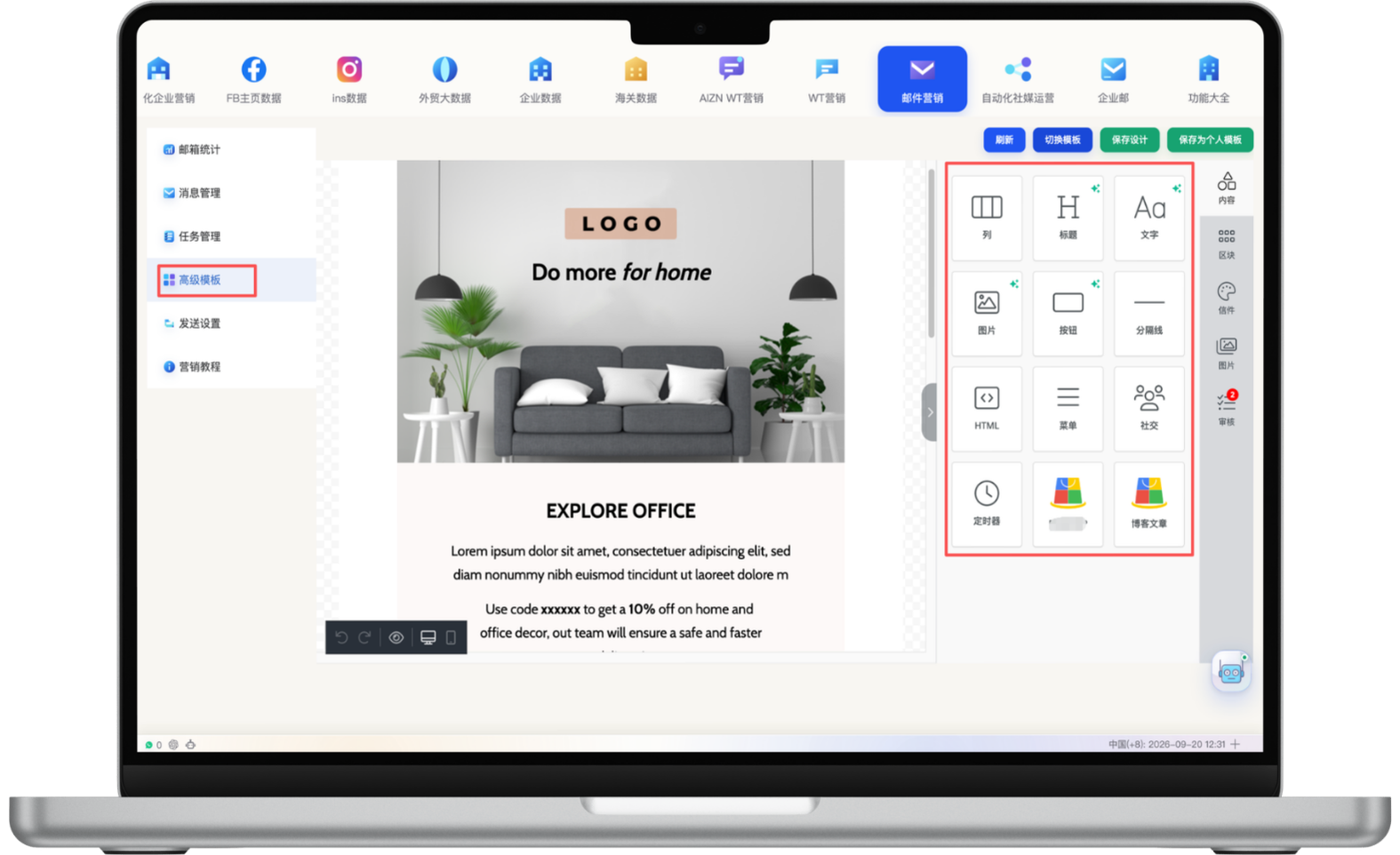
Combine text, images, buttons, HTML, menus, social links and countdown blocks through a visual builder to create reusable templates for brand campaigns, cross-border promotions and product launches. Consistent presentation and clear calls to action improve readability while lowering repeated production effort.
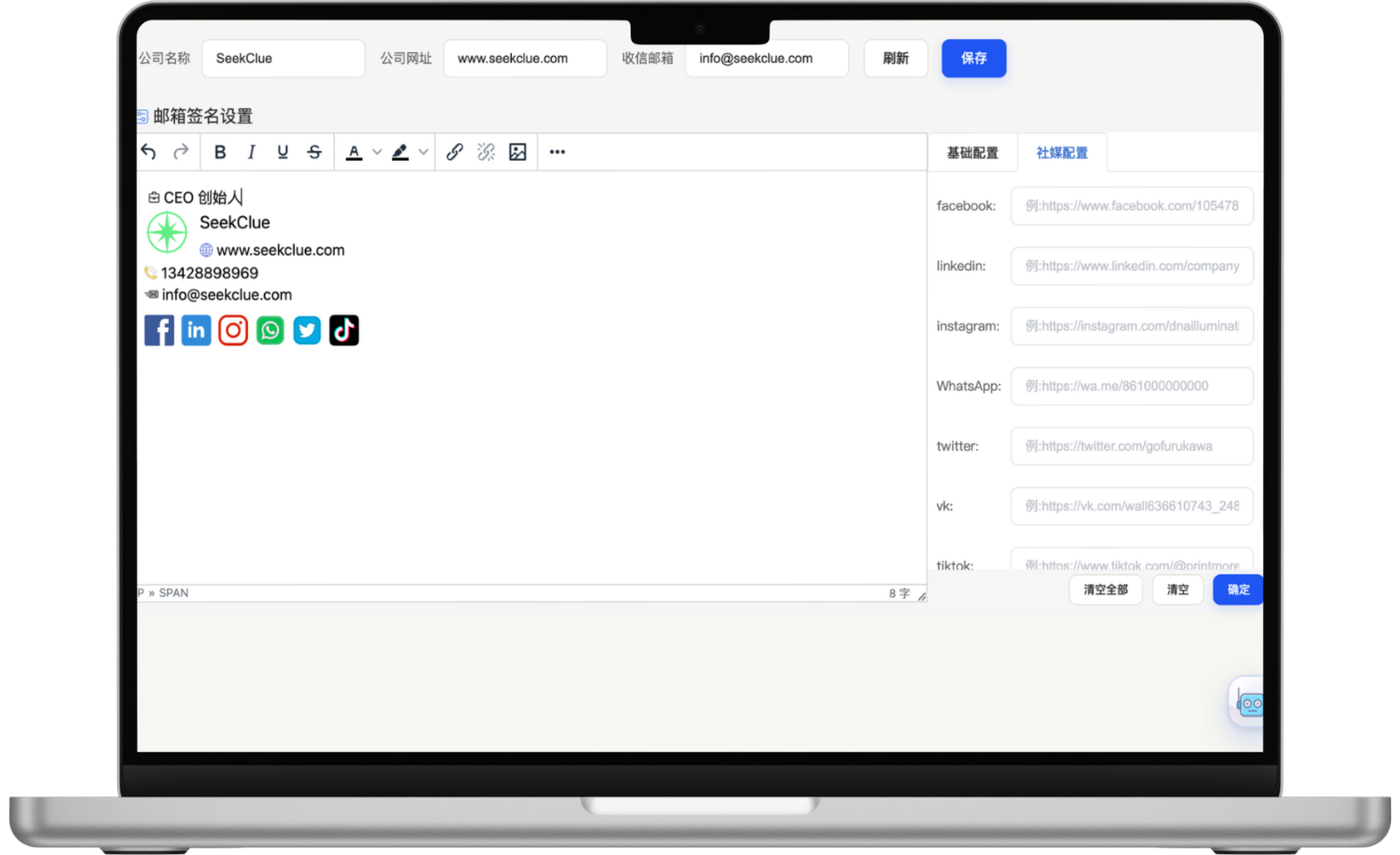
Create professional signatures with names, roles, company details, websites, email addresses, phone numbers and social links, then reuse them across outreach and campaign templates. Standardized signatures reduce manual editing, keep team communication consistent and give customers clear ways to verify and contact the business.
Set email content, audience conditions, schedules and follow-up triggers for each segment, then let the system execute the defined workflow while showing status, creation time and audience volume in the task list. Automation reduces repetitive tracking and manual sending so salespeople can spend more time on high-intent conversations and conversion.
Automation reduces repetitive work; actual inquiries and sales still depend on audience quality, message relevance, product competitiveness and follow-up.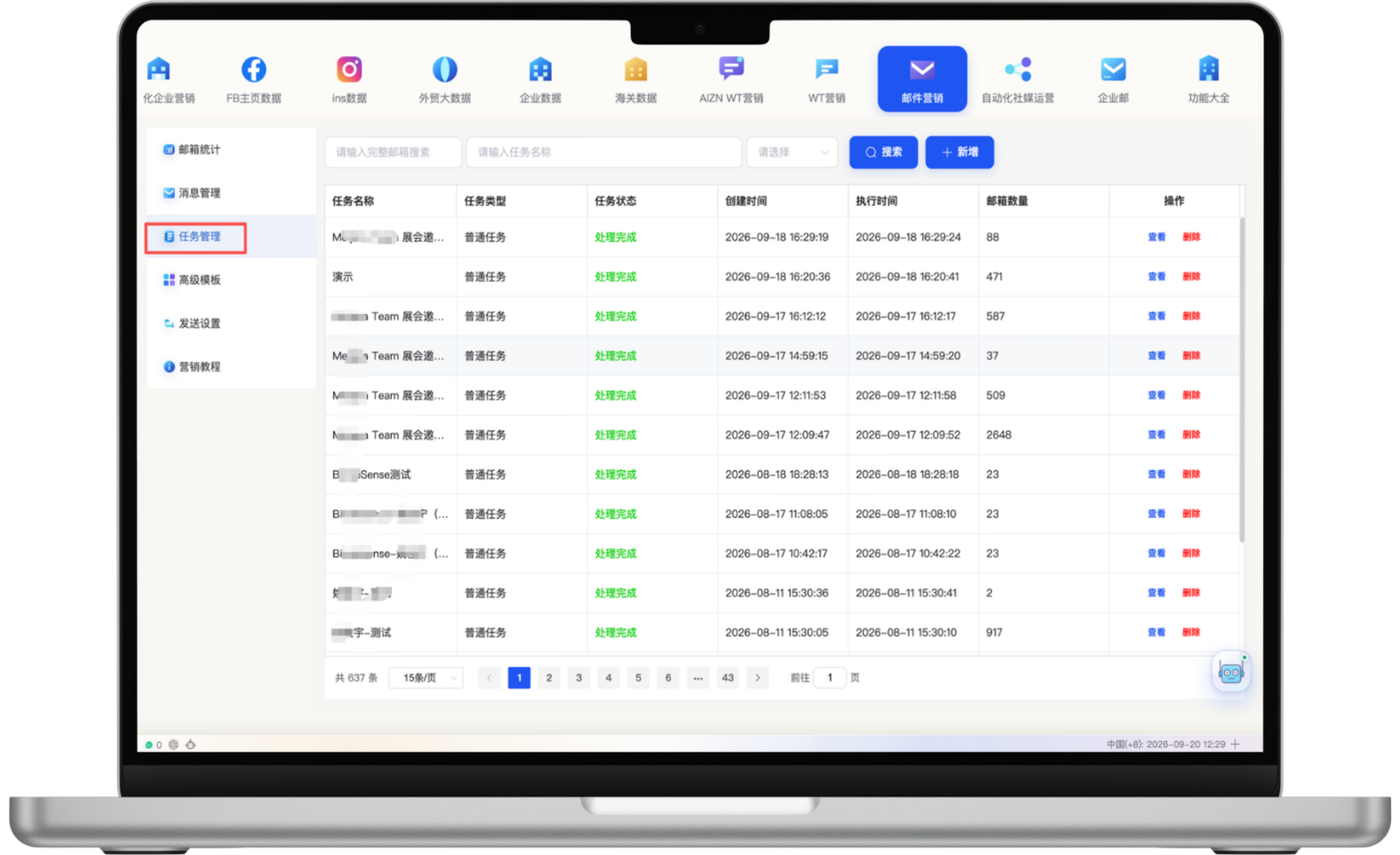
Review sent, sending, failed, bounced, viewed, unviewed and invalid statuses in one place. Combined with automated address validation and result exports, teams can identify contacts to remove or revisit, evaluate campaign performance, refine content and sending strategy, and run segmented follow-up for unengaged or interested recipients.
Open tracking can be affected by recipient privacy protections and email-client settings, so it should be interpreted alongside clicks, replies and bounces.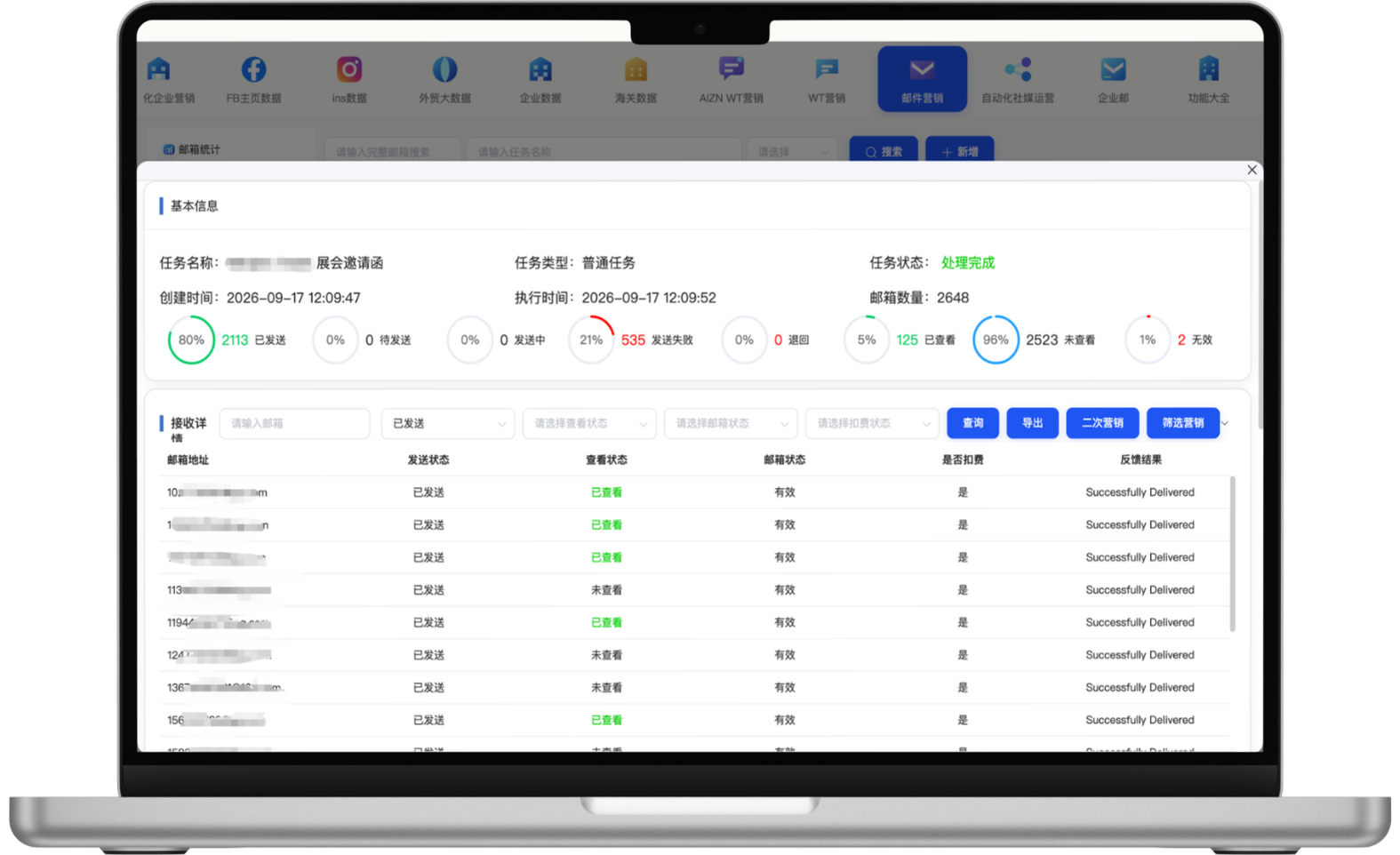
Remove invalid addresses and build target lists by market, source, tag and prior engagement.
Set language, tone, scenario, company and product strengths, then review the draft in a visual editor.
Choose templates, signatures and audiences, then schedule repeatable campaign tasks.
Use delivery, open, failure and engagement data to build second-touch and ongoing follow-up campaigns.
Start with one measurable scenario, then extend the workflow as your team builds confidence.
Run personalized outreach to validated, qualified prospects and monitor effective delivery and engagement.
Schedule follow-up content by customer stage, history and triggers to reduce repetitive sales work.
Use visual templates, branded signatures, product imagery and calls to action for consistent, credible brand communication.
The system supports ongoing segmented campaigns, with up to 30,000 email addresses per task. Actual volume, cadence and speed should still reflect sender configuration, domain reputation, provider rules and list quality.
Address validation, segmentation, relevance, cadence, opt-out handling and sender-domain reputation all affect delivery. The system can reduce invalid and irrelevant sends, but no fixed delivery rate should be guaranteed.
AI can draft content from language, tone, scenario and business strengths, but teams should review facts, brand voice, personalization variables and calls to action before sending.
Reusable templates, bulk validation, segmented campaigns and automated follow-up reduce manual composition and repetitive work, lowering operating cost per contact at scale. Actual cost depends on email services, sending infrastructure and campaign volume.
Have another question? Visit the full FAQ for more answers.
Tell us your products, target markets and current process. We will help map the right data, channel and follow-up setup.